SUPREMATouch
58
Operation of the System
MSA
US
First calibration:
Field type: Checkbox
If this field is set, a first calibration and, if applicable and confirmed, an automatic presetting will
be carried out. If a first calibration takes place, entries in the calibration history for the selected
measure point will be deleted.
If no previous calibration has been done, a first calibration will always be carried out independent
from this setting.
Start
Field type: Button
Pressing this button starts the calibration process and automatically inhibits the output. After the
button is tapped, the parameters are immediately checked to see if they are valid. If the parame-
ters are valid and the selected input is not in alarm mode or inhibited, the calibration process be-
gins and the “Calibration end” window appears.
Cancel
Field type: Button
Tapping this button discards all settings made.
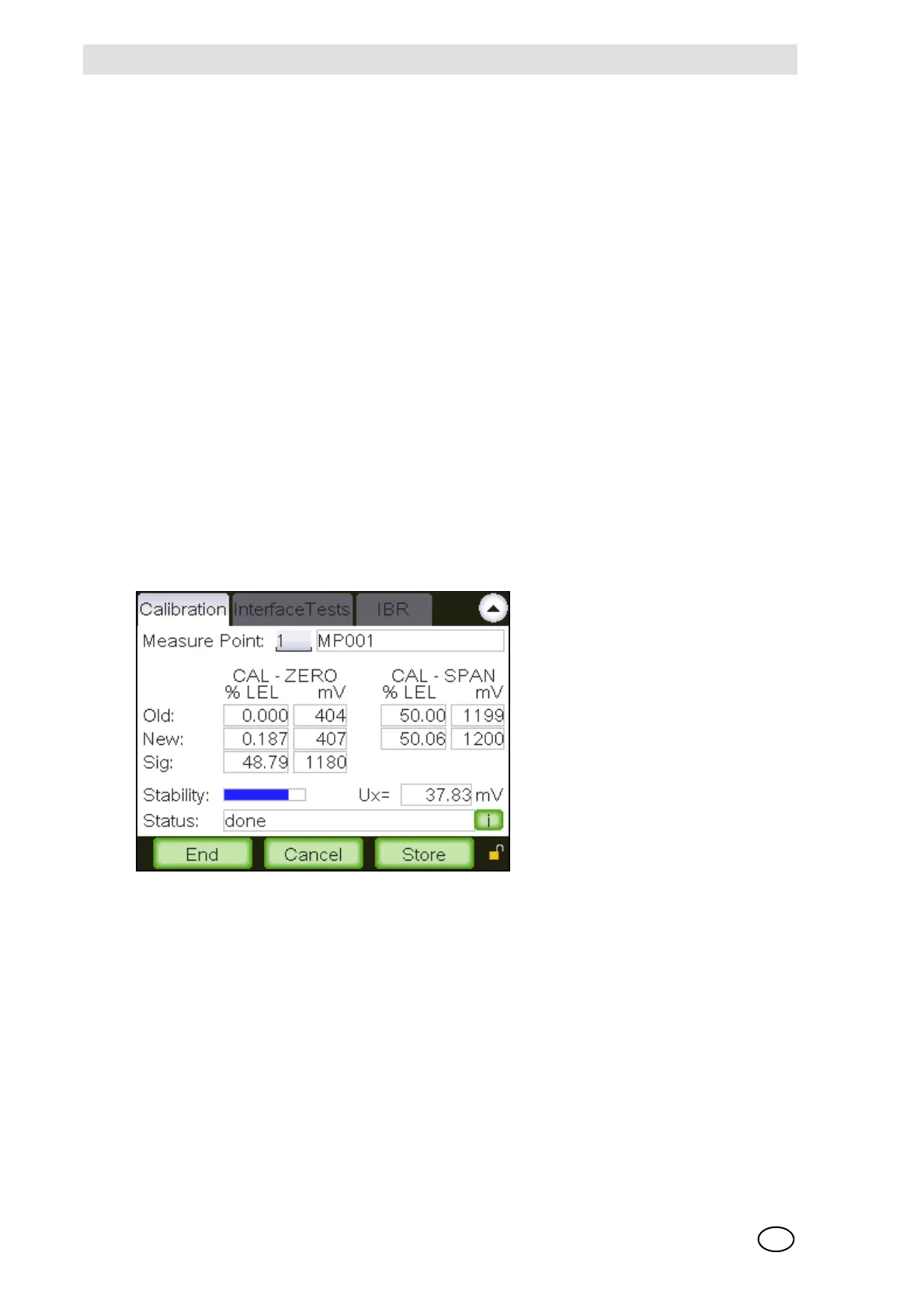
Fig. 30 “End calibration”
Old
Field type: Display
The fields in this line display the data from the last calibration, if the input has already been cali-
brated.
- CAL-ZERO: Measurement value and internal signal UA for zero gas
- CAL-SPAN: Measurement value and internal signal UA for test gas
The dimensions of the values are shown directly above the values.



 To Next Page