SUPREMATouch
60
Operation of the System
MSA
US
Cancel
Field type: Button
Tapping this button will cancel a calibration process at any time, provided there is no presetting in
progress. The results up to that time will be voided.
NOTE: The presetting is valid immediately and will always be applied!
Interface Tests
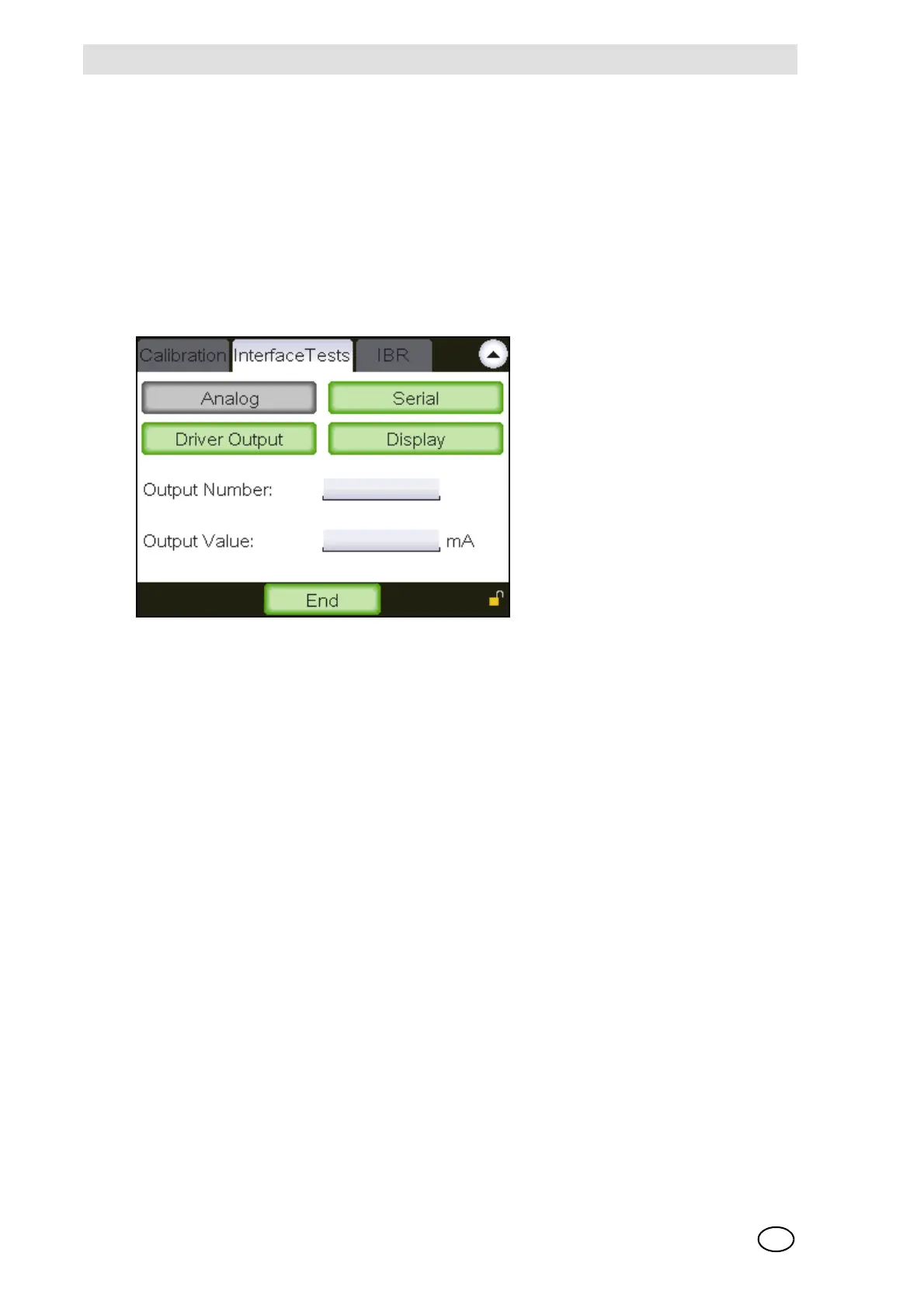
Test of the analogue outputs
Fig. 31 Test of the analogue outputs
Analogue outputs can be tested with the help of this subwindow. The desired analogue output is
selected using the output number field and the current to be tested is set using the output value
field. The test can be completed using the “End” button. The regular, input dependent value is dis-
played again in the output thereafter.



 To Next Page