HYDROCAL 1005 Manual for Installation and Operation Page 98/111
5.13 View of alarm status
To view alarms, you must select the list „Alert“ under the corresponding transformer. The operation
elements are same as indicated under „View of results.
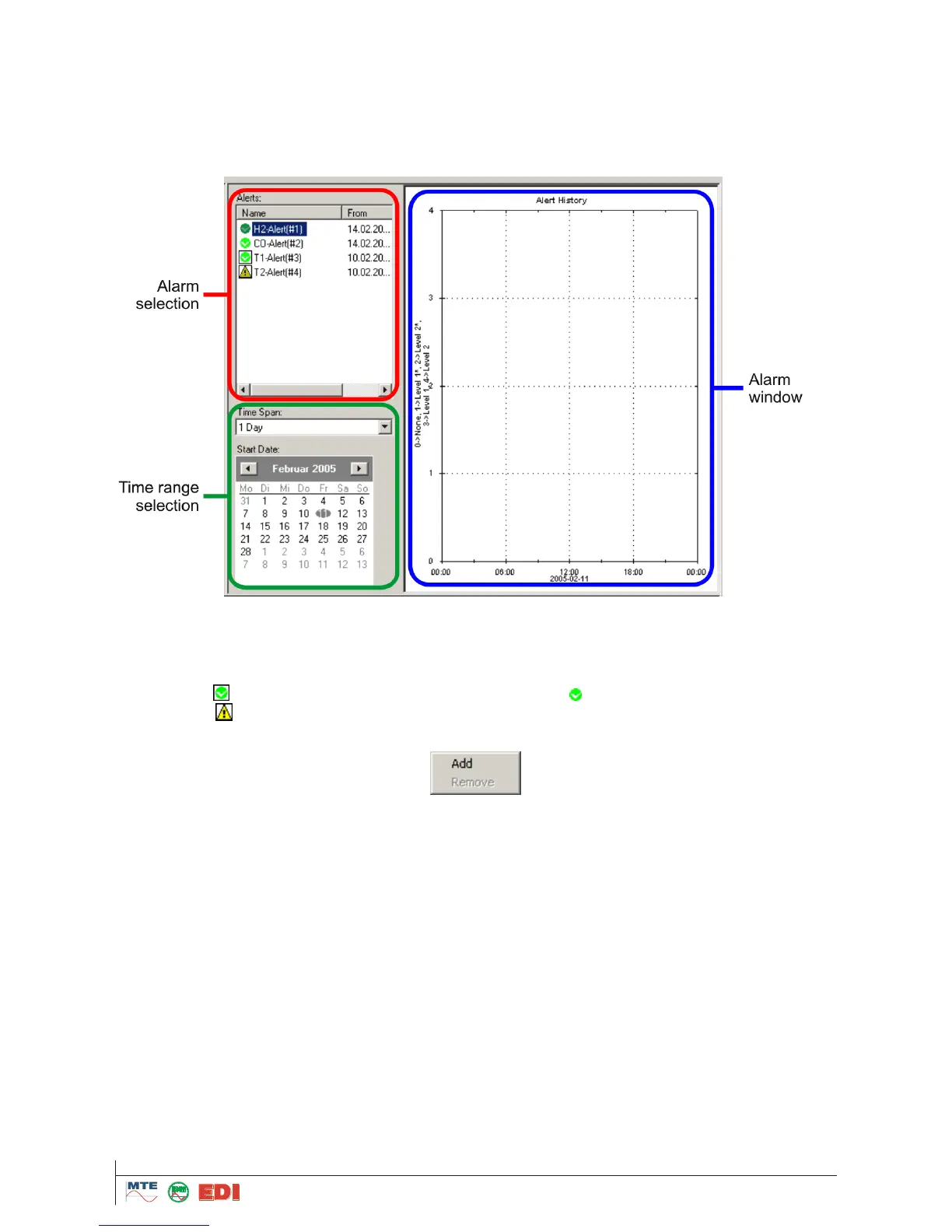
Under „Alarm selection“ the different alarms defined and selected on the HYDROCAL unit can be ac-
tivated in form of time trend and table views. In the time range selection, the time to be viewed is de-
fined and results are presented in the alarm window.
5.13.1 Alarm selection
The alarm selection window presents the different alarms available on the HYDROCAL unit. On the
right side of the alarm name, the last alarm status is shown; this is the current status at the time of
data retrieval. On the right side of the alarm name is to be found a status and activation mark is dis-
played (e.g. : : alarm status 0 is activated for presentation, : alarm status 0, is deactivated for
presentation, : alarm status 3 is activated). The alarm name can be activated / deactivated for
presentation by a double click. The menu is opened with right mouse button.
5.13.2 Time range selection
The time range for presentation is selected in two steps.
Selection of the time range the field „Time Span“. Available are:
1 hour, 2 hours, 3 hours, 6 hours, 12 hours, 1 day, 2 days, 3 days, 1 week, 2 weeks, 3 weeks, 1
month, 2 months, 3 months, 6 months, 1 year, 2 years and all data.
Selection of start date by mouse click on a date. Using arrow buttons in the calendar dialogue, the
following or the next month is presented.



 To Next Page