HYDROCAL 1005 Manual for Installation and Operation Page 87/111
After selection of the input unit, the unit of the sensor has to be chosen from this list:
- no unit
°C: for temperature-sensors e.g. oil temperature, ambient temperature...
ppm: for oil humidity-sensors or other sensors of chemicals
%: for oil humidity sensors or other sensors of chemicals
V: for voltmeters
KV: for voltmeters
mA: for ampere meters
A: for ampere meters
kA: for ampere meters
ppm/d: for ppm per day
ppm/w: for ppm per week
#:
A name can be given to each sensor for ease of use. For conversion of input units, the inputs „Mini-
mum Value“ are made under the input signals 0V, 0 mA or 4 mA and „Maximum Value“ are made
under the input signals 100V or 20mA. In addition, the display range can be limited by inputting in-
troduction of „Minimum Display“ and „Maximum Display“. “Smooth calculation can be used, you can
activate this function.
Data in the tree are changed after modification of sensor settings. The star indi-
cates that modifications have been made; these must be transferred to the HYDROCAL1005 unit for
activation. This means, the settings indicated are not identical to those of HYDROCAL1005. With
next connection, it is requested whether the settings on HYDROCAL1005 unit shall be updated (see
chapter 5.11).
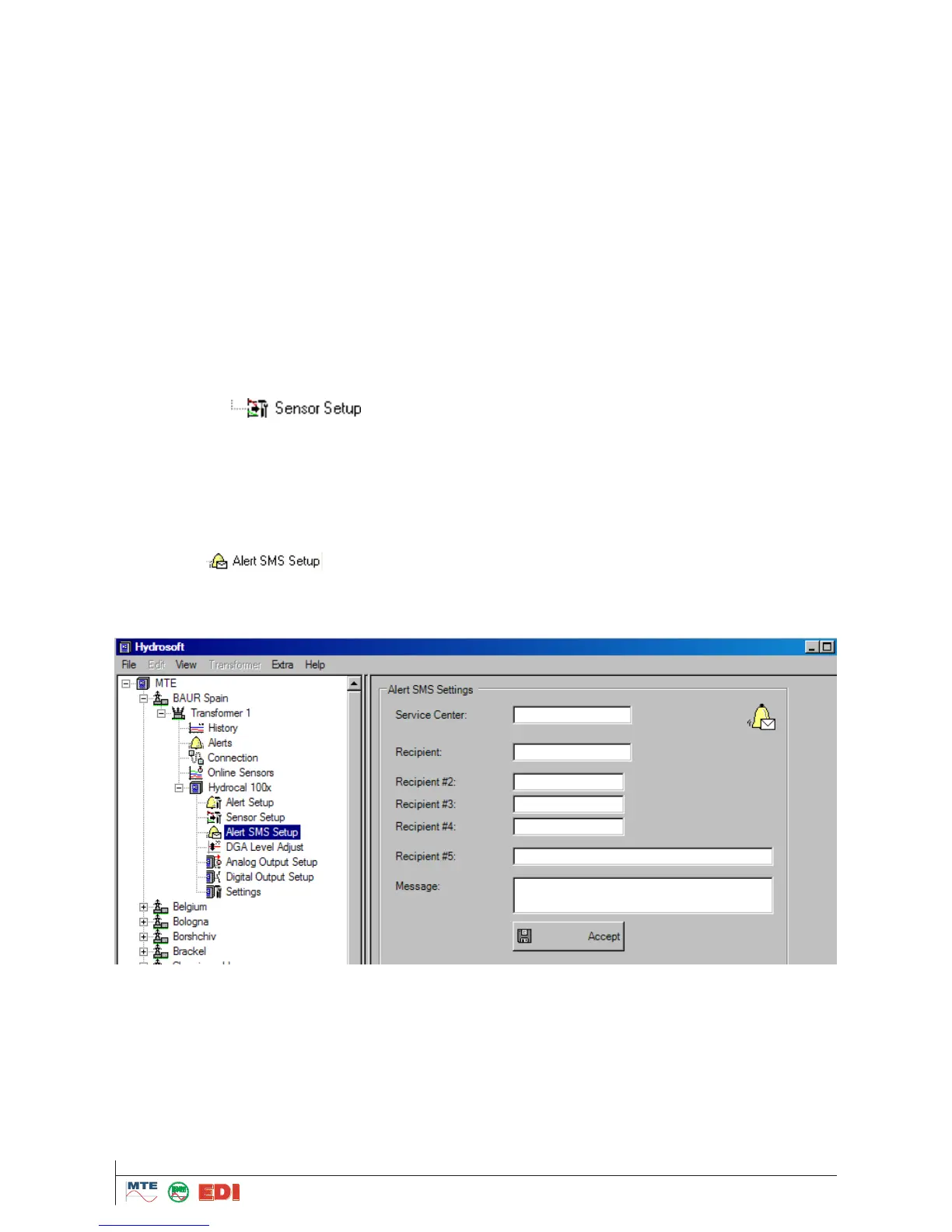
5.10.3 Alert SMS Setup
In the menu , the configuration of the alert SMS transmission is made if HYDRO-
CAL1005 is equipped within an on-board GSM modem. This function allows sending SMS in correla-
tion with beforehand definite alarms for gas-in-oil concentrations, temperatures as well as for exter-
nal sensors values
The telephone number of the “SMS - Service Center" can be entered into this field. Normally this
number is stored on the SIM card and it is not necessary to enter the number. It is required only, if
the number is not stored on the SIM card.
The system has the possibility to send the alarm SMS in to five different recipients. The different
telephone numbers can be entered into the fields "Recipient 1-5". The telephone number can be en-
tered by alphanumeric keyboard.



 To Next Page