HYDROCAL 1005 Manual for Installation and Operation Page 102/111
7. HYDROSOFT Scheduler
7.1 General
Up to version 1.0.16 the transfer of the history data from the HYDROCAL device into the HydroSoft
application could only be started manually.
With version 1.0.18 an automatic read-out of the history data is possible. This is managed by the
new scheduler integrated into HydroSoft.
In conjunction with the task scheduler provided by the Windows operating systems, the history data
can be held up to date automatically.
7.2 Scheduler
The scheduler is active in the background. It periodically checks all transformers for pending history
data transfers. If an update is awaiting a connection to the HYDROCAL is established and the history
data read-out is executed.
Remark: It is not possible to update the configuration, to reset alerts or to synchronize the real timer
clock by the scheduler - these actions still must be carried out manually.
7.2.1 Configuring a Transformer for automatic History Data Update
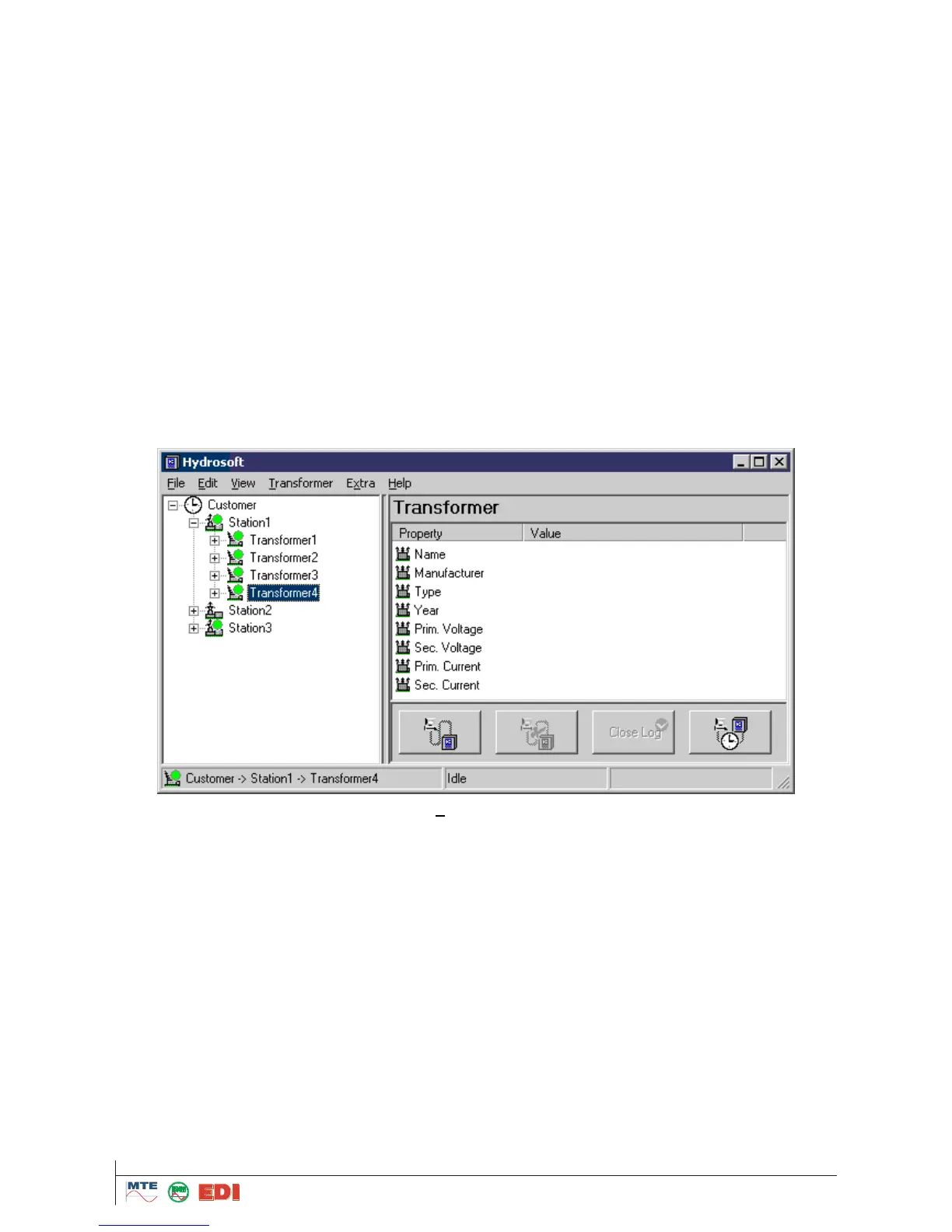
To configure the automatic history data read-out for a transformer, the connection scheduler dialog
is used. To launch the dialog, the transformer main page must be activated by selecting the corre-
sponding transformer in the tree view.
The dialog is accessible via the main menu (Transformer -> Scheduler...) or by clicking the rightmost
button in the control area of the transformer window.



 To Next Page