HYDROCAL 1005 Manual for Installation and Operation Page 55/111
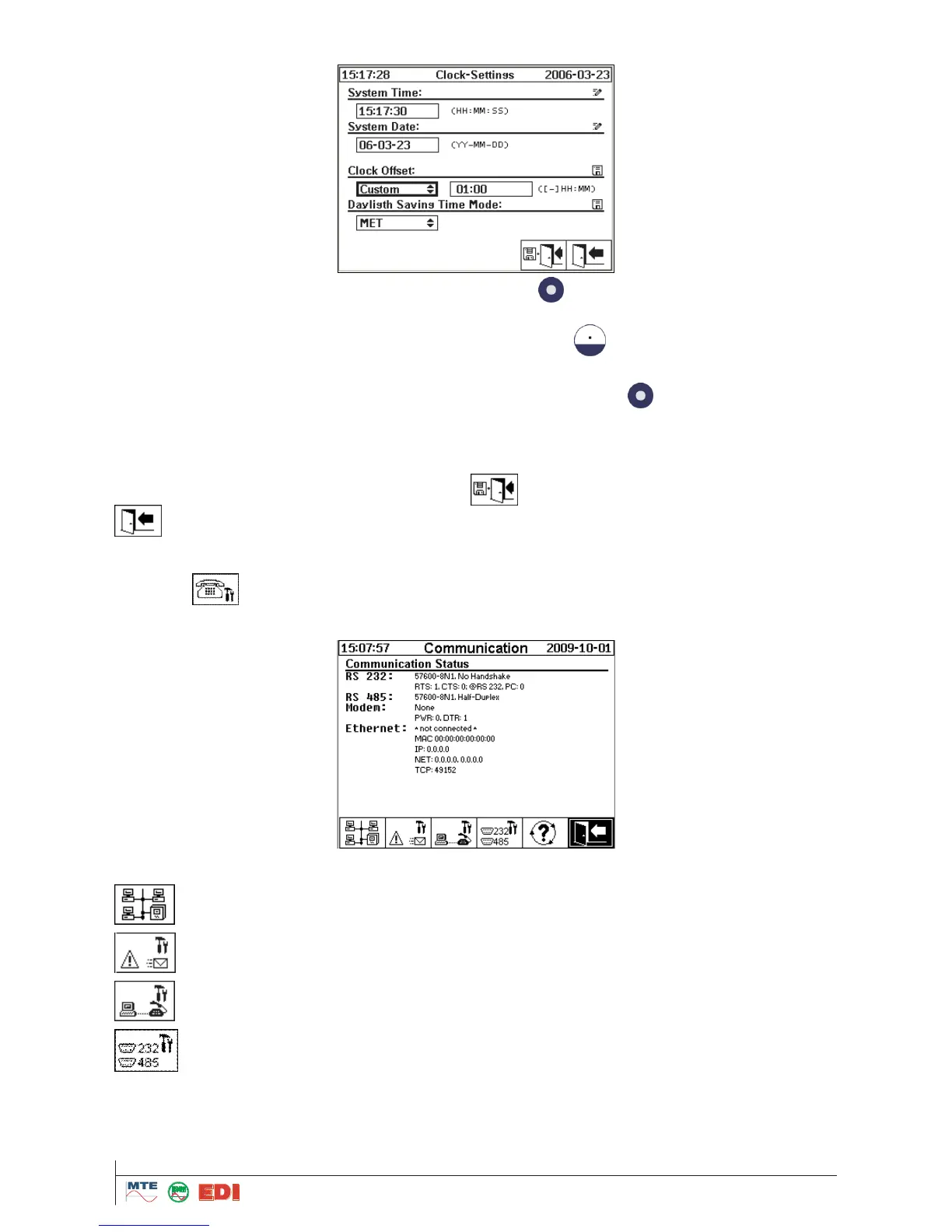
The HYDROCAL1005 has a universal GMT clock in order to modify the time zone.
The time zone setup in the field "Clock offset" is made by button. The time zone values are be-
tween -6 and +6 hours. Variable „Custom" allows manual setup in the field on the right side. Input of
time is made in - hours - minutes -. For a double point, used the button.
Note: "None“ means that GMT clock is not activated. The setting “None” is recommended
Input of time mode in the field "Daylight Saving Time Mode" is made by button:
MET (Middle European Time) adjusts the official local time forward, one hour from its official
standard time for the duration of the spring and summer months.
NONE means that the function is not activated
These amendments are stored by selection of button or are rejected by selection of the
.
4.9.5.4
Configuration of the communication
The configuration of the communication is made in the following menu:
The following functions are available:



 To Next Page