HYDROCAL 1005 Manual for Installation and Operation Page 35/111
4.4 Operation of HYDROCAL1005 by its keyboard
The HYDROCAL1005 unit when in use can be operated by its built-in keyboard. For this its external
housing must be removed. Loosen the knurled thumb screws on the front side and remove carefully
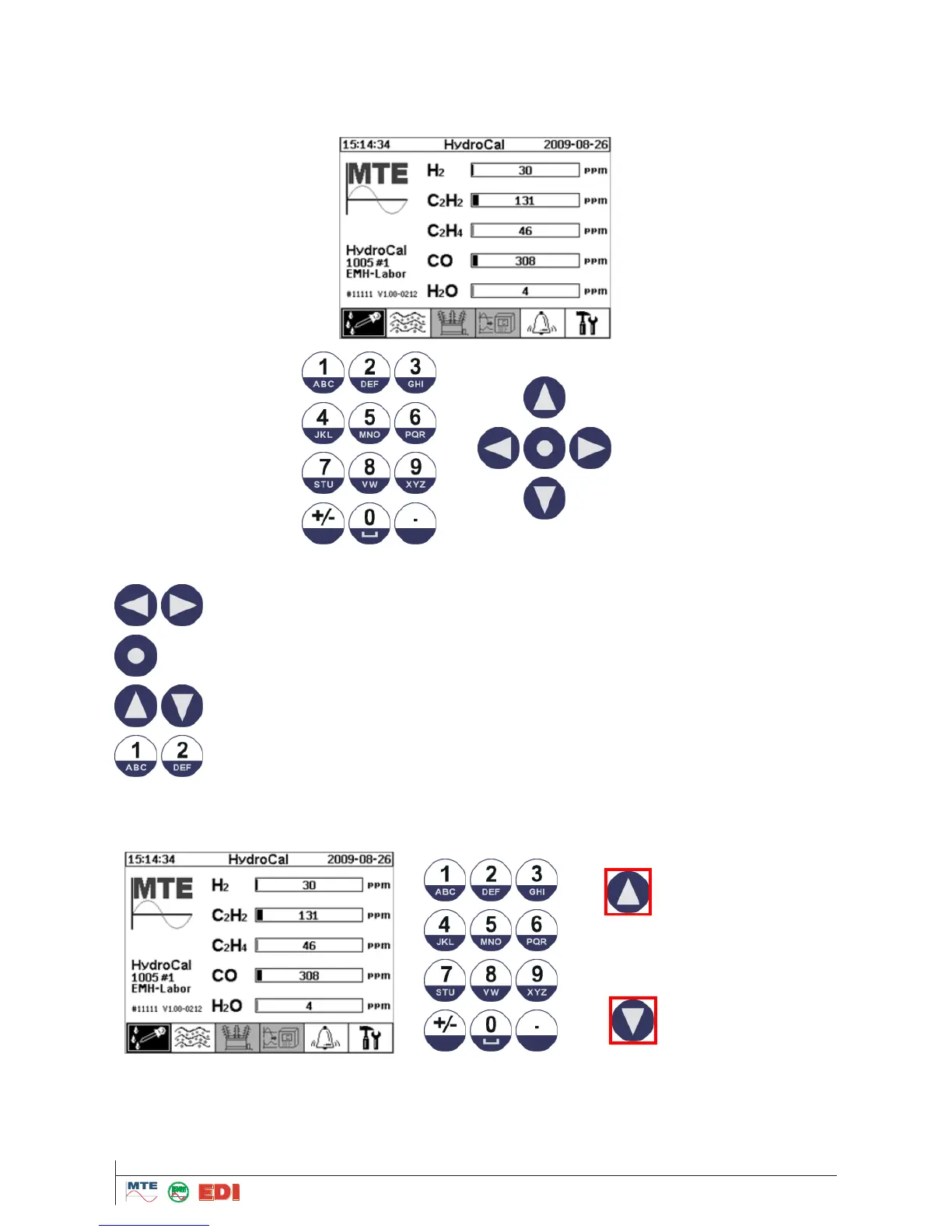
the housing. The unit can then be operated by the keyboard as shown below:
Following the description of functions of the keyboard:
Moves the cursor horizontally
Enter button: Selection of active menus or submenus
Moves the cursor in the tables and contrast set-up from the main display
Alphanumerical input of customer specific data
4.4.1 Contrast Set-up
Contrast of HYDROCAL1005 display can be setup while pushing on up and down arrow keys from
the main display.



 To Next Page