Note: on the main display, you have the currently communication status.
4.9.5.5 Ethernet setup
The device is equipped with an Ethernet interface to allow the integration into a TCP/IP local area
network. How the device has to be incorporated into the network (on site) has to be defined by the
network administrator. Hydrocal supports static and dynamic integration.
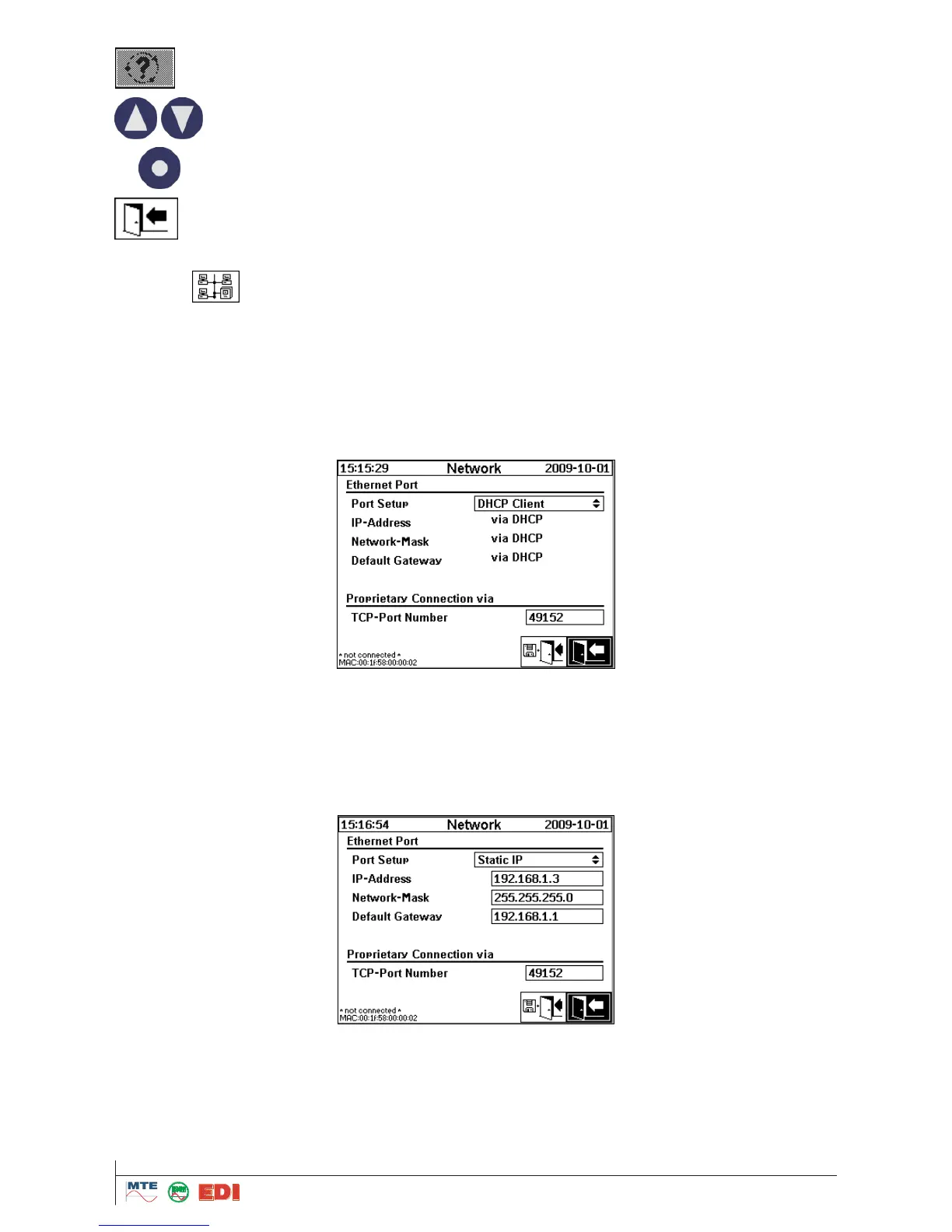
Dynamic integration via DHCP
The network administrator will have given the information that the devices in the network will be
automatically configured (by DHCP).
Static setup
The network administrator has to deliver the following information that will be entered into the corre-
sponding fields in the Hydrocal network screen:
IP address
Network mask
Default gateway
TCP Port Number
The TCP Port Number may also be defined by the network administrator. Depending on the re-
quirements of other software or devices installed, the port number must be assigned obeying specific
rules. If non of these limitations apply, the port number should be assigned in a range 49152 ..
65535 (possible range is 1 .. 65535, but some numbers are reserved e.g. by HTTP or FTP).



 To Next Page