HYDROCAL 1005 Manual for Installation and Operation Page 44/111
4.9.1.1.2 Cooling stage #1
By operation of the arrow keys (
) the different fields can be chosen. First of
all, you must define each field with required information. Followings information must be entered:
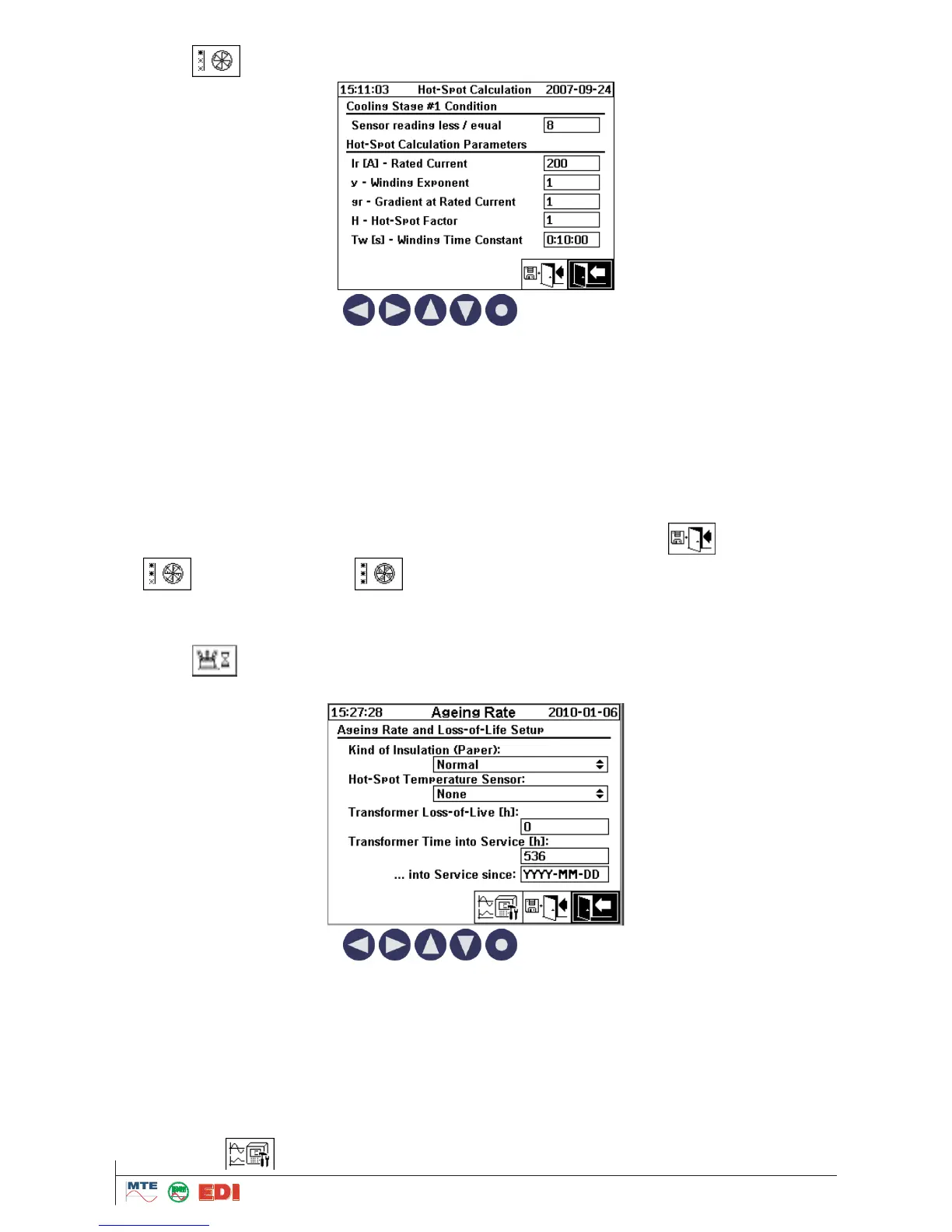
Cooling stage #1 condition
o Sensor reading less / equal: in mA
Hot-Spot Calculation parameters
o Rated Current: Ir in Amp
o Winding Exponent: y
o Gradient at rated Current: gr
o Hot-Spot-Factor: H
o Winding Time Constant: Tw in second
Usually, all data can be known through transformer manufacture technical specifications.
At the end, conditions and parameters are stored and activated by the button „Store and exit“.
For Cooling Stage #2 and Cooling Stage #3, please apply exactly the same procedure
in order to setup required information.
4.9.1.2 Ageing Rate / Loss of Life
After selection of the Ageing Rate / Loss of Life submenu, following screen will be displayed:
By operation of the arrow keys (
) the different fields can be chosen. First of
all, you must define each field with required information. Followings information must be entered:
Kind of Insulation (Paper): you can select between “Normal” and “Thermally Updated”
Hot-Spot Temperature Sensor: you can select between “None”, “1” (Temperature of oil on the
sensor), “2” (Temperature in sensor area (ambient temp)), “Top Oil temperature”, “Ambient tem-
perature” and “Hot-Spot temperature”
Transformer Loss-of-Live: in hour
Transformer Time into Service: in hour
… into Service since: YYYY-MM-DD
If necessary, you have to define previously Hot-Spot Temperature Sensor as analogue input while
pushing button (See chapter 3.6.3 for setup).



 To Next Page