HYDROCAL 1005 Manual for Installation and Operation Page 43/111
4.9.1.1.1 External Sensors
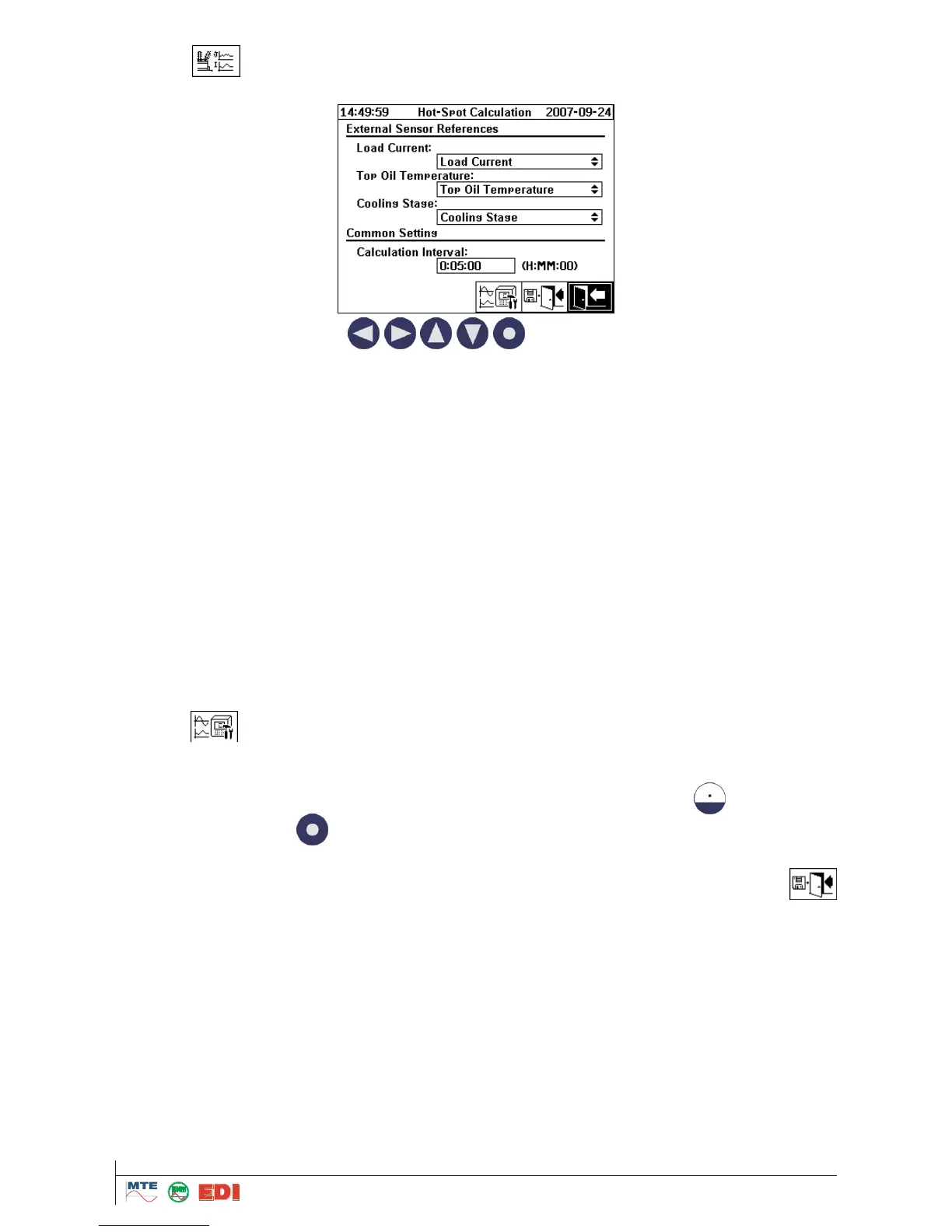
After selection of the external sensor submenu, following screen will be displayed:
By operation of the arrow keys (
) the different fields can be chosen. First of
all, you must define each field with required information.
For Load Current, you can select between “Load Current” and “None”.
Remark: A Load Current external sensor must exist.
See chapter 4.9.3
For Top Oil Temperature, you can select between “Top oil Temperature”, “Ambient temperature”,
“Hot-Spot temperature”, “1” (Temperature of oil on the sensor), “2” (Temperature in sensor
area (ambient temp)) and “None”.
Remark: A Top Oil Temperature external sensor must exist.
An Ambient Temperature external sensor must exist
A Virtual Hot-Spot Temperature sensor must exist
See chapter 4.9.3
For Cooling Stage, you can select between “Cooling Stage”, “Ageing rate”, “Loss of Life” and
“None”
Remark: A Cooling Stage external sensor must exist.
A Virtual Ageing rate sensor must exist
A Virtual Loss of Life sensor must exist
See chapter 4.9.3
If necessary, you have to define previously external sensor references as analogue input while push-
ing button (See chapter 4.9.3 for setup).
Then, you must define calculation interval. Calculation interval in the field "Calculation interval" is ed-
ited by arrow keys and confirmed by the alphanumeric keyboard. The sample interval is made in
seconds or by a button in days – hours – min - seconds. For a double point the button is used.
After confirmation by the
button, the value will be converted and displayed in days –hours – min
- seconds.
At the end, the new references and calculation interval are stored and activated by the button
„Store and exit“.



 To Next Page