HYDROCAL 1005 Manual for Installation and Operation Page 36/111
4.5 Main menu
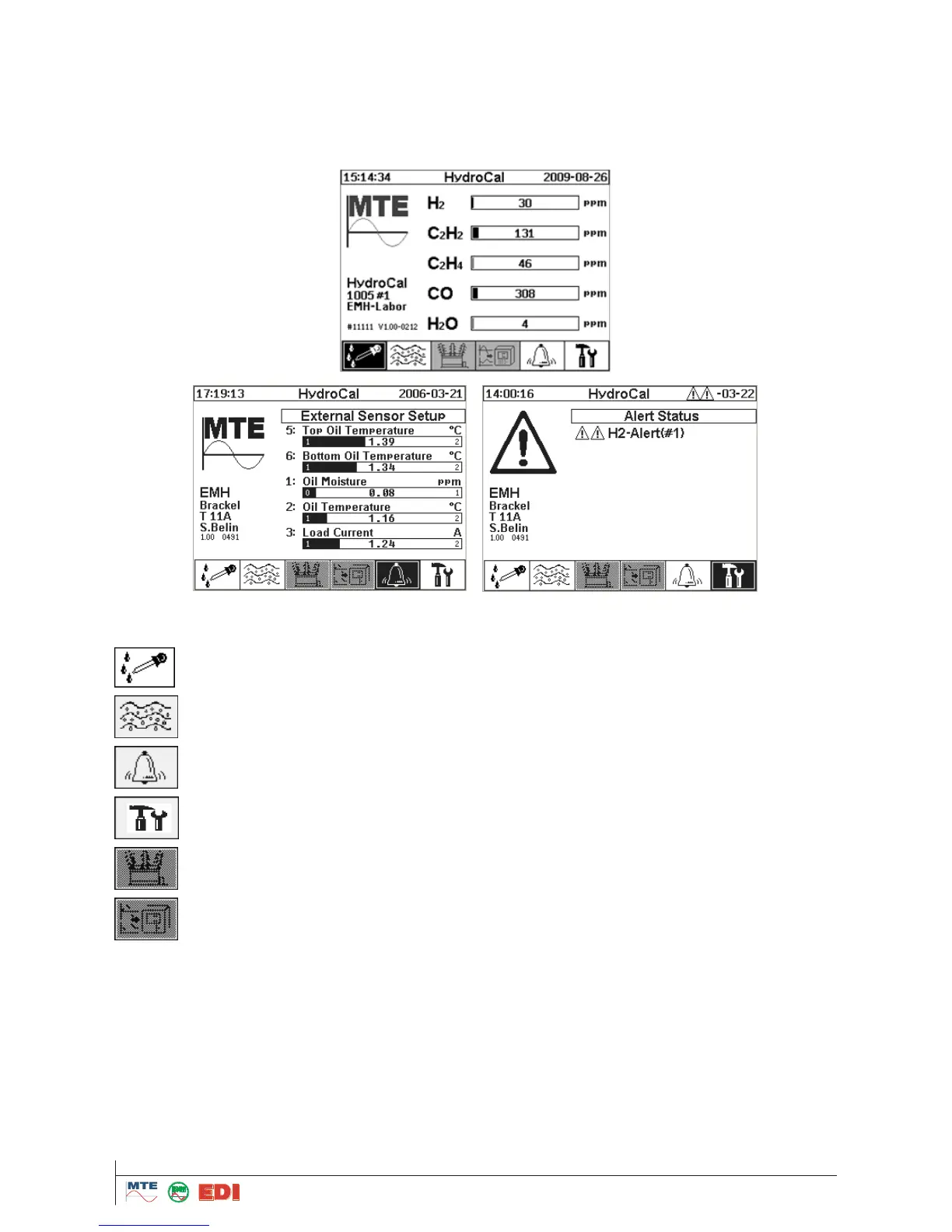
After connection of the HYDROCAL1005 unit to the power supply, the main menu appears on the
display. The actual measuring values of concentration for hydrogen, carbon monoxide, acetylene,
ethylene and moisture in the oil are displayed. If other sensors are connected or an un-
acknowledged alarm exists, then the display will change every 5 seconds (can be also changed in
setup menu) to these measuring values.
In the main menu, the following sub menus can be activated.
Alarm menu / history of alarms
Transformer menu: not yet available
Remark:
From the main display under Customer, Station, Transformer and Comment data, you find Serial
Number of the unit (For example: #11111) and Firmware version implemented on the unit (For
example: V 1.00-0212).
To display immediately external sensor screen, you can push on 2.
To display immediately alert status screen, you can push on 3



 To Next Page