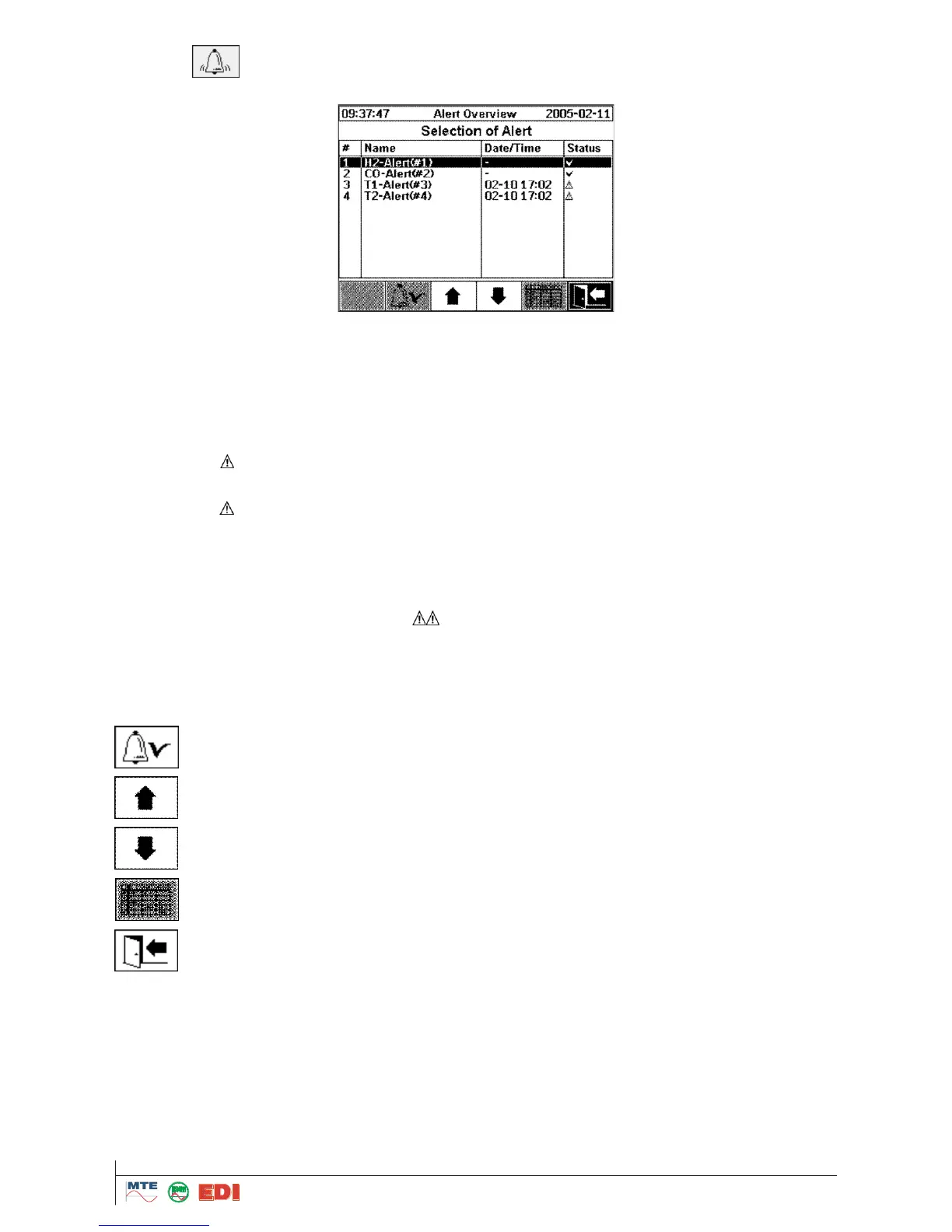
All alarms defined are shown together with their status. In the column „Date / Time” the last change
of status is shown. The followings alarm statuses are available:
OK, Symbol : No active alarm for this measuring value exists.
o If a date exists: For this measuring value an acknowledged alarm existed in the past.
o If no date exists: For this measuring value no alarm existed in the past.
High - Alarm active:
o Symbol : The defined “Level 1“ for a High - Alarm has been exceeded at the date/time indi-
cated.
o Symbol : The defined “Level 2“ for a High - High - Alarm has been exceeded in past. The
value has fallen below the limit at the time indicated, however it is still over the limit of “Level
1“.
High - Alarm inactive, Symbol : The defined level for a High - Alarm has been exceeded in
the past. The value has fallen below the limit at the time indicated.
High - High - Alarm active, Symbol : The defined level for a High - High - Alarm has been
exceeded at the time indicated.
High - High - Alarm inactive, Symbol : The defined “Level 2“ for a High - High - Alarm has
been exceeded in the past. The value has fallen below “Level 1“ at the time indicated.
In history of alarms, the following functions are available:
4.8.1 Acknowledgment of alarms
For confirmation of an alarm, a password is required (Default password is 999).



 To Next Page