HYDROCAL 1005 Manual for Installation and Operation Page 45/111
At the end, setup is stored and activated by the button „Store and exit“.
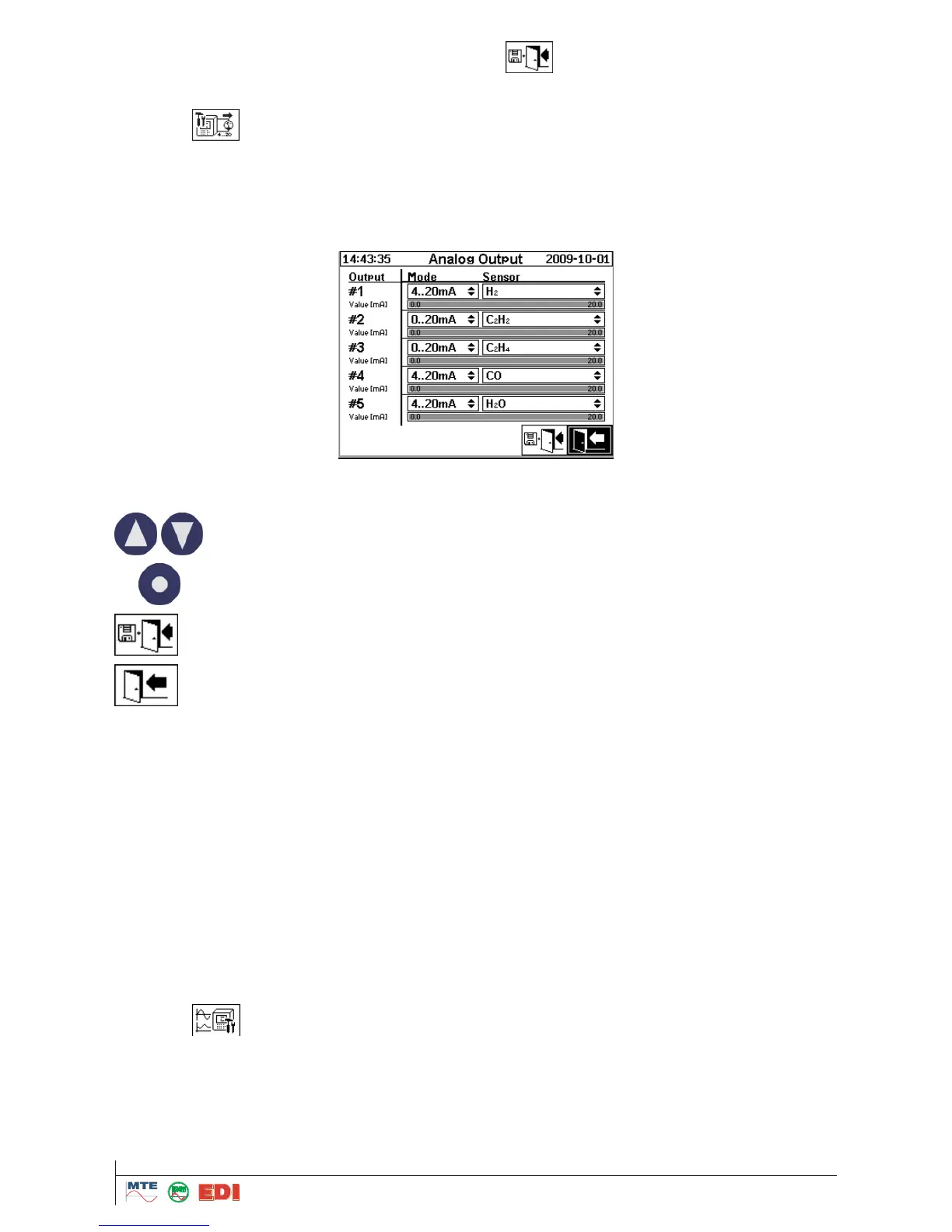
4.9.2 Configuration of analogue outputs
The HYDROCAL1005 has 5 analog outputs for measured gas-in-oil concentration as well as for ex-
ternal sensors values. The output signal is 0-20 mA or 4-20 mA.
The screen also allows to apply test currents to the outputs to verify the functionality. The test cur-
rent overlays the real signal. Leaving the screen will apply the real signals to all outputs again.
First a quantity / variable must be selected. The following functions are available:
The following measuring quantities are available in "Sensor" field:
H
2
- C
2
H
2
- C
2
H
4
- CO - H
2
O concentration
H
2
- C
2
H
2
- C
2
H
4
- CO - H
2
O Daily trend
H
2
- C
2
H
2
- C
2
H
4
- CO - H
2
O Weekly trend
Temperature 1
Temperature 2
All quantities / variables defined under external sensors
The following analog outputs signals are available in the field "Mode":
OFF
0…20 mA
4…20 mA
TEST: Allow simulating an output signal between 0 and 20 mA. The following values can be de-
fined in the field "Sensor”: 0, 1, 3, 4, 5, 10, 15, 19 and 20 mA
4.9.3 Configuration of analogue inputs (external sensors)
The HYDROCAL1005 has a total of 14 analogue inputs. The first six inputs are for bushing sensors
and allow an AC signal of either 0 .. 20 mA or 0 .. 80 V (configurable by jumper). The next four inputs
are for external sensors and a DC signal of 0/4 .. 20 mA can be applied.
In addition to the analogue inputs there are so called virtual sensors. These virtual sensors are con-
figured in the same way as the analogue inputs and are explained in this chapter as well.



 To Next Page