HYDROCAL 1005 Manual for Installation and Operation Page 81/111
In addition to the existing fields
Name
Manufacturer
Type
Year
Primary voltage
Secondary voltage
Prim. current
Sec. current
Additional lines can be added by a right mouse click or by the menu „Edit->New”. The settings can
be put back by „Revert”. Amendments are stored by „Save” or by selection of another element in the
tree diagram.
A transformer has the following sub-information:
History: Measured data is presented in form of trend charts or tables. (see
chapter 5.12)
Alarms: Status of alarms are presented in form of trend charts and tables.
Alarms can also be acknowledged. (see chapter 4.12)
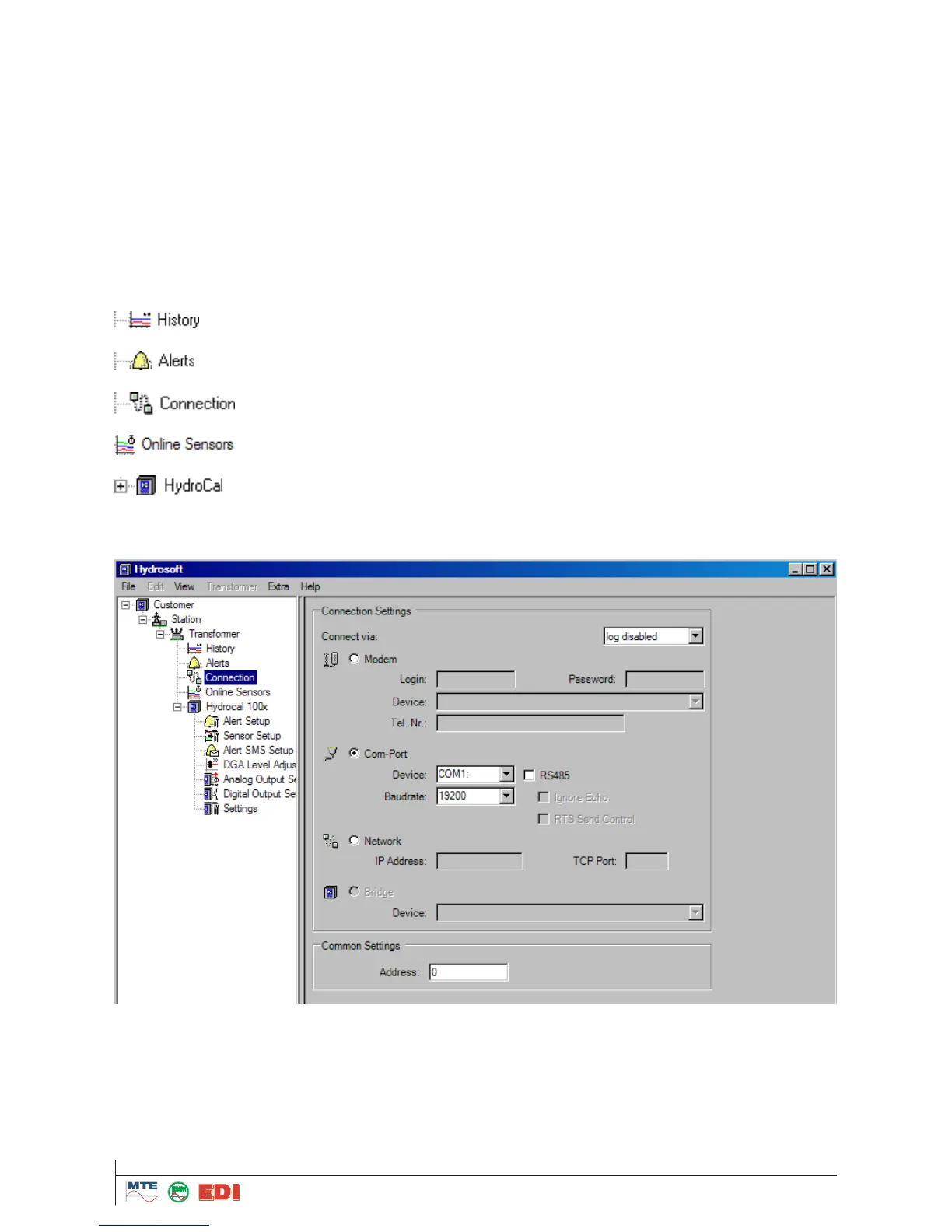
Connection/Communication: Settings can be defined. (see chapter 4.9.1 and
5.9.2)
Online Sensors: A direct/online visualisation of the measuring data can be
made
HYDROCAL1005 settings plus alarms and external sensors can be configured.
(see chapter 5.10)
After opening a transformer file and entering its data, connection/communication settings should be
entered.
It must first be defined, whether the connection shall be via modem (option), by an interface RS232
(Com-Port) or by Network (IP Address). Select the „Radio“ – Selection field concerned.



 To Next Page