HYDROCAL 1005 Manual for Installation and Operation Page 84/111
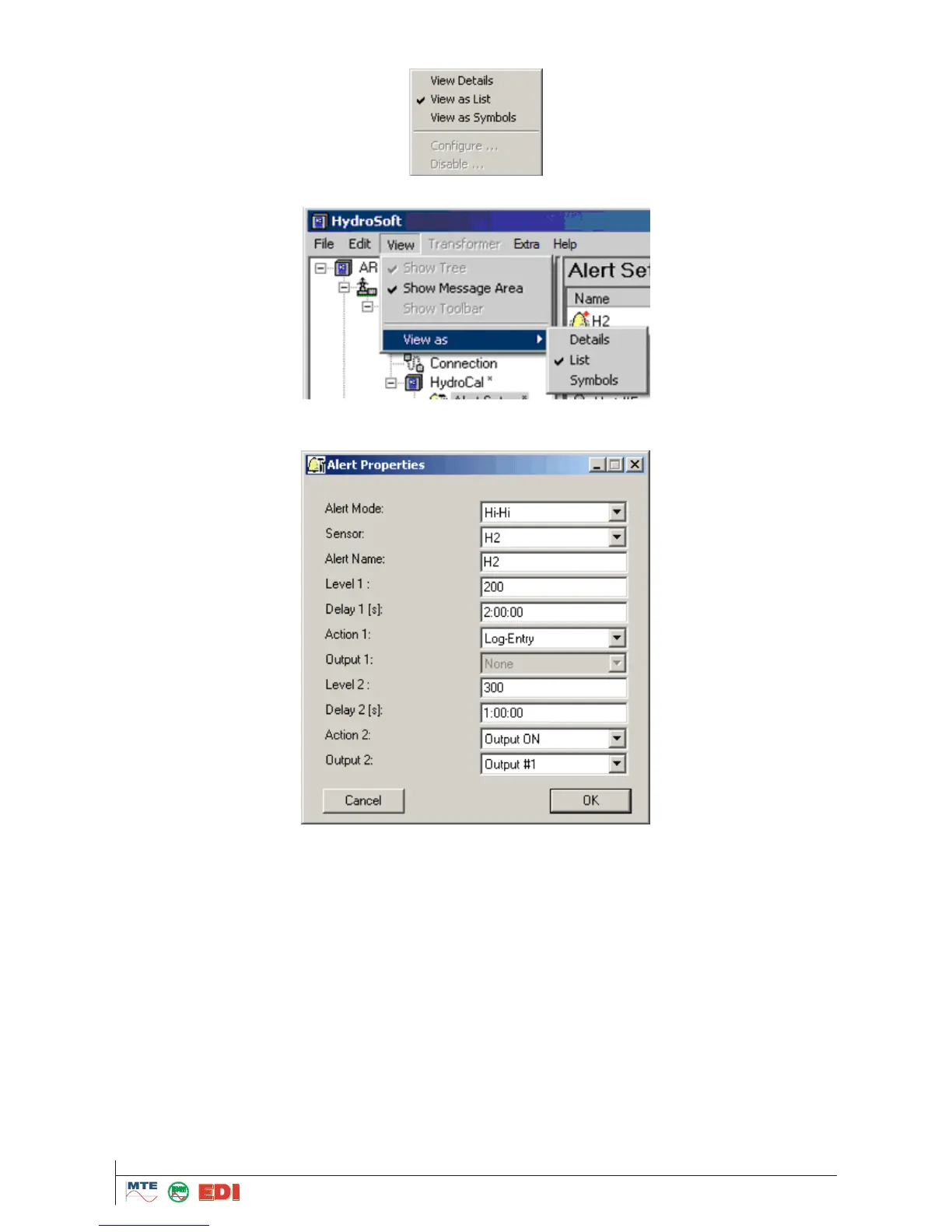
Selection is made by the menu and with right mouse click
or by „View->View As->...“
In the views „List“ and „Symbol“, the following dialogue can be opened by double clicking on one of
the alarms (in view „Details“ it is not possible to open this dialogue):
First the mode of alarms must be selected under „Alert Mode“. Following modes are available:
High: An alarm is triggered when Level 1 is exceeded.
High-High: An alarm in two steps is triggered. The 1
st
alarm is triggered when Level 1 is ex-
ceeded; the 2nd alarm is triggered after exceeding Level 2.
Low: An alarm is triggered when a value falls below the limit defined in Level 1.
Low-Low: An alarm in two steps is triggered. Step 1 is alarm is triggered when the measured
value falls below the limit defined in Level 1; the second alarm is triggered when the measured
value falls below the limit defined in level 2.



 To Next Page