Print Center Settings (Mac OS X 10.2.8) 1-21
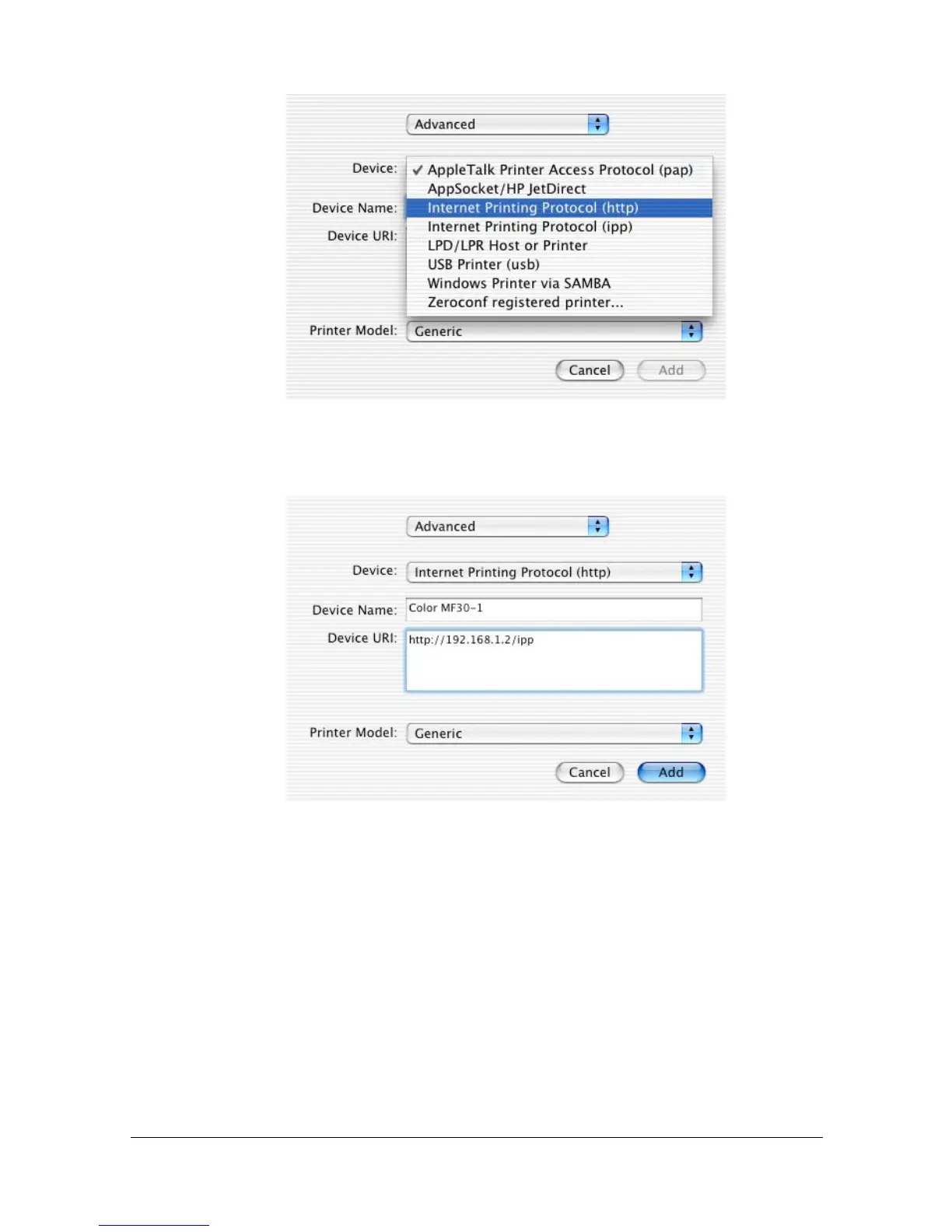
5 Select [Internet Printing Protocol (http)] from the [Device] pop-up menu.
6 Enter the name for the printer in the [Device Name] text box.
7 In the [Device URI] text box, enter "http://<IP address>/ipp".
8 Select [GENERIC] from the [Printer Model] pop-up menu.



 To Next Page
 Loading...









