Specifying Page Setup Settings (Mac OS X 10.2/10.3/10.4/10.5/10.6)
1-66
Specifying Custom Paper Size
You can also specify a paper size that is not listed in the [Paper Size] pop-up
menu.
1 Select [Manage Custom Sizes] from the pop-up menu, in the [Page
Setup] dialog box.
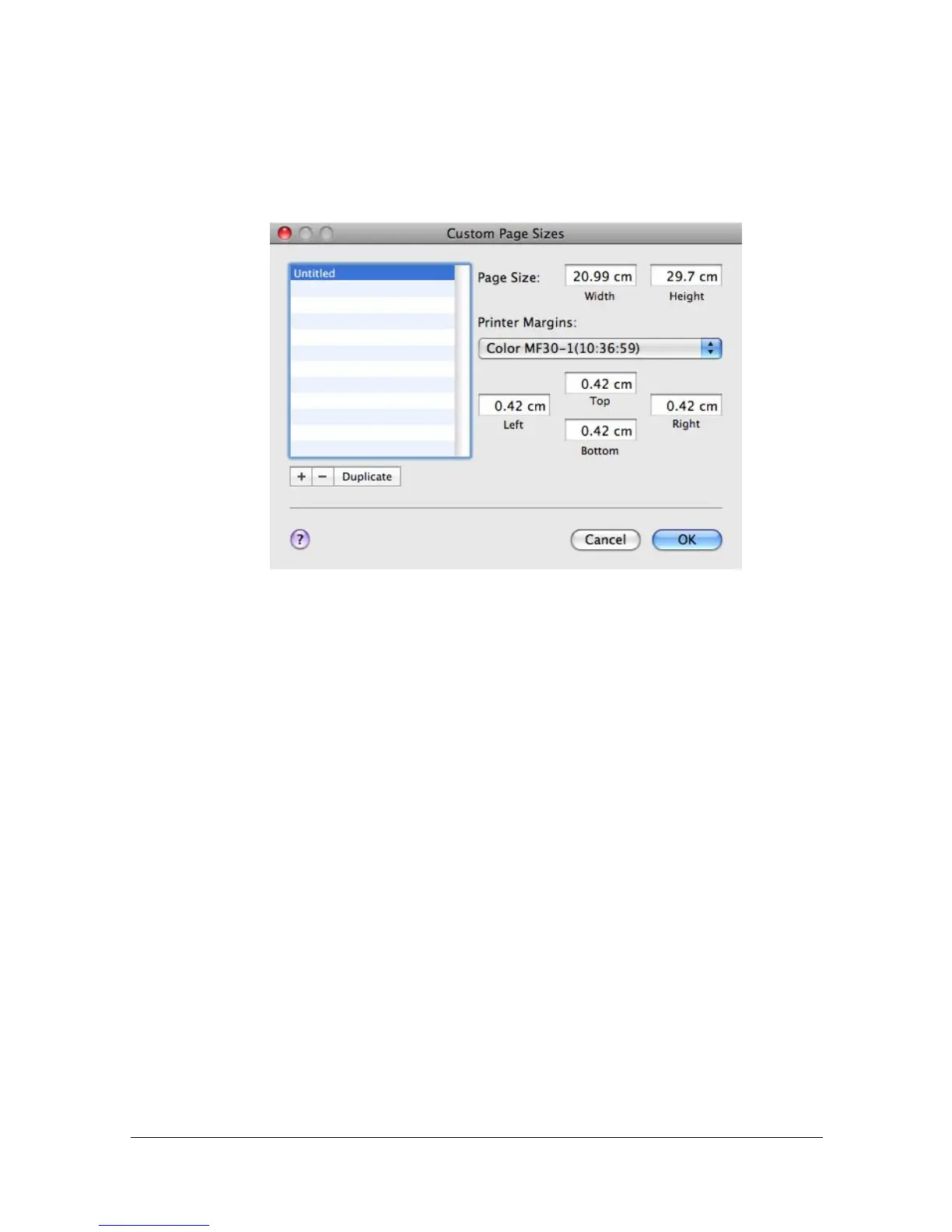
The [Custom Page Sizes] dialog box appears.
[+]
Click this button to create a new custom page size.
[-]
Click this button to delete a custom page size.
[Duplicate]
Click this button to duplicate (copy) the settings of an existing custom
page size and create a new custom page size based on those settings.
[Page Size]
Enter the dimensions of the paper height and width for the custom page
size.
Single-sided
[Width]: 3.62 - 8.50" (92 - 216 mm)
[Height]:5.83 - 14.01" (148 - 356 mm)
Double-sided
[Width]: 7.17 - 8.50" (182 - 216 mm)
[Height]: 10.00 - 14.01" (254 - 356 mm)
[Printer Margins]
Enter the dimensions for the top, left, right, and bottom margins.



 To Next Page
 Loading...









