6 Common Functions
98 IDA-3106 Narda
6.6.1 Manual reference level selection
Manual adjustment is recommended if the field situation is known or if
pulsed signals are being measured.
1. Press the Reference Level softkey.
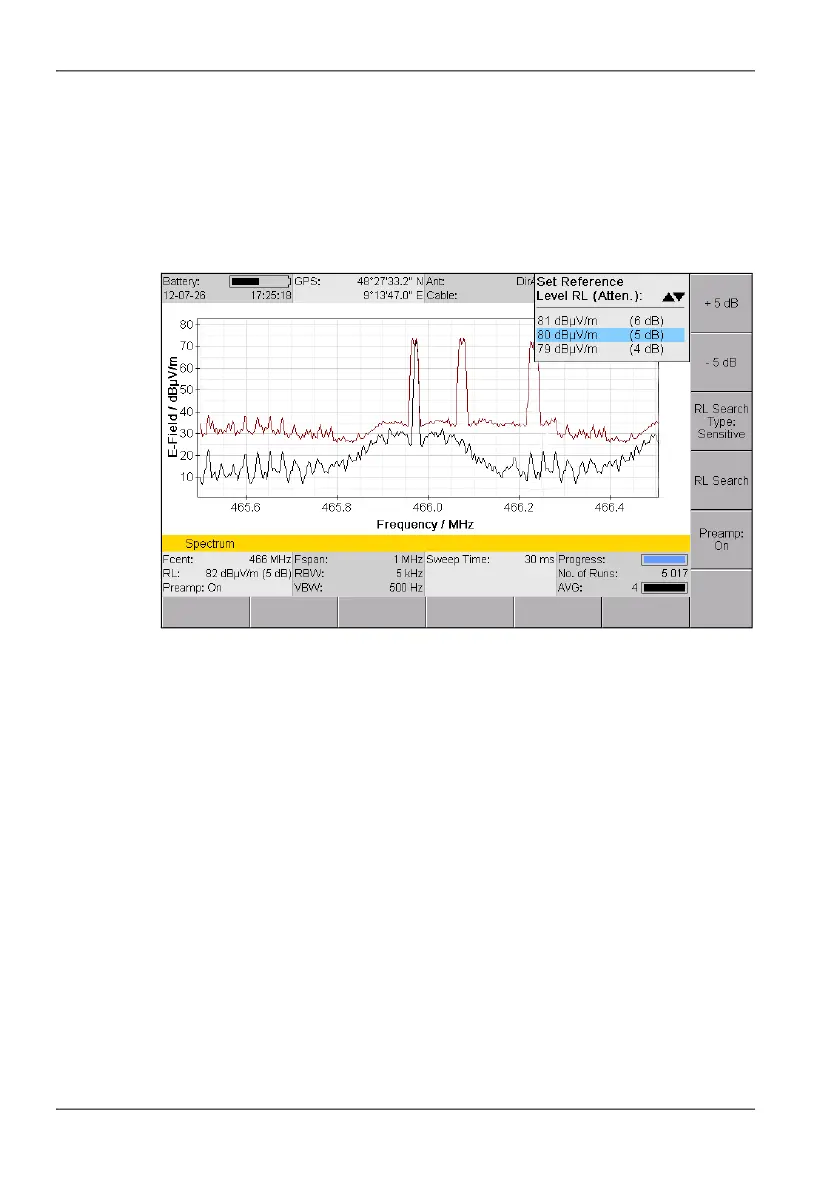
The Set Reference Level selection box opens displaying a list of
possible input sensitivities.
Figure 18: Set Reference Level selection box
2. Use the rotary control knob to select the desired input sensitivity.
3. Press the OK key.
The input sensitivity is set.
You can use the two upper softkeys to check for over modulation and to rapidly
change the values in 5 dB steps. The softkeys are only activated if the change
is possible in the selected direction. The Y scale is fixed as soon as you make
a change using the ±5 dB softkeys so that changes in level are easier to see.
As well as controlling overload, the ±5 dB offset can also be used to
distinguish an actual measurement signal from an intrinsic spurious signal
(Spurious). Regardless of the Reference Level setting, the measurement
signal will display the same level value until compression occurs from
overloading. In contrast, the displayed value of an intrinsic spurious signal
will change each time the Reference Level is changed (RL +5 dB
displayed value increases by +5 dB as well).
NOTE: The selected reference level applies to all operating modes and does not
have to be set again if you change operating mode.



 To Next Page