3 Connecting Up and Starting to Use the Device
30 IDA-3106 Narda
3.4 Fitting the Narda directional antennas
This section describes how to fit Narda directional antennas and the handle
on to the IDA-3106. Full use of all the functions of the IDA-3106 is only
possible when you use the Narda antenna handle.
3.4.1 Connecting the handle to the Basic Unit
The antenna handle has a built in cable with two connectors:
• N connector: for transmitting the RF signal.
• Multipin connector: for power supply and for transmitting the compass
data and control signals
To connect the handle:
1. Place the Basic Unit in a vertical position.
2. Plug the N connector on the handle in to the N connector of the Basic
Unit and carefully do up the coupling nut, making sure that it is not cross-
threaded.
NOTICE: Make sure that the cable does not twist when you are tightening the
coupling nut. The electrical properties of the high quality coaxial cable could
otherwise be affected by torsion forces.
NOTE: If the nut seems difficult to do up, undo it and start again.
About 4 turns are needed to make a secure connection.
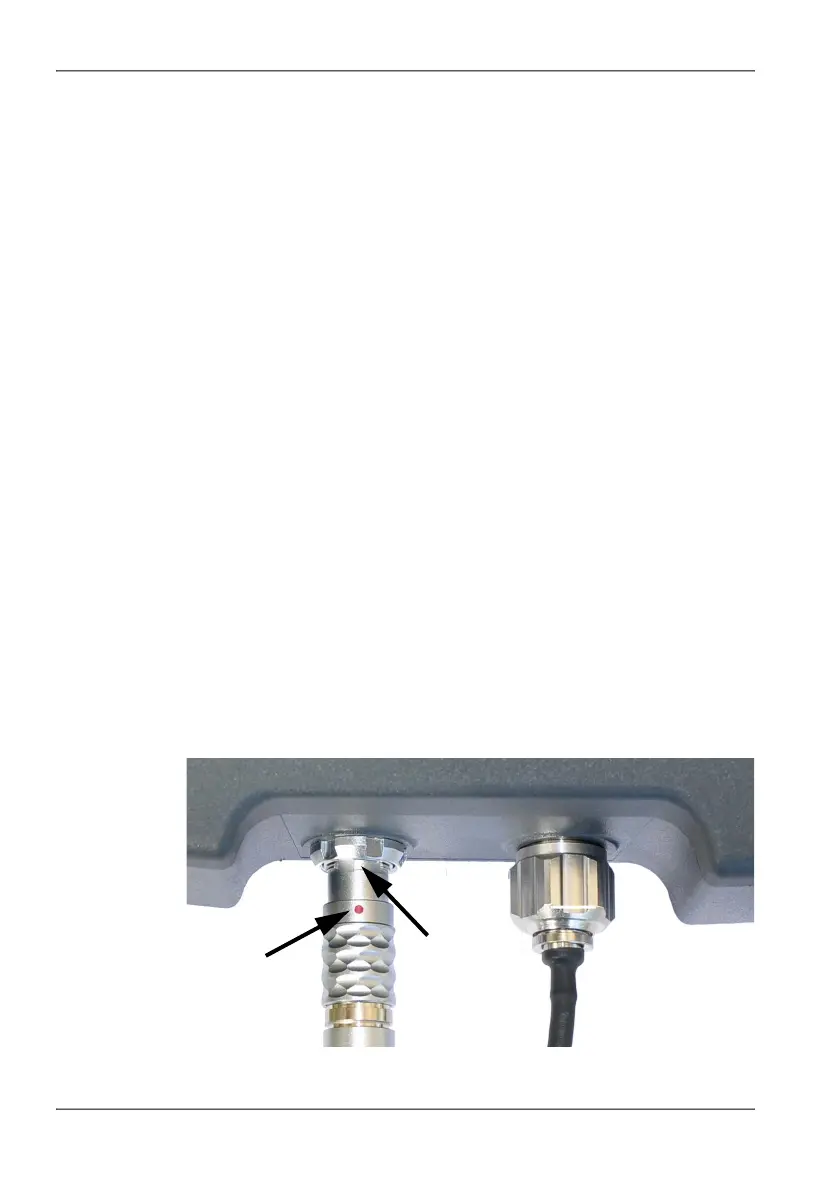
3. Plug the control cable plug of the handle in to the multipin connector on
the Basic Unit, making sure that the red mark on the control cable plug is
aligned with the notch on the multipin connector.



 To Next Page