8 Spectrum Analysis Mode
166 IDA-3106 Narda
8.3 Comparing spectra (Delta Spectrum)
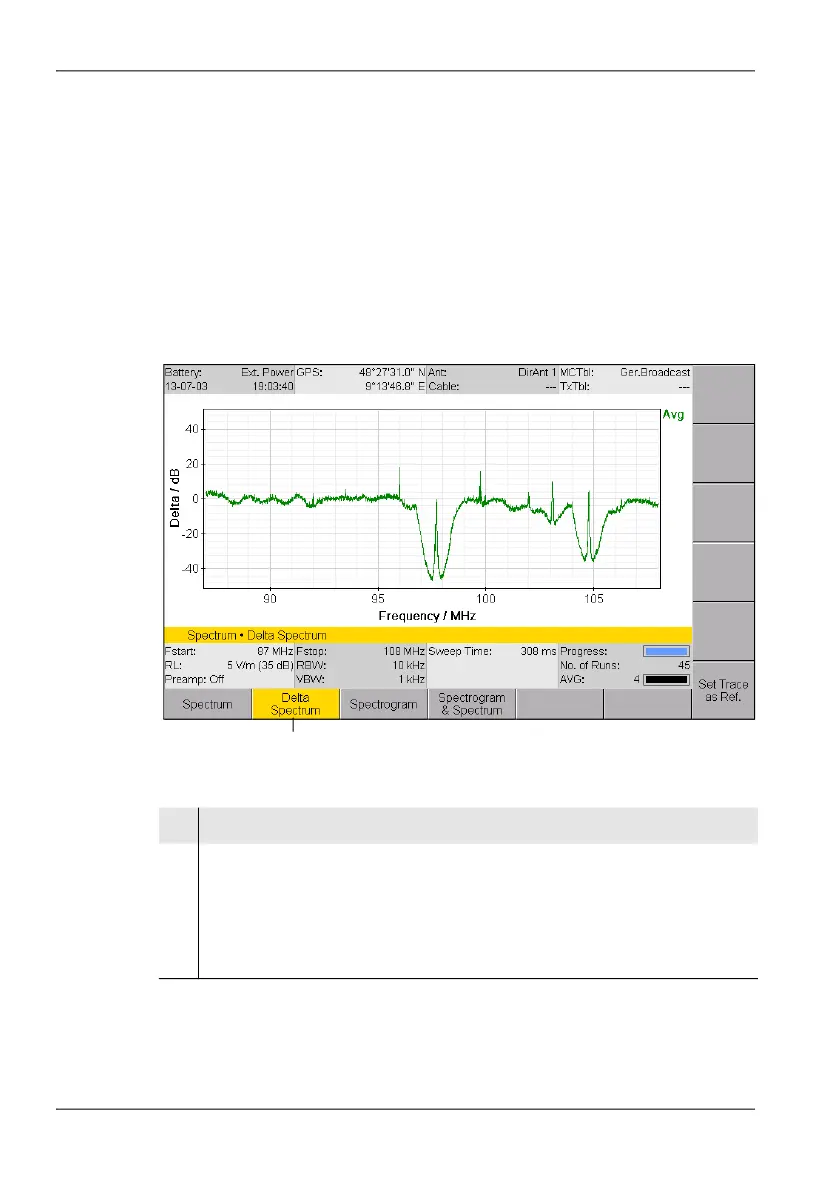
Spectrum • Measurement • Delta Spectrum
The Delta Spectrum measure menu allows you to display and save
differences compared to a reference trace. Small deviations can be seen
clearly thanks to the display in dB.
To use the Delta Spectrum function:
Press the Measurement softkey in the Spectrum main menu. Then
select Delta Spectrum.
Figure 38: The Measurement menu: Delta Spectrum is activated.
1
No. Function / Explanation
1 Delta Spectrum
Activates / deactivates the Delta Spectrum function.
All the displayed spectra are shown relative to the reference spectrum when
the function is activated (softkey highlighted in color).
If a reference trace is not present a window opens, allowing one of the current
traces to be set as reference.



 To Next Page