4 Operation and Basic Settings
46 IDA-3106 Narda
4.4 LCD screen elements
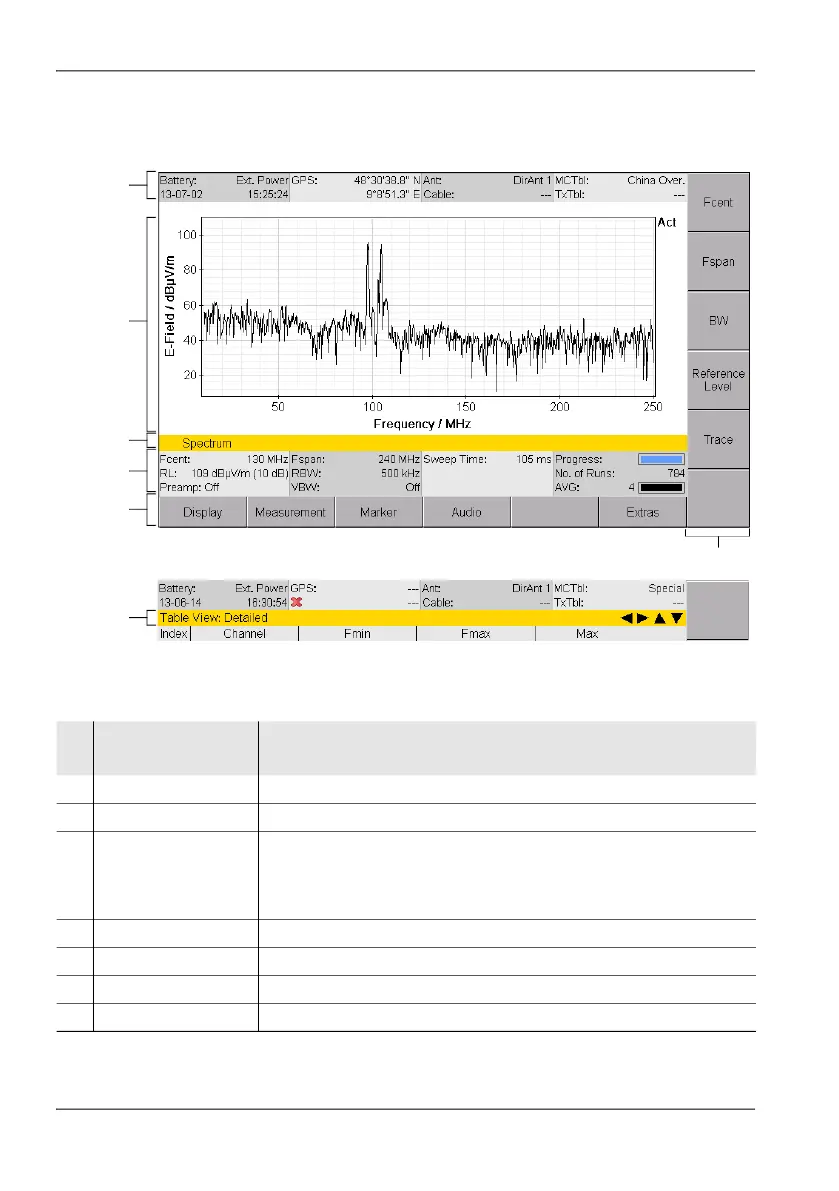
Figure 8: LCD screen
1
7
2
3
4
5
6
Table 2: LCD screen elements
No
.
Element Description
1 Upper status bar Indicates general parameter settings.
2 Display area Graphical or numerical display of measurement values.
3 Info bar • Shows menu path to the current function.
• Indication of corrected parameters.
• Parameter display for volume adjustment
• Event display for Auto Save
4 Lower status bar Indicates settings and process analysis; displays error messages.
5 Horizontal softkeys Displayed functions are context-sensitive.
6 Vertical softkeys Displayed functions are context-sensitive.
7 Navigator bar Selected display mode and arrow symbols for navigation



 To Next Page