7 Direction Finding Mode
138 IDA-3106 Narda
7.4.4 Horizontal Scan and manual determination
Direction Finding (Horizontal Scan: On)
Once the bearing is displayed on the polar diagram, you can also specify
the bearing manually. This may be necessary if the calculated result does
not appear to be sensible due to interference.
To set the bearing manually:
You have made a Horizontal Scan.
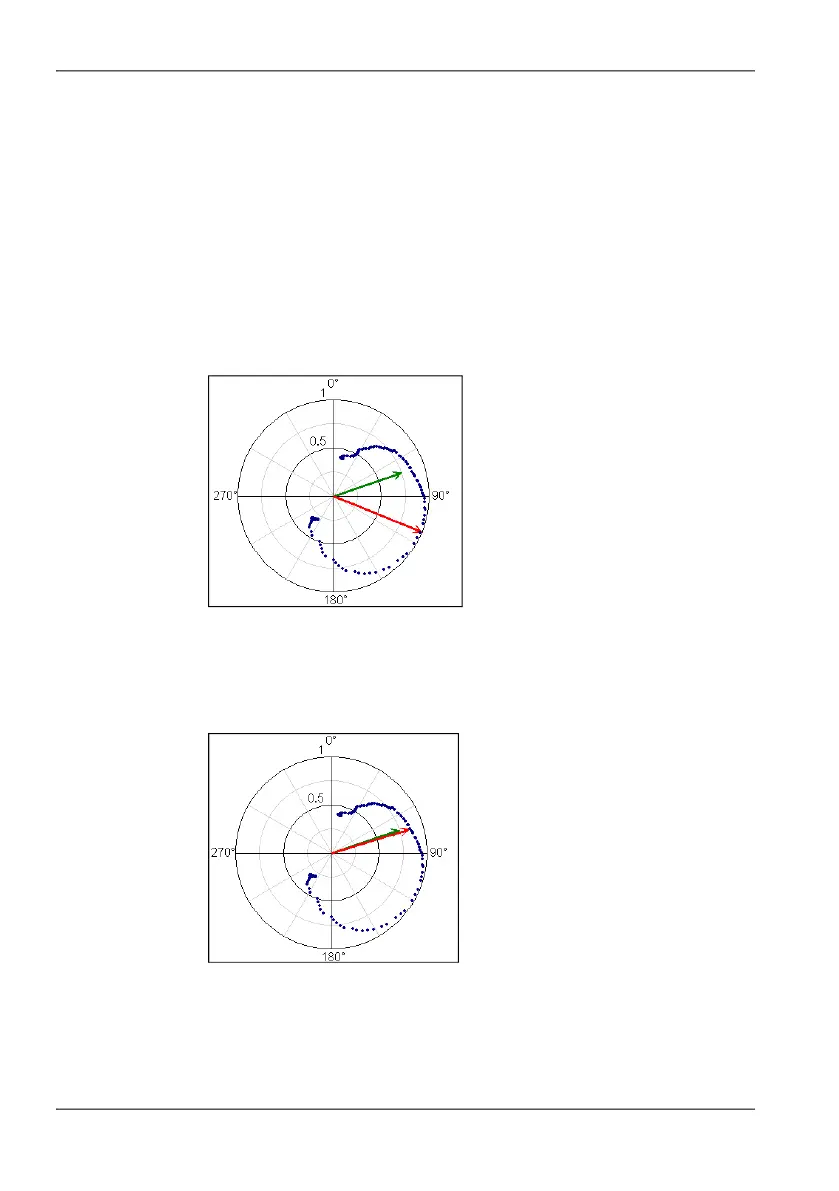
The red (lower) arrow indicates the calculated bearing. The green
(upper) arrow indicates the direction in which the antenna is pointing.
1. Point the antenna in the desired direction and press the
Manual Correct. of Direction softkey.
The red arrow moves to the manually specified direction (green
arrow) when you press the softkey.
2. Press the SAVE key on the Basic Unit to save the measurement results.
A window shows the save process.



 To Next Page