Narda IDA-3106 197
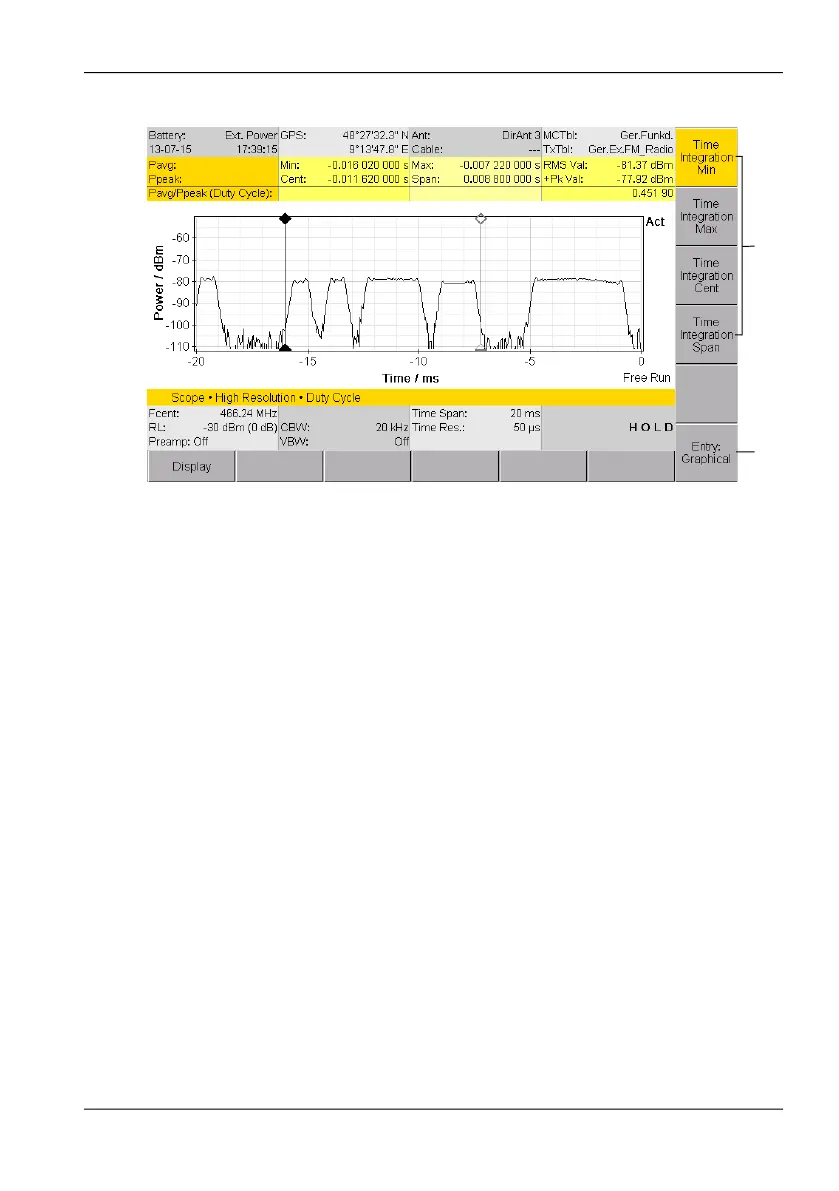
Figure 45: The Duty Cycle evaluation function
To activate the Duty Cycle function:
1. Press the Evaluation softkey, then press the Duty Cycle softkey.
2. Use the Entry softkey to select the method of entering the integration
range:
– Graphical = Entry by moving the markers
– Numerical = Numerical entry of values
3. Specify the integration range using the four Time Integration ... (1)
softkeys
– Graphical: Press one of the softkeys and then use the rotary control
knob to move the marker to the desired position.
– Numerical: Press one of the softkeys and set the value.
The selected values as well as the ratio Pavg/Ppeak are shown in the
upper part of the screen.
1
2



 To Next Page