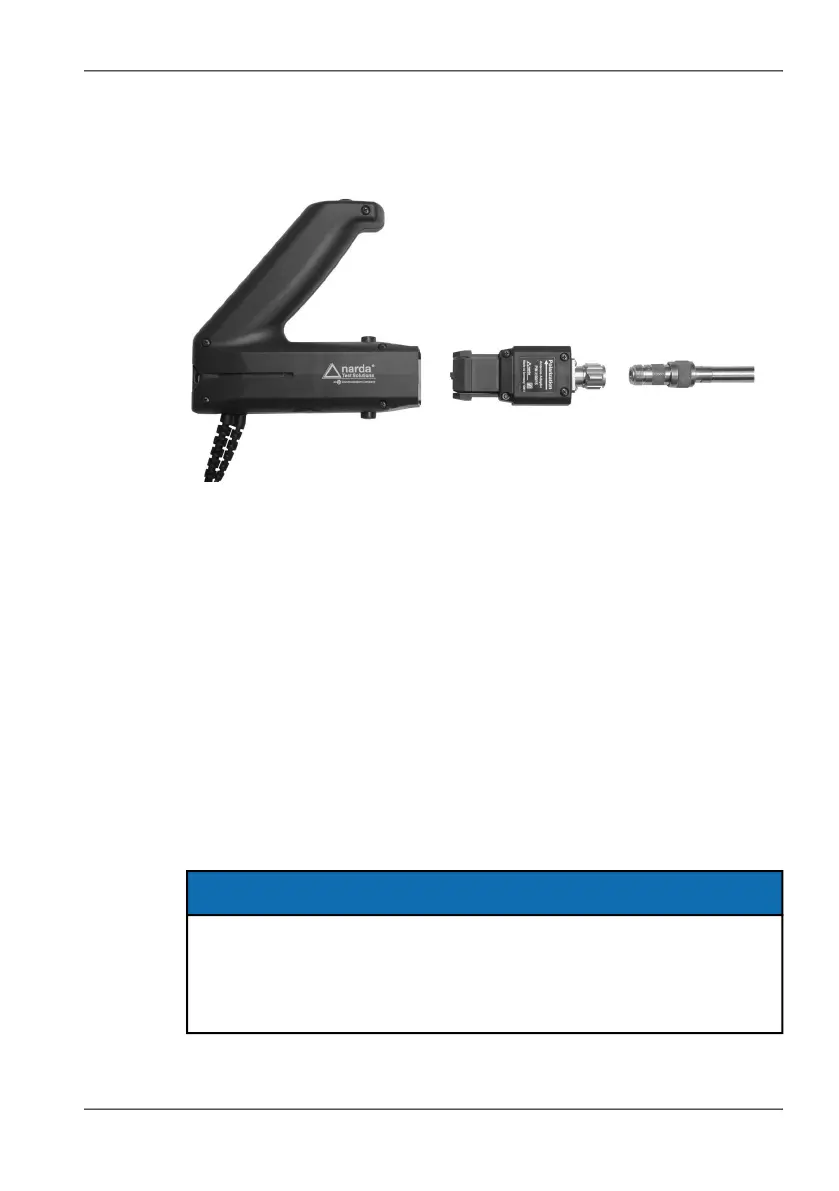
3.6 Using cables and antennas from other manufacturers
Narda IDA-3106 35
Connecting third party antennas to the handle
Antennas fitted with a coaxial N connector can also be used as directional
antennas with the Narda handle by means of the Antenna Adapter 3100/15.
Connecting the antenna:
The configuration data for the antenna have been uploaded.
1. Connect the handle to the IDA-3106.
2. Connect the N connector of the third party antenna to the antenna
adapter. When you do this, make sure that the antenna is screwed on to
correspond with the polarization direction shown on the adapter (i.e.
antenna dipole position is in the direction of the arrow).
3. Connect the antenna adapter to the antenna handle.
The device will indicate the correct polarization H or V in
Direction Finding mode.
4. Select the antenna type you are using (see Displaying and selecting
Antennas on page 77).
NOTE: The device remembers the last third party antenna that was used with the
antenna adapter and selects this automatically when it is plugged in. Check
that the correct antenna type is displayed before making measurements.
NOTICE
Unsuitable directional antennas
The antenna adapter may detach from the antenna handle if the
directional antenna weighs more than 1.5 kg.
Only use directional antennas weighing less than 1.5 kg.



 To Next Page