12
Setting up your Quad Cortex
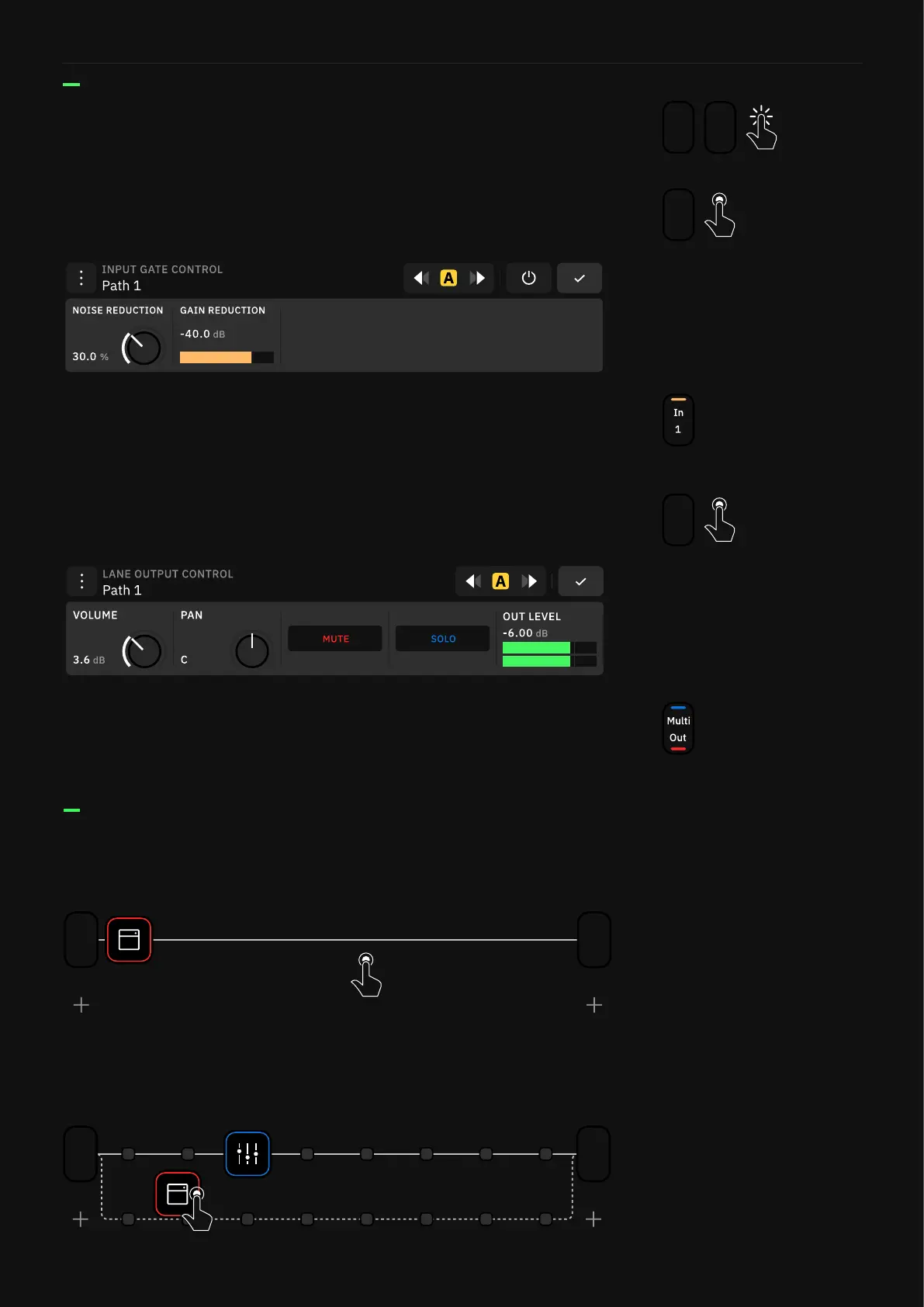
Tap and hold on an empty space on The Grid to create a Splitter/
Mixer path.
If you move any block vertically in The Grid a Splitter/Mixer path
will be created automatically.
1/2
Out
1
In
1/2
Out
1
In
Tap on the input and output blocks to modify them. You can
create, edit, and assign them to physical or virtual I/Os.
1/2
Out
1/2
Out
1
In
These controls can be assigned to Scenes and Expression Pedals.
Color strips display on the Output block when MUTE and/or SOLO
are activated.
Tap and hold an output block to access the Lane Output Control
menu.
1
In
Tap and hold on an input block to access the Input Gate Control
menu.
These controls can be assigned to Scenes and Expression Pedals. A
color strip displays on the input block when the GAIN REDUCTION
is activated.



 To Next Page