33
Presets
Putting them in place
Parameters
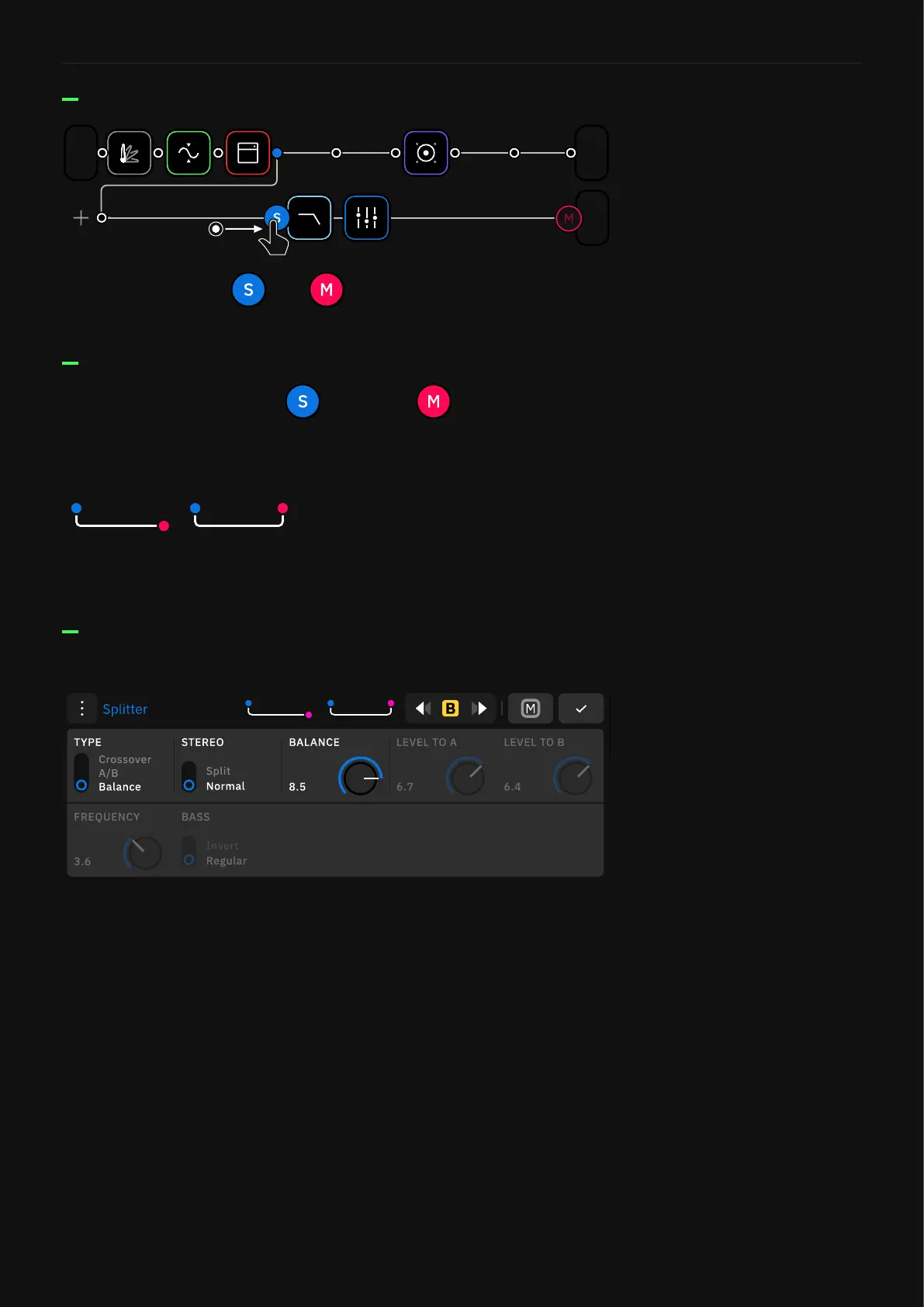
Drag-and-drop the and icons to split and mix the signal
at your desired points. This action will modify the chain shape.
1/2
Out
1
In
3/4
Out
Once you tap on either the Splitter or Mixer icons, you
gain access to their parameters.
Splitter types:
Balance: Uses a single knob to distribute the signal to the Rows.
• BALANCE KNOB: Sets the signal mix between the Row and the
Splitter/Mixer path (0.50 by default).
We have designed two shortcuts for the most common path types.
Tap one to add it to The Grid.
Quick splits
Crossover: Splits the signal into independent frequency bands
that are sent separately.
• FREQUENCY KNOB: Sets the frequency cut value.
• MODE SWITCH: Swaps the band assignment.
A/B: Uses independent knobs for each row.
• LEVEL TO A KNOB: Sets the amount of signal to the row.
• LEVEL TO B KNOB: Sets the amount of signal to the Splitter/
Mixer path.



 To Next Page