34
Presets
1/2
Out
1
In
0.0 dB
LEVEL A
10
PAN A
0.0 dB
LEVEL B
10
PAN B
Off
PHASE
0.0 dB
MIXER LEVEL
DoneMute
Mixer
Mixer settings:
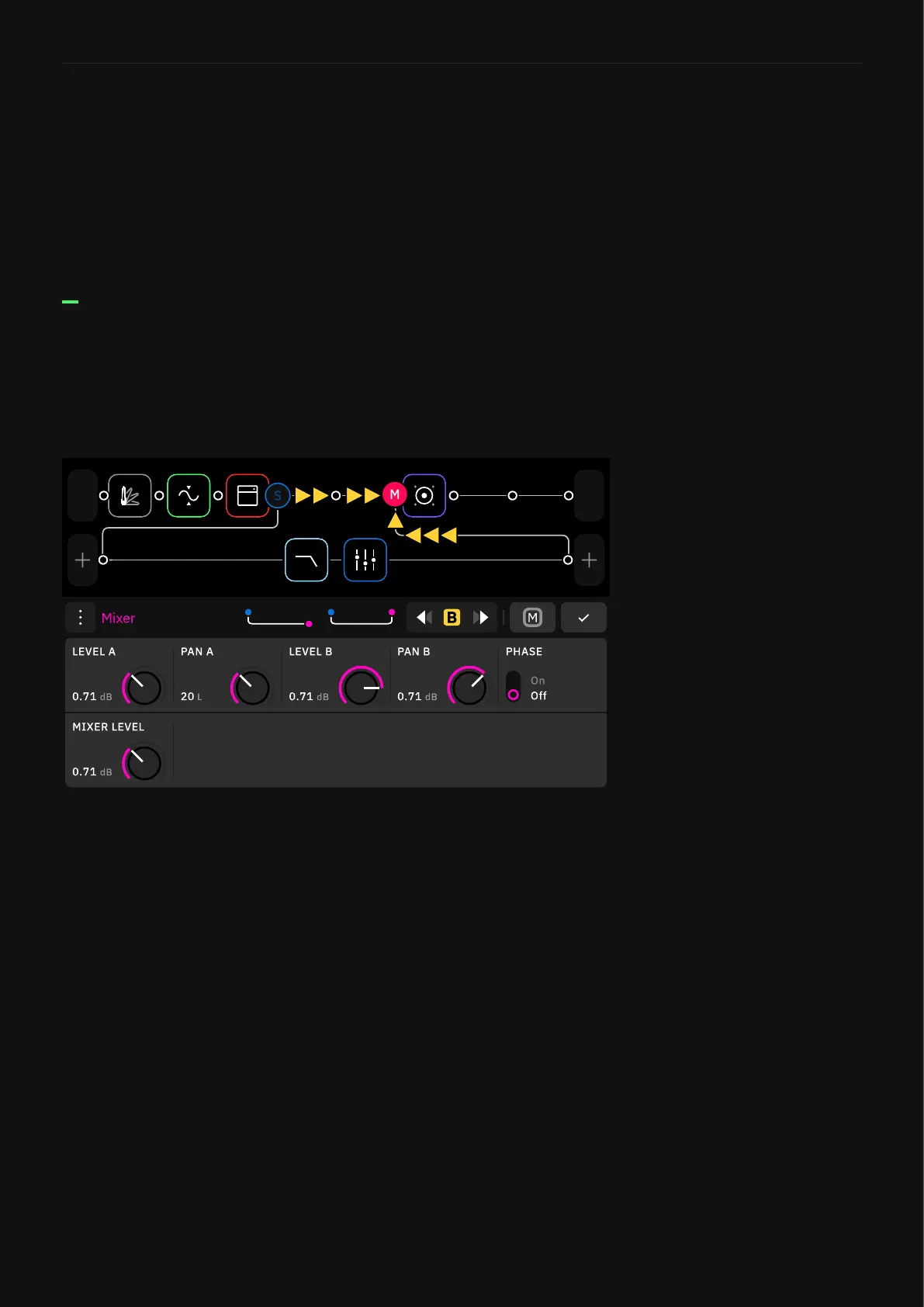
In this particular case, both row 1 and the Splitter/Mixer path are
feeding the Mixer input. Use the following parameters in order to
control the signal levels.
Depending on the Mixer location and Splitter settings, the Mixer
can receive input signal from two sources at the same time.
Check the following example:
• LEVEL A KNOB: Sets the row signal level.
• PAN A KNOB: Controls the panning of the row.
• LEVEL B KNOB: Sets the Splitter/Mixer level.
• PAN B KNOB: Controls the panning of the Splitter/Mixer path.
• PHASE SWITCH: Inverts the phase of the signal workflow.
• MIXER LEVEL KNOB: Controls the overall level of the Mixer.
Splitter Stereo Switch
This switch determines the Splitter behavior while using stereo
sources like Input 1/2, Return 1/2, USB input 5/6 and USB input 7/8.
• Split Mode: Sends the right input (Input 2, Return 2, USB input
6 or 8) to the Splitter/Mixer path.
• Normal Mode: Sends both left and right inputs to the Splitter/
Mixer path.



 To Next Page