230
t
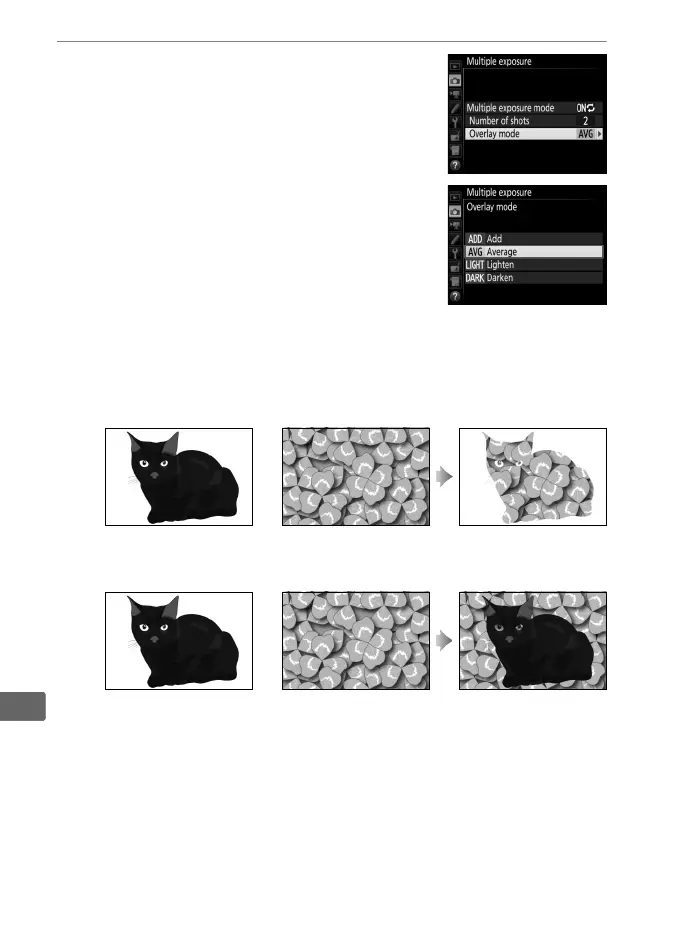
4 Choose the overlay mode.
Highlight Overlay mode and press 2.
The following options will be displayed.
Highlight an option and press J.
• Add: The exposures are overlaid without
modification; gain is not adjusted.
• Average: Before the exposures are
overlaid, the gain for each is divided by
the total number of exposures taken (gain for each exposure
is set to
1
/2 for 2 exposures,
1
/3 for 3 exposures, etc).
• Lighten: The camera compares the pixels in each exposure
and uses only the brightest.
• Darken: The camera compares the pixels in each exposure
and uses only the darkest.
+
+



 To Next Page