350
U
J
Select center
focus point
Press the control to select the center focus point.
G
Same as AF-ON
button
The control performs the same role as that currently
selected for the AF-ON button.
None Pressing the control has no effect.
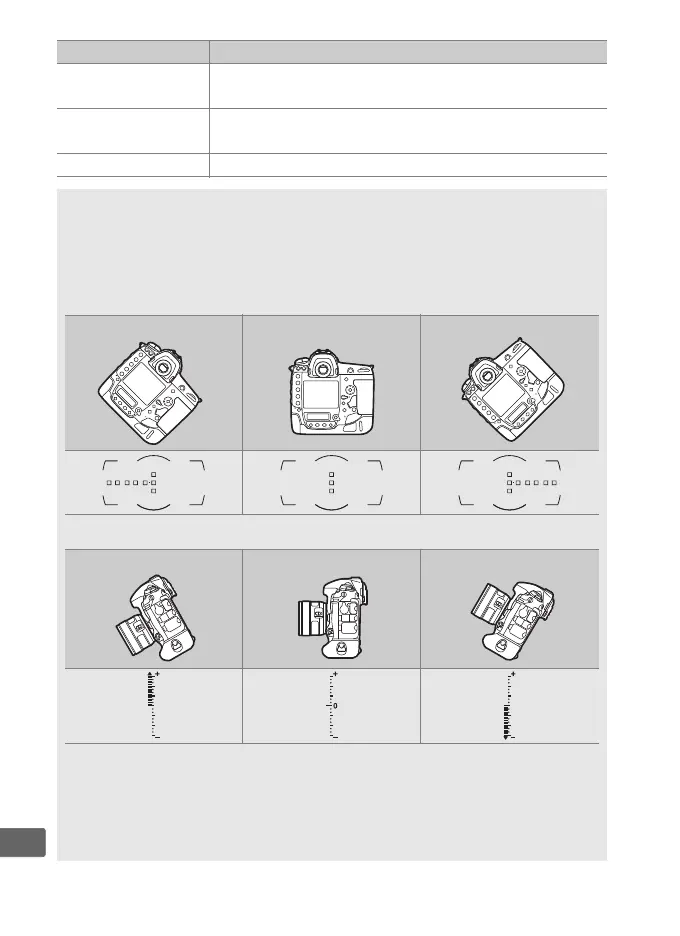
A Virtual Horizon
Pressing a control to which Viewfinder virtual horizon has been
assigned displays pitch and roll indicators in the viewfinder.
Press the
control a second time to clear the indicators from display.
Roll
Camera tilted right Camera level Camera tilted left
Pitch
Camera tilted forward Camera level Camera tilted back
The roles of the pitch and roll indicators are reversed when the camera
is rotated to take pictures in “tall” (portrait) orientation.
Note that the
display may not be accurate when the camera is tilted at a sharp angle
forward or back.
If the camera is unable to measure tilt, the amount of
tilt will not be displayed.
Option Description



 To Next Page