351
U
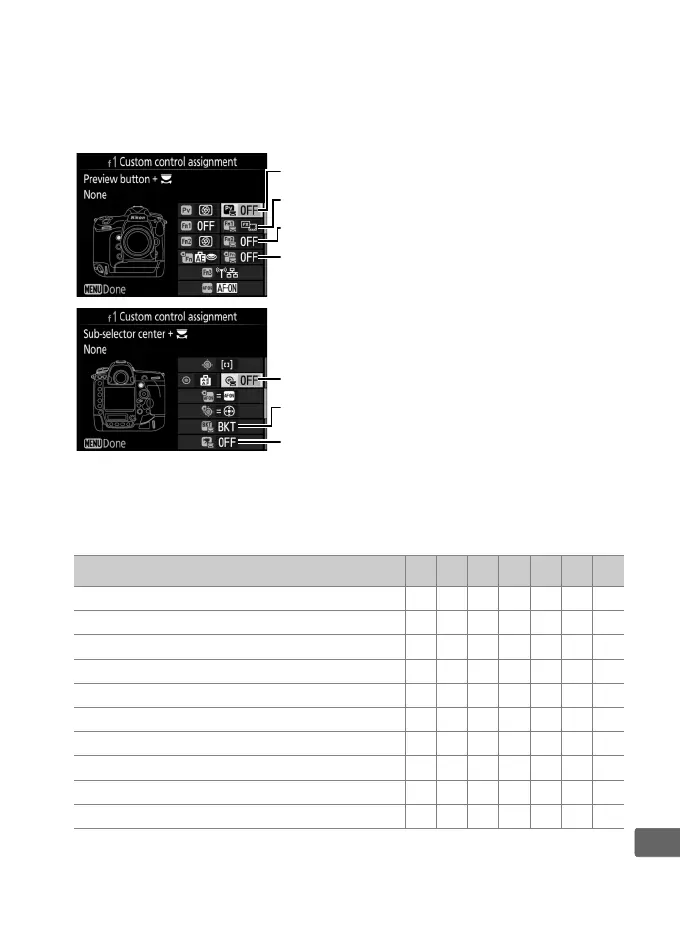
❚❚ Press + Command Dials
To choose the roles played by the following controls in
combination with the command dials, highlight the desired option
and press the center of the multi selector:
* Choose the role played by the movie-record button in combination with
the command dials when the live view selector is rotated to C.
The functions that can be assigned to these controls are as follows:
Option
1 w y t 9 n Q
J
Choose image area ✔✔✔✔✔— ✔
$
Shutter spd & aperture lock ✔✔✔✔✔— ✔
v
1 step spd/aperture ✔✔✔✔———
w
Choose non-CPU lens number ✔✔✔✔✔——
y
Active D-Lighting ✔✔✔✔———
z
Exposure delay mode ✔✔✔✔———
n
Photo shooting menu bank ✔✔✔✔✔— ✔
9
ISO sensitivity ———✔ ———
v
Exposure mode ———✔ ——✔
E
Exposure compensation ———✔ ———
1
Pv button + y
t
Fn button for vertical shooting + y
y
Fn2 button + y
w
Fn1 button + y
n
BKT button + y
Q
Movie record button + y
*
9
Sub-selector center + y



 To Next Page