NSW-5
Service Software Instructions
PAMS Technical Documentation
Page 55
Issue 1 10/00
Nokia Mobile Phones Ltd.
Authority ID... command
Activation Status Bar Text
Alt, S,A Open Authority ID dialog box
This command is used for programming software authorization data re-
motely and locally.
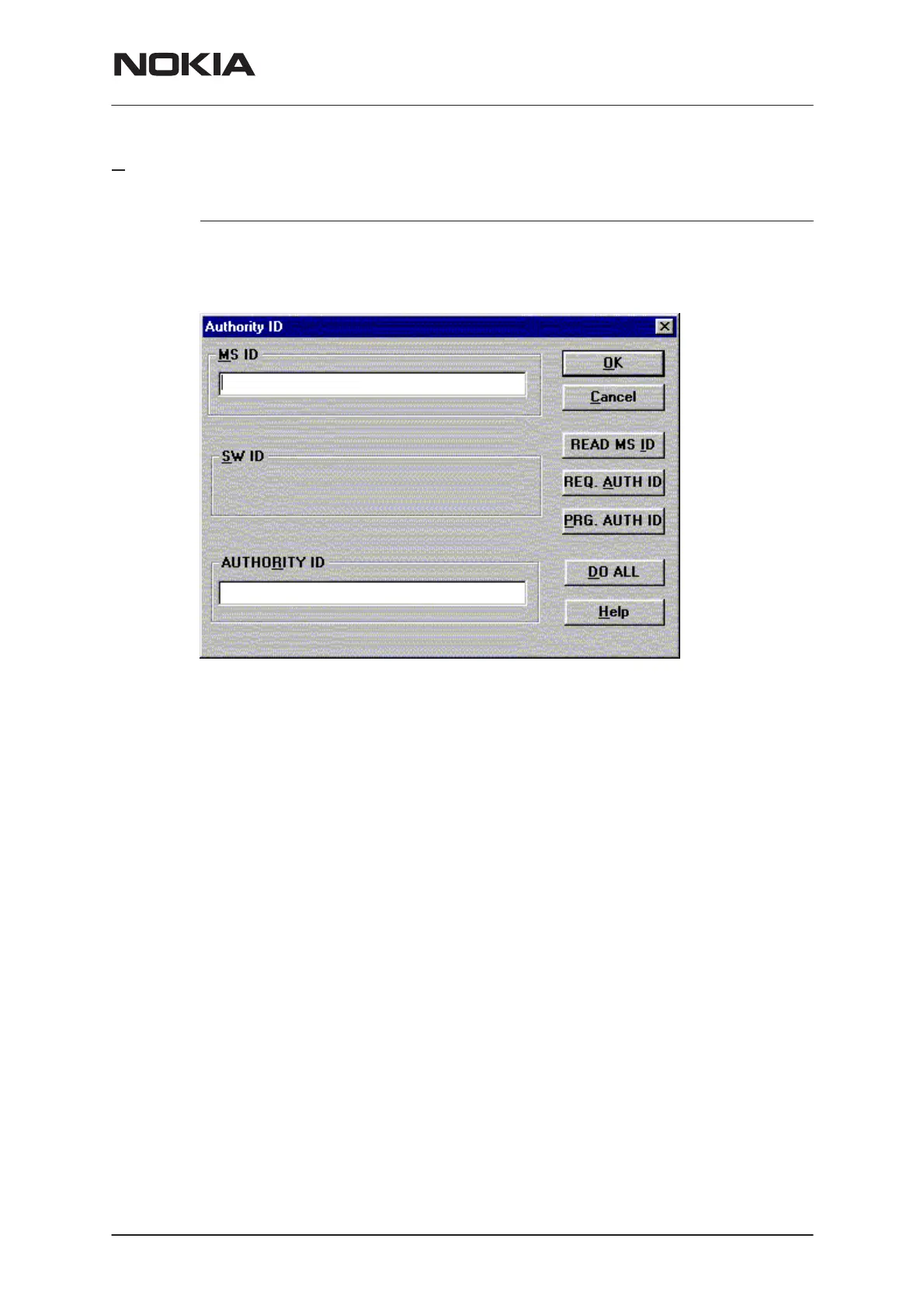
The Authority ID dialog box includes the following items:
MS ID edit box (ALT+M)
Mobile station security id number for remote authority id pro-
gramming
SW ID edit box (ALT+S)
Software id number may be needed later with with authority id
Not yet supported
AUTHORITY ID edit box (ALT+E)
Software authority id for remote authority id programming
READ MS ID button (ALT+E)
Pressing this button updates MS ID edit box from phone
Shall be used only for remote programming
REQ AUTH ID button (ALT+E)
Only for R&D use
PROG AUTH ID button (ALT+E)
Pressing this button updates value from AUTHORITY ID edit
box to phone. Shall be used only for remote programming
DO ALL button (ALT+E)
Pressing this button updates authority id to phone. This button
shall be used when TDF–4 (or TDD–4) is connected to PC


 To Next Page
 Loading...