NSW-5
Service Software Instructions
PAMS Technical Documentation
Page 38
Issue 1 10/00
Nokia Mobile Phones Ltd.
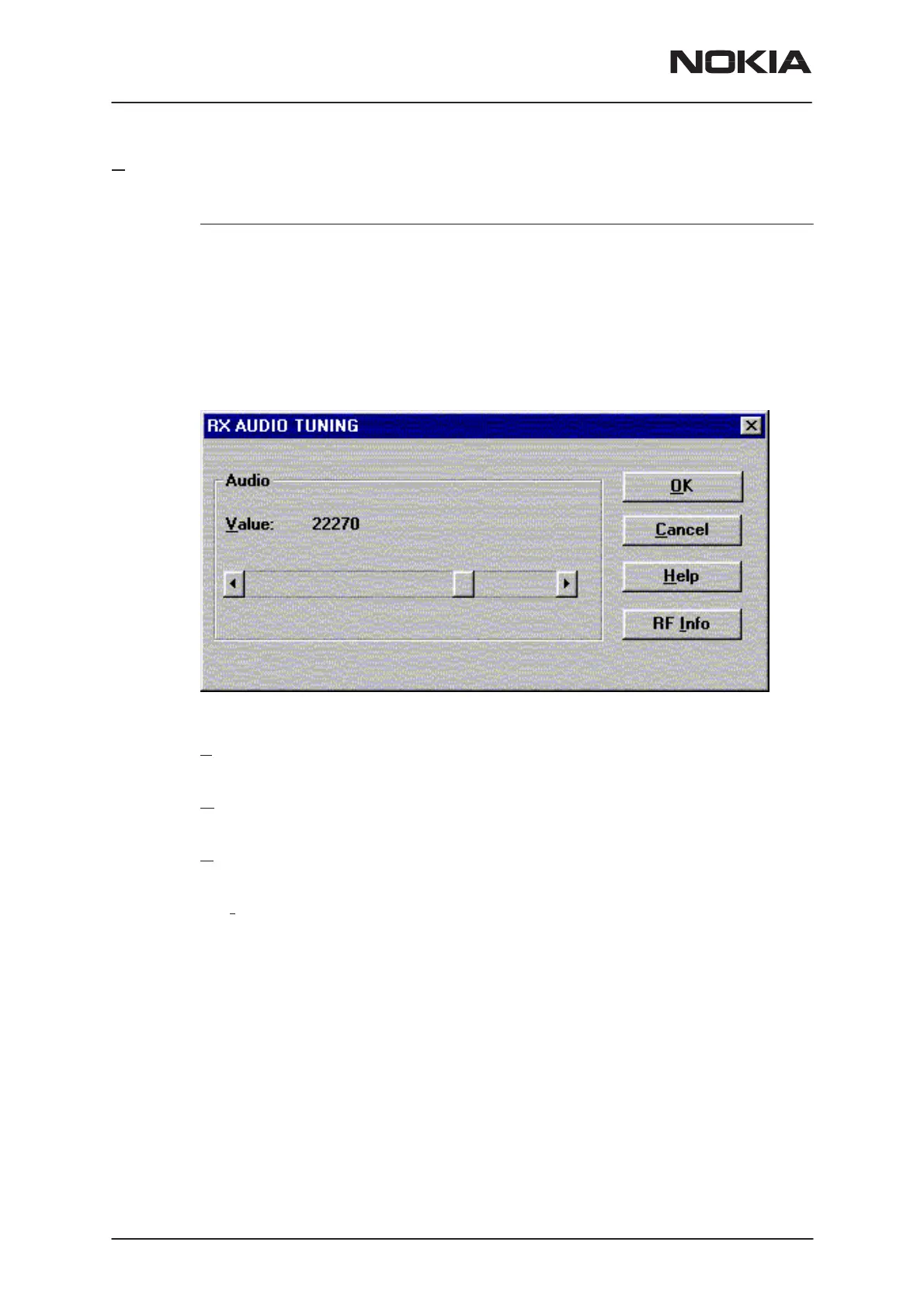
Rx Audio... command
Activation Status Bar Text
Alt, T, R Starts Rx audio tuning
The next automatic selections are made when this function is activated:
– Active Unit = RX
– Operation Mode = analog
– Channel 990
– Power level OFF
– low band
RX audio tuning dialog includes the following items:
V
alue scroll bar (ALT–V)
Set Calibration value to phone
O
K button (ENTER):
Dialog is closed and tuning
is saved
to phone.
Cancel button (ESC):
Dialog is closed and tuning
is not saved
to phone.
RF Info button (ALT+I):
The current rf state is shown
Help button (Alt+H):
Opens context sensitive help.



 To Next Page
 Loading...