NSW-5
Service Tools
PAMS Technical Documentation
Page 22
Issue 1 10/2000
Nokia Mobile Phones Ltd.
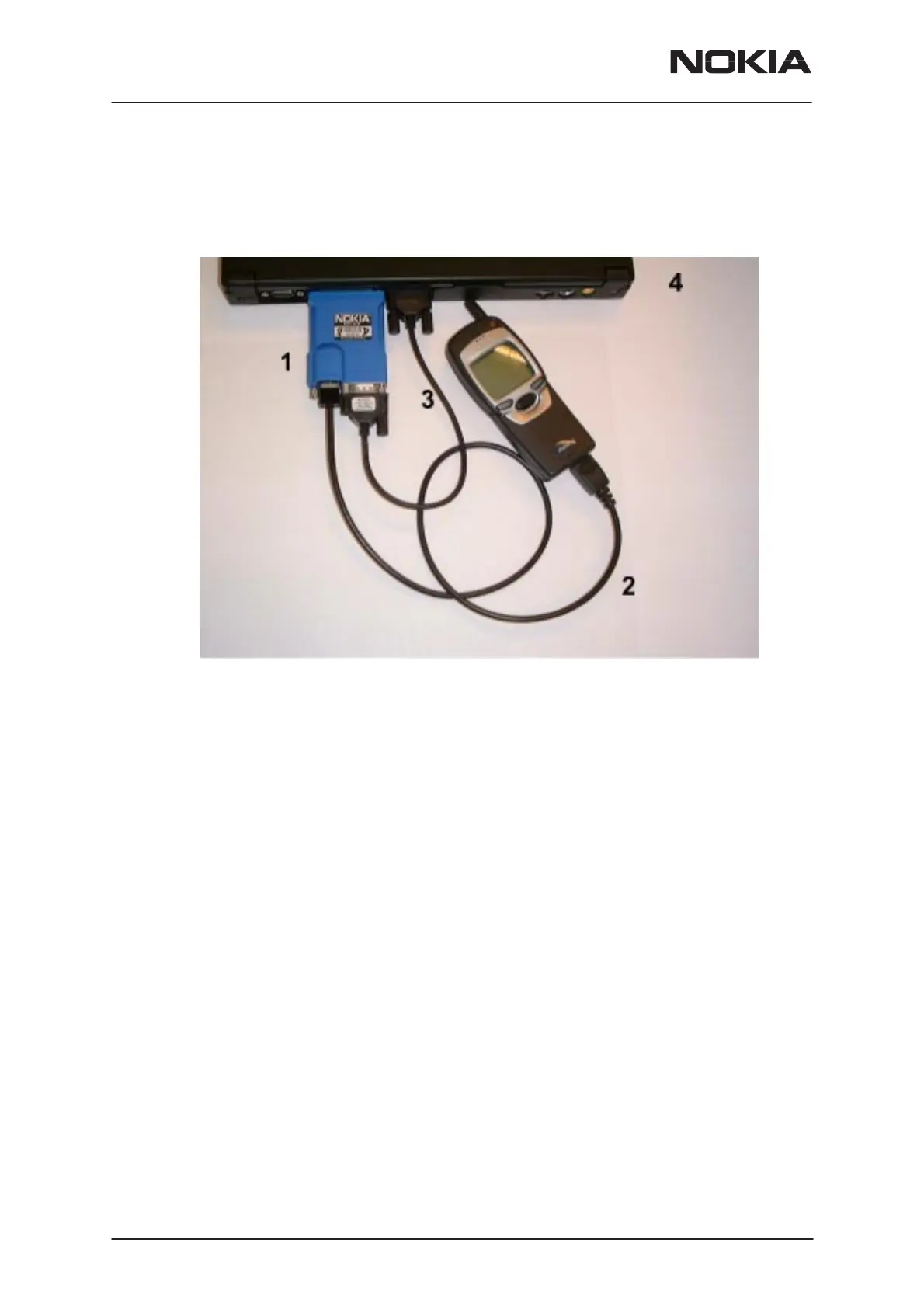
The picture below shows how to connect the FLS-2D device and
associated cables to the PC and Product/Phone.
FLS-2D Connection Diagram
1. FLS-2D (connects to parallel port)
2. SCH-5A
3. AXS-4U
4. PC


 To Next Page
 Loading...