46
5.5 Diagnostic functions
5.5.1 Interrogation of the error history
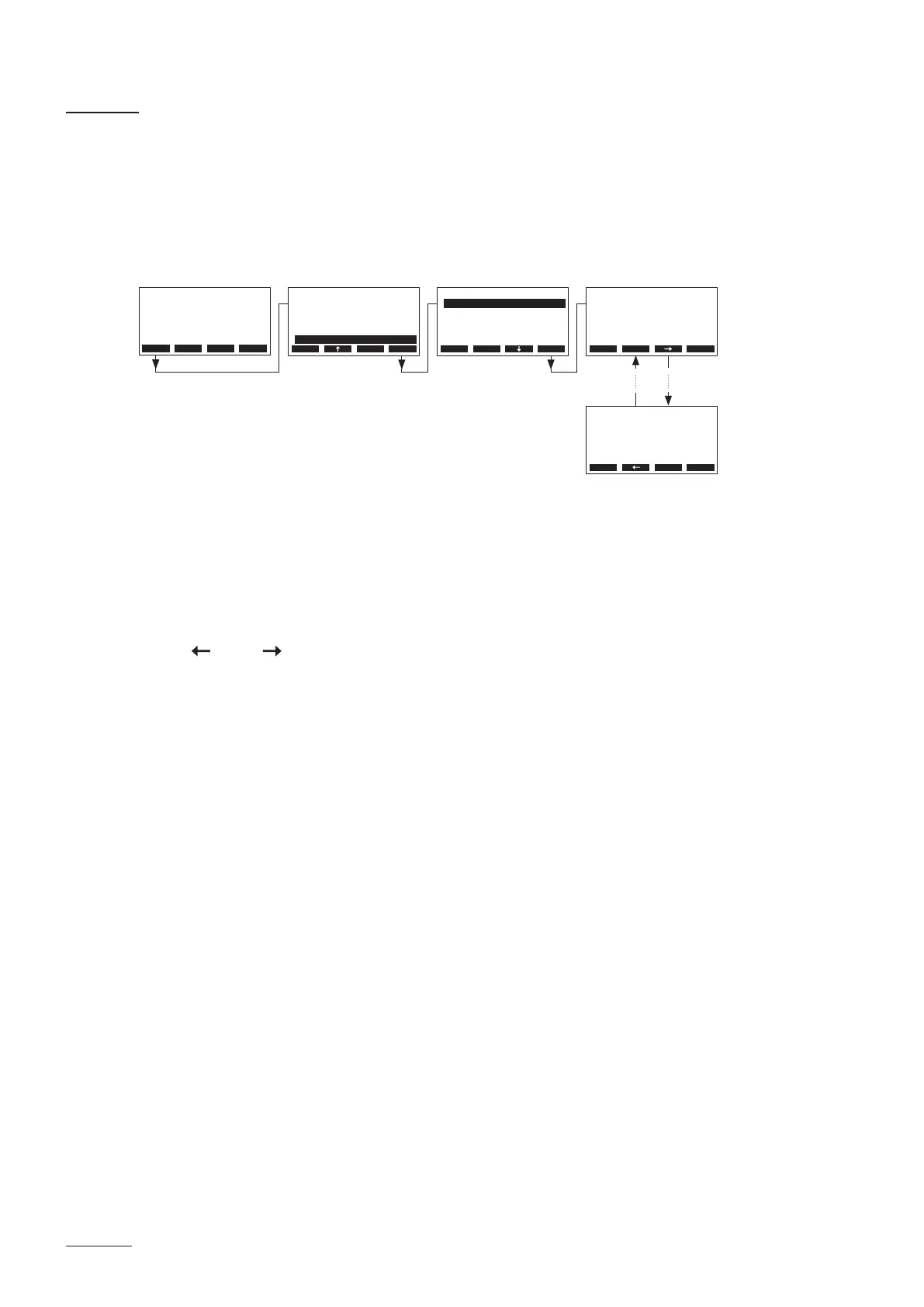
The error messages generated by the last 20 malfunctions that occurred are saved in the error history
list of the Nordmann AT4 D and can be interrogated.
Select the error history list:
Path: Main Menu > Diagnostic > ErrorHistory
The last error that occurred is shown with:
– running number of the error
– date and time of occurrence
– error code (Warning: W..., Error: E...)
– error message
– additional info text regarding the error
Press < > and < > keys, in order to select further error messages in the list.
Press the <Esc> key several times to quit the error history list and to return to the standard operating
display.
Diagnostic
Unit Status::Set
Bath Test :Set
Remote Test :Set
ErrorHistory:Set
Module Test :Set
Esc Set
ErrorHistory
E23 No Current
Phase failure
GFCI activated
01/05 11-03-15 12:34
Water supply
Esc Set
ErrorHistory
E32 Sensor void
No sensor signal
Sensor damaged
05/05 11-03-17 16:38
Esc Set
Main Menu
Light-2 :O
User :Set
Engineering :Set
Fragrance :Set
Diagnostic :Set
Esc Set
Menu Light Start
AT4D 65kg/h 400V3
Steam Bath :Standby
Temperature :34°C
Setpoint :48°C
2011-08-31 12:00:00


 To Next Page