31
5.3.3.7 Sensor signal settings
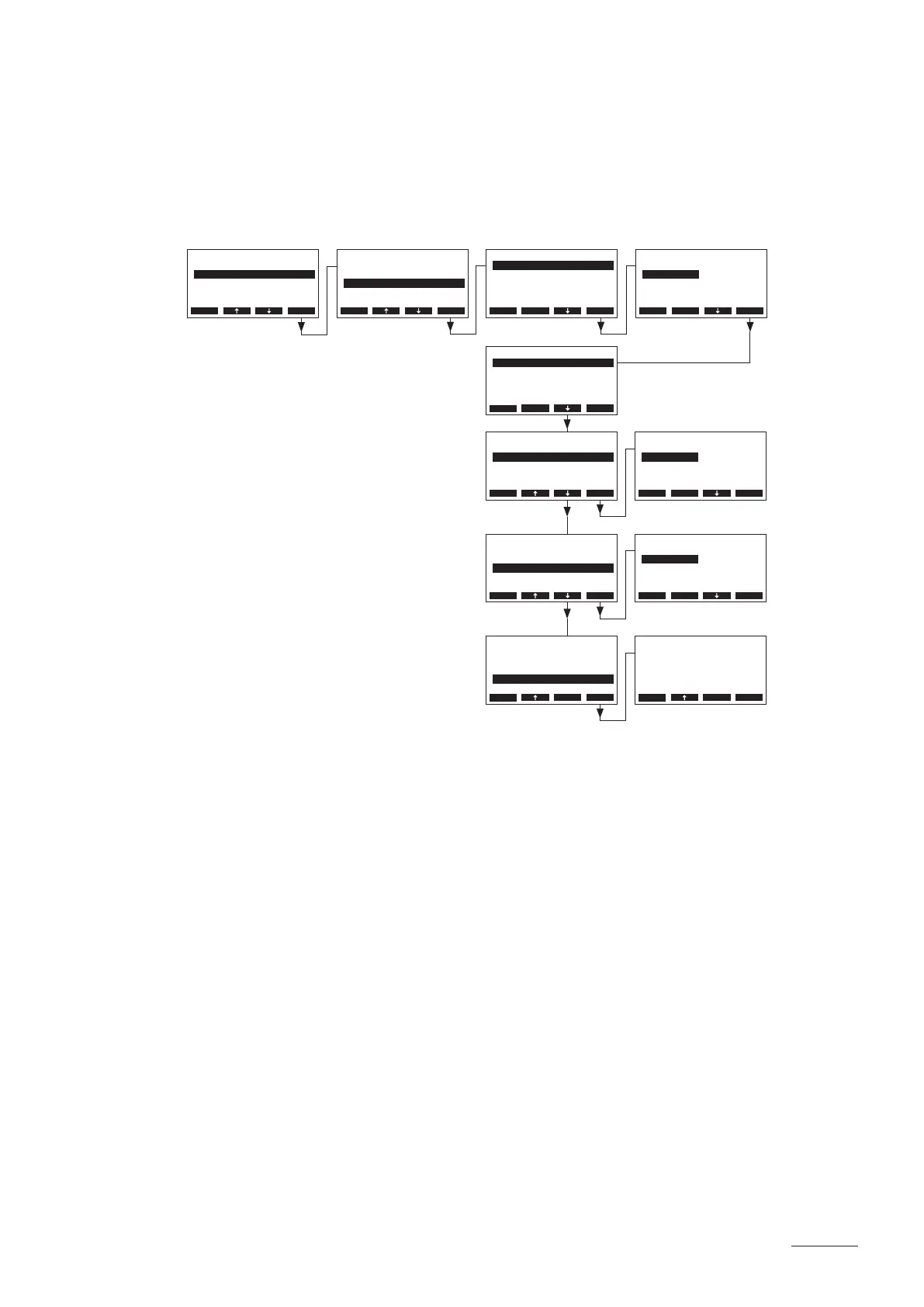
With the parameters in the submenu “Sensor” you can congure the sensor signal settings.
– Temperature signal input from analogue temperature sensor (KTY, PT100, PT-1000) connected
to the steam bath print.
Select “Sensor” in the steam bath settings menu, then press the <Set> key.
Adjust the parameters in the submenu “Sensor” as follows:
• “SignalSource”: “Analog”
• “Mode”: “Temp.”
• “Type”: “KTY”, “PT-100” or “PT-1000”
• “Offset”: Temperature offset of the selected temperature sensor to the temperature
value measured with a proofed measuring instrument in the steam bath
cabin (Factory setting: 0.0 °C, Setting range: –5 °C...5 °C)
BathSettings
Light :Set
Sensor :Set
Control :Int.(P)
Fragrance :Set
P-Band :4°C
Esc Set
Settings
BathSettings:Set
Cylinder :4564
SC-System :Set
Language :English
Power Limit :100%
Esc Set
Sensor
Mode :Temp.
Type :KTY
Oset :0.0°C
SignalSource:Analog
Esc Set
Sensor
Mode :Temp.
Type :KTY
Oset :0.0°C
SignalSource:Analog
Esc Set
SignalSource
Analog
Modbus
Analog
Esc Set
Sensor
Mode :Temp.
Type :KTY
Oset :0.0°C
SignalSource:Analog
Esc Set
Sensor
Mode :Temp.
Type :KTY
Oset :0.0°C
SignalSource:Analog
Esc Set
Sensor
Mode :Temp.
Type :KTY
Oset :0.0°C
SignalSource:Analog
Esc Set
Type
KTY
PT-100
PT-1000
KTY
0-10V
Esc Set
Oset
0.0 °C
0.0 °C
Esc Set
Mode
Temp.
Humidity
Temp.
Esc Set


 To Next Page