52
Press the <Esc> key several times to quit the error history list and to return to the standard operating
display.
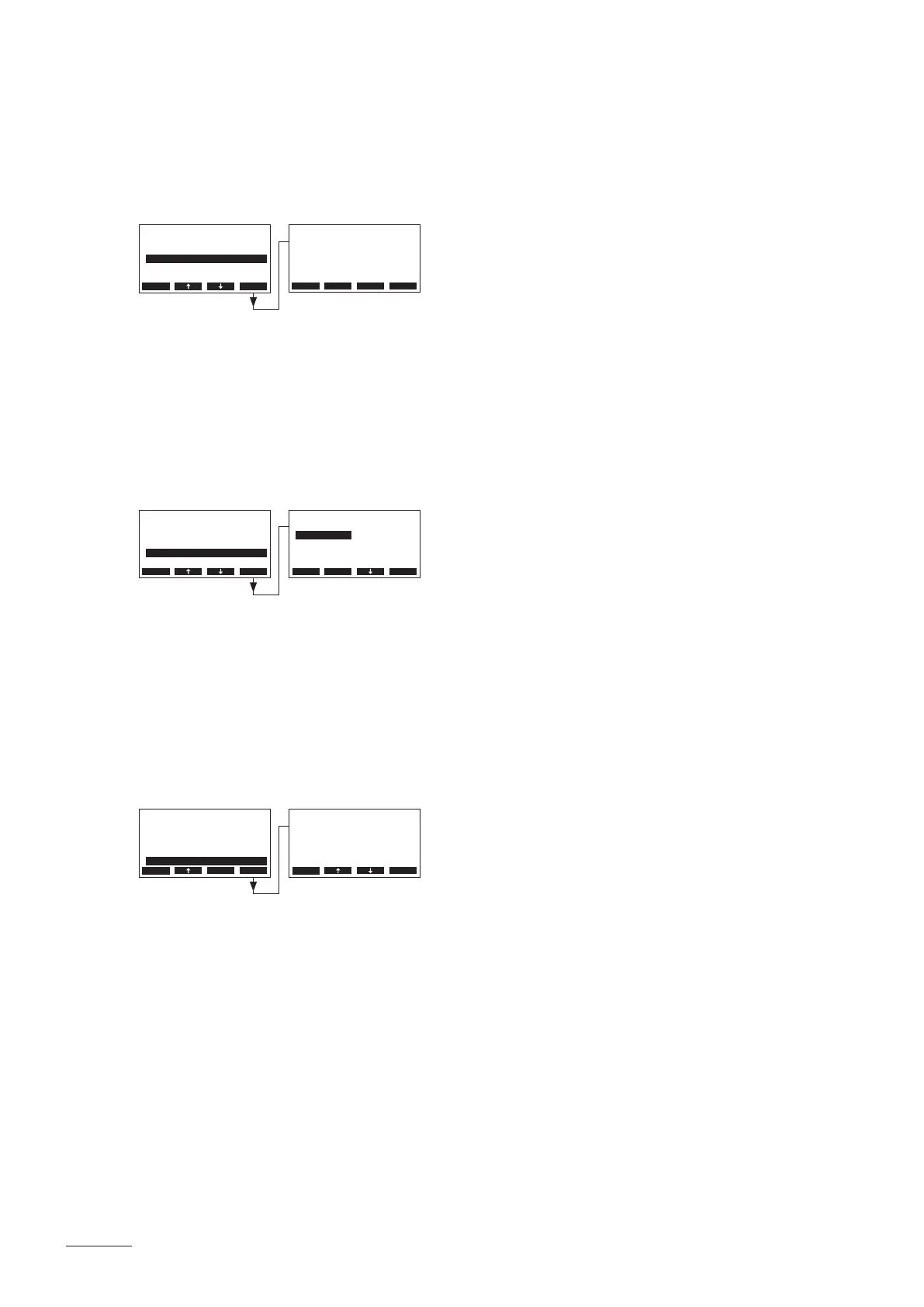
5.6.2.4 Resetting the error history list of the remote terminal
Select “HistoryReset” in the main menu, then press the <Set> key.
The reset dialogue appears in the display. Press the <Yes> key in order to reset the error history list.
Note: By pressing the <No> key the reset procedure can be aborted. The remote terminal returns to
the main menu.
5.6.2.5 Setting the baudrate
Select “Baudrate” in the main menu, then press the <Set> key.
In the upcoming modication dialogue set the baudrate for the communication with the steam generator
controls.
Factory setting: 9600
Options: 9600, 19200, 38400, 57600
5.6.2.6 Setting the display contrast
Select “Contrast” in the main menu, then press the <Set> key.
In the upcoming modication dialogue set the desired value for the display contrast of the remote terminal.
Factory setting: 50
Setting range: 25 (light) ...80 (dark)
HistoryReset
Are You sure?
No Yes
Main Menu
ErrorHistory:Set
HistoryReset:Set
Baudrate :9600
RemoteUnits :8
Contrast :50
Esc Set
Main Menu
ErrorHistory:Set
HistoryReset:Set
Baudrate :9600
RemoteUnits :8
Contrast :50
Esc Set
Main Menu
ErrorHistory:Set
HistoryReset:Set
Baudrate :9600
RemoteUnits :8
Contrast :50
Esc Set
Baudrate
9600
19200
38400
9600
56800
Esc Set
Contrast
50
50
Esc Set


 To Next Page