PROPlus / PRO Series Automated Dispensing Systems
44 www.nordsonefd.com info@nordsonefd.com +1-401-431-7000 Sales and service of Nordson EFD dispensing systems are available worldwide.
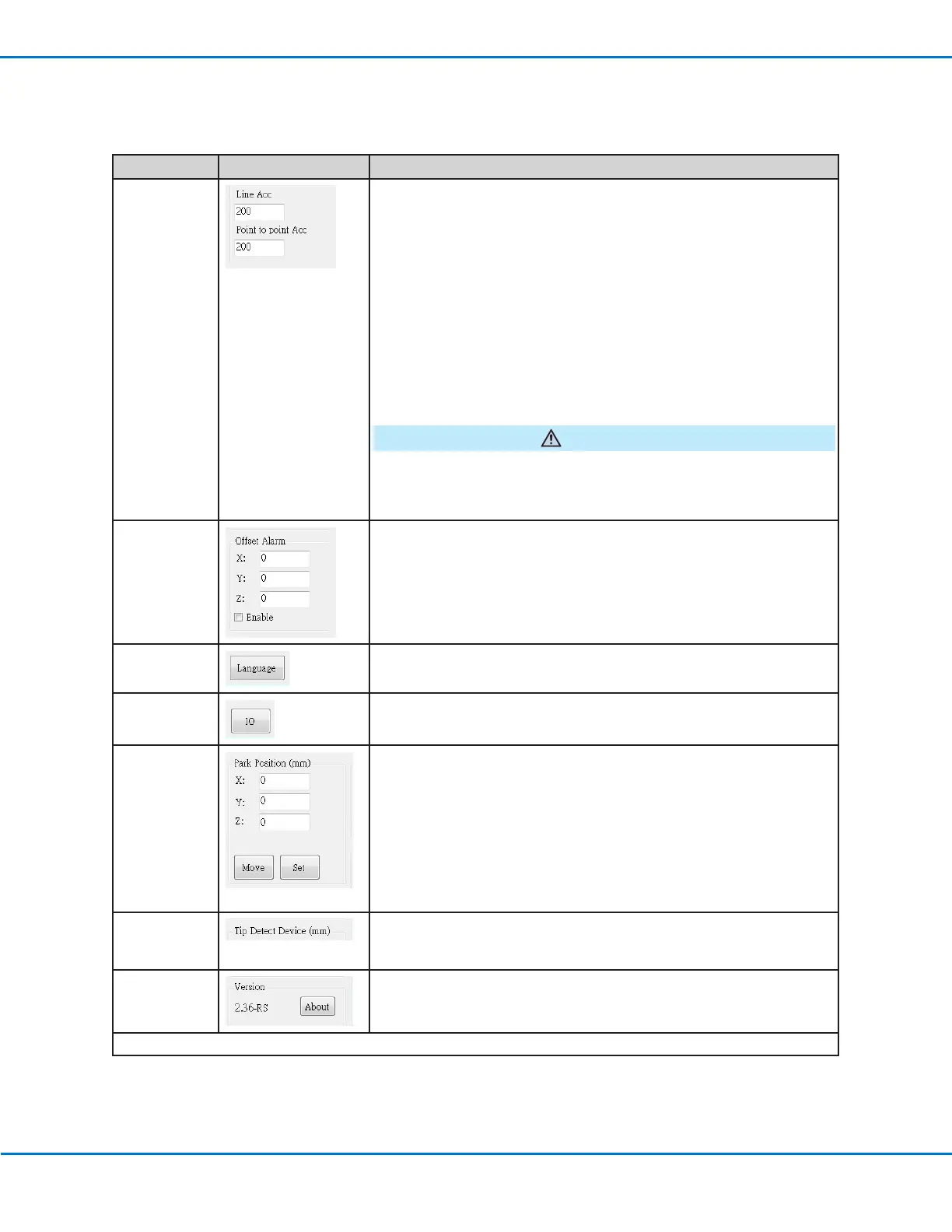
Item Screen Capture Description
Line Acc
Point to point
Acc
Sets the rate of acceleration for line dispensing (Line Acc) or from point
to point (Point to point Acc):
• Line Acc is the dispensing speed within a line command, between
the start- to mid-points, the start- to end-points, and the mid- to
mid-points or mid- to end-points.
• Point to point Acc is the robot movement speed between two
dispense points.
Default: 200 (mm/s
2
)
Range: 20–600 (mm/s
2
)
NOTE: The higher the acceleration, the faster a program runs. However,
higher acceleration settings can also compromise pattern quality.
CAUTION
The robot automatically adjusts its speed depending on the complexity
of the pattern. Forcing the robot to run at higher speeds can compromise
accuracy and may disrupt system operation.
Offset Alarm Sets how much deviation the system allows for offsets. The default
settings are shown in the screen capture.
EXAMPLE: If Offset Alarm is enabled and the result of an automatic
offset performed by clicking Needle Z Detect or Needle XY Adjust is
outside the XYZ values specified for Offset Alarm, the system displays
an alarm.
Language
Sets the user interface language. Any change takes effect upon software
restart.
IO Refer to “Setting Up Inputs / Outputs” on page58.
Park Position
Sets the position to which the dispensing tip moves to (1) purge fluid or
(2) when the Park Position command occurs in a program.
Click MOVE to move the tip to the displayed coordinates set for Park
Position. To change the setting, jog the tip to the new location, then
click SET to set the location as the new Park Position.
Tip Detect
Device
Used only as needed for manual calibration of the tip-to-workpiece
offset in place of using the Robot Initial Setup wizard. Refer to
“AppendixB, Non-Wizard Setup Procedures” on page135.
Version
Shows the current version of the software.
Continued on next page
Setting System Parameters (continued)
System Setup Screen Fields (continued)



 To Next Page