PROPlus / PRO Series Automated Dispensing Systems
45www.nordsonefd.com info@nordsonefd.com +1-401-431-7000 Sales and service of Nordson EFD dispensing systems are available worldwide.
Item Screen Capture Description
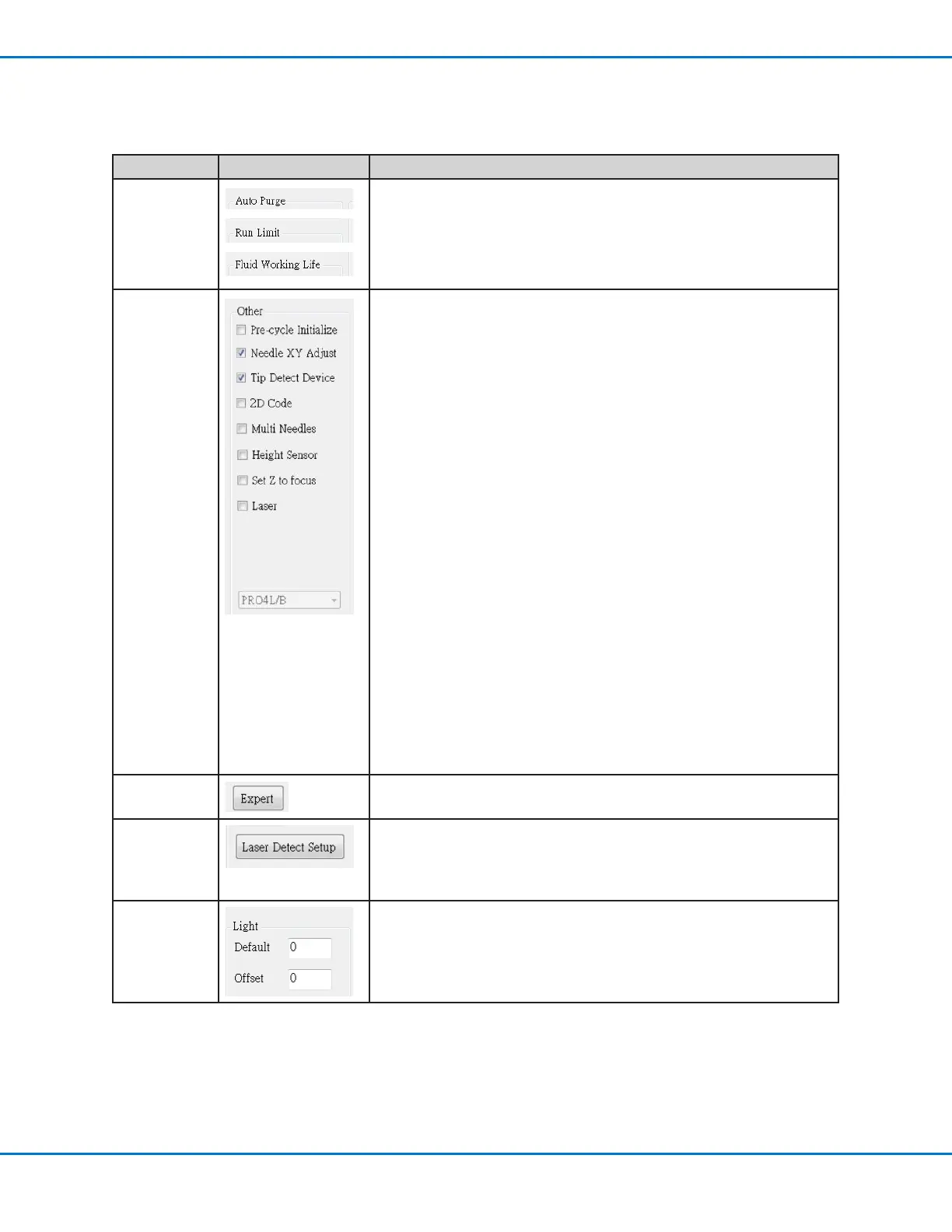
Auto Purge
Run Limit
Fluid Working
Life
To set up automatic purge settings, run limits, or fluid working life limits
for a program, refer to “How to Set Up Auto Purge, Program Cycle
Limits, or Fluid Working Life Limits” on page93.
Other
• Pre-cycle Initialize: If checked, the robot always moves to the home
position (0, 0, 0) before the start of a dispense cycle.
• Needle XY Adjust: Enables or disables the Needle XY Adjust
capability. When Needle XY Adjust is checked, the Needle XY Adjust
button appears on the Program screen.
• Tip Detect Device: Indicates that the system includes the tip
detector. When Tip Detect Device is checked, the Needle Z Detect
button appears on the Program screen and the capability is enabled in
the Robot Initial Setup wizard. If unchecked, the capability is disabled
in the Robot Initial Setup wizard.
• 2D Code: Check this box to enable or disable QR code scanning
capability. Refer to “AppendixD, QR Code Scanning Setup” on
page145 to set up QR code scanning.
• Multi Needles: To dispense using more than one Dispenser (up to
four dispensers possible), check this box. Refer to “AppendixE, Multi-
Needle Setup and Use” on page148 to set up a multi-Dispenser
system.
• Height Sensor: Not currently available.
• Set Z to Focus: Sets whether the system captures the current
Zheight value in command windows. Refer to “Setting How the
System Captures Z Height Values (Optional)” on page60 for details.
• Laser: Indicates that the system includes a laser (laser systems only).
• Model drop-down menu: Sets the dispensing software configuration;
this setting must match the system configuration (model). Any change
takes effect upon software restart.
Expert
For advanced users only.
Laser Detect
Setup
(Laser
systems only)
Used only as needed for calibration of the laser-to-tip offset. Refer to
“(Laser Systems Only) Calibrating the Laser and Setting the Tip-to-
Workpiece Offset” on page56.
Light
• Default: Allows you to control the light intensity if an external switch is
used to control the light.
• Offset: When the system is in the CCD Mode, automatically changes
the light intensity based on the value entered.
Setting System Parameters (continued)
System Setup Screen Fields (continued)



 To Next Page