PROPlus / PRO Series Automated Dispensing Systems
76 www.nordsonefd.com info@nordsonefd.com +1-401-431-7000 Sales and service of Nordson EFD dispensing systems are available worldwide.
To Create Four Vertical Trig Marks and Set the Range
# Click Step Reference Image
1
• Click CENTER to center the image of
the workpiece in the camera view.
Important: The camera must be
precisely centered over the workpiece
because the offset values are calculated
automatically.
2
• Click SET MARK, click and drag the
crosshairs of the red square over the
first vertical target on the workpiece,
then click and drag the red square
borders to position the square around
the target.
Continued on next page
Method 1: Using Eight Trig Marks (Highest Accuracy) (continued)
To Create Four Horizontal Trig Marks and Set the Range (continued)
# Click Step Reference Image
8
>
>
>
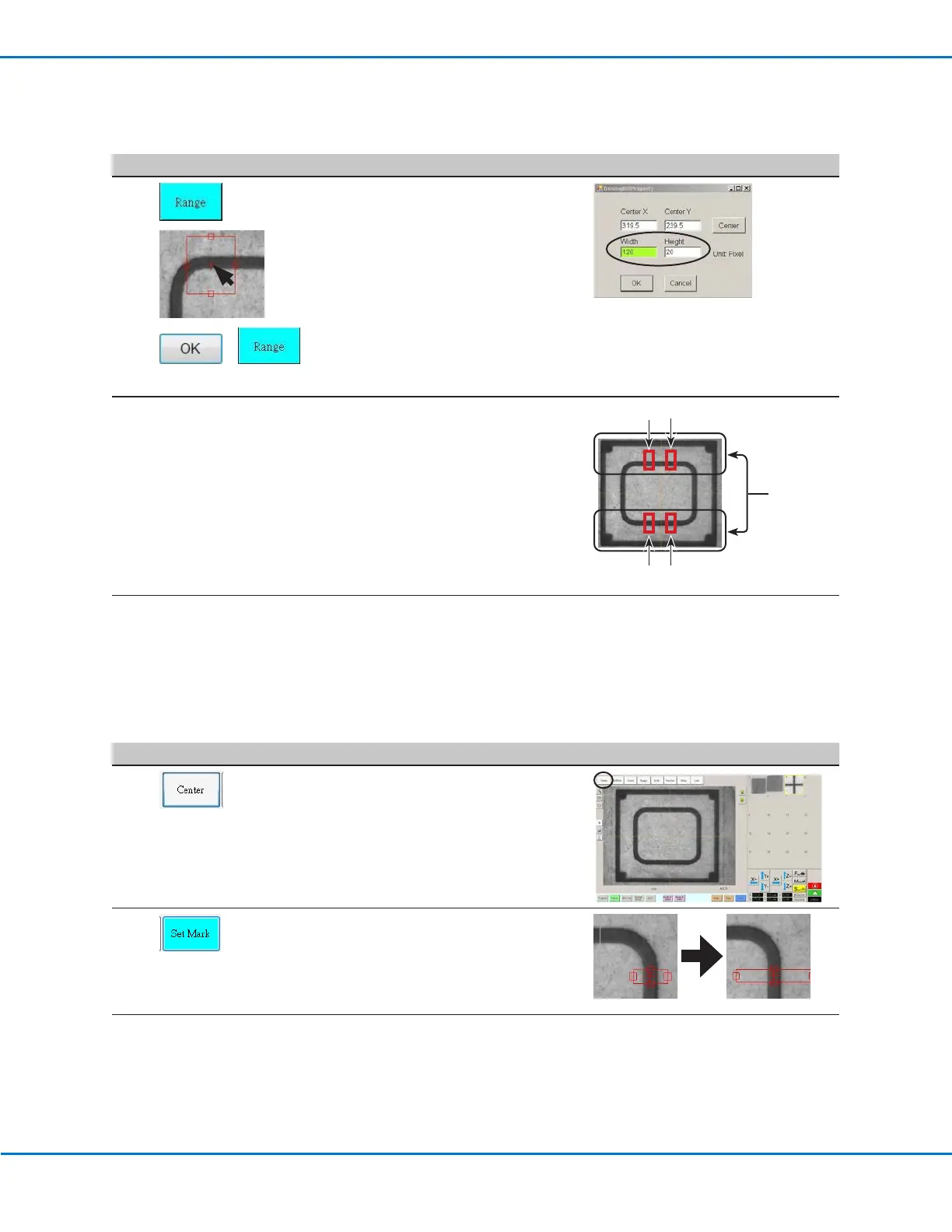
• Click RANGE to set where the system
searches for the mark.
• Double-click again in the center of the
mark and then enter the same Width
and Height values that were entered in
step 6.
NOTE: For better accuracy, ensure that
the Width and Height values are the
same for both Set Mark and Range.
• Click OK.
• Click RANGE again to save.
9
• Repeat steps 4–8 for the other three
marks located in the horizontal planes
(numbers 2, 3, and 4 in the reference
image).
Horizontal
marks
(1, 2, 3, 4)
1 2
43
10
• Continue to the next procedure to set
up the vertical marks.



 To Next Page