PROPlus / PRO Series Automated Dispensing Systems
97www.nordsonefd.com info@nordsonefd.com +1-401-431-7000 Sales and service of Nordson EFD dispensing systems are available worldwide.
To Use the PicoTouch Parameter Update Command in a Program
PREREQUISITES
A PICO Pµlse
®
valve and Toµch
™
Controller system is properly installed and connected to the automated
dispensing system.
The PICO Toµch parameters are saved in a *.PICO file as described in the previous two procedure.
# Click Step Reference Image
1
>
PICOTOUCH
PARAMETER
UPDATE
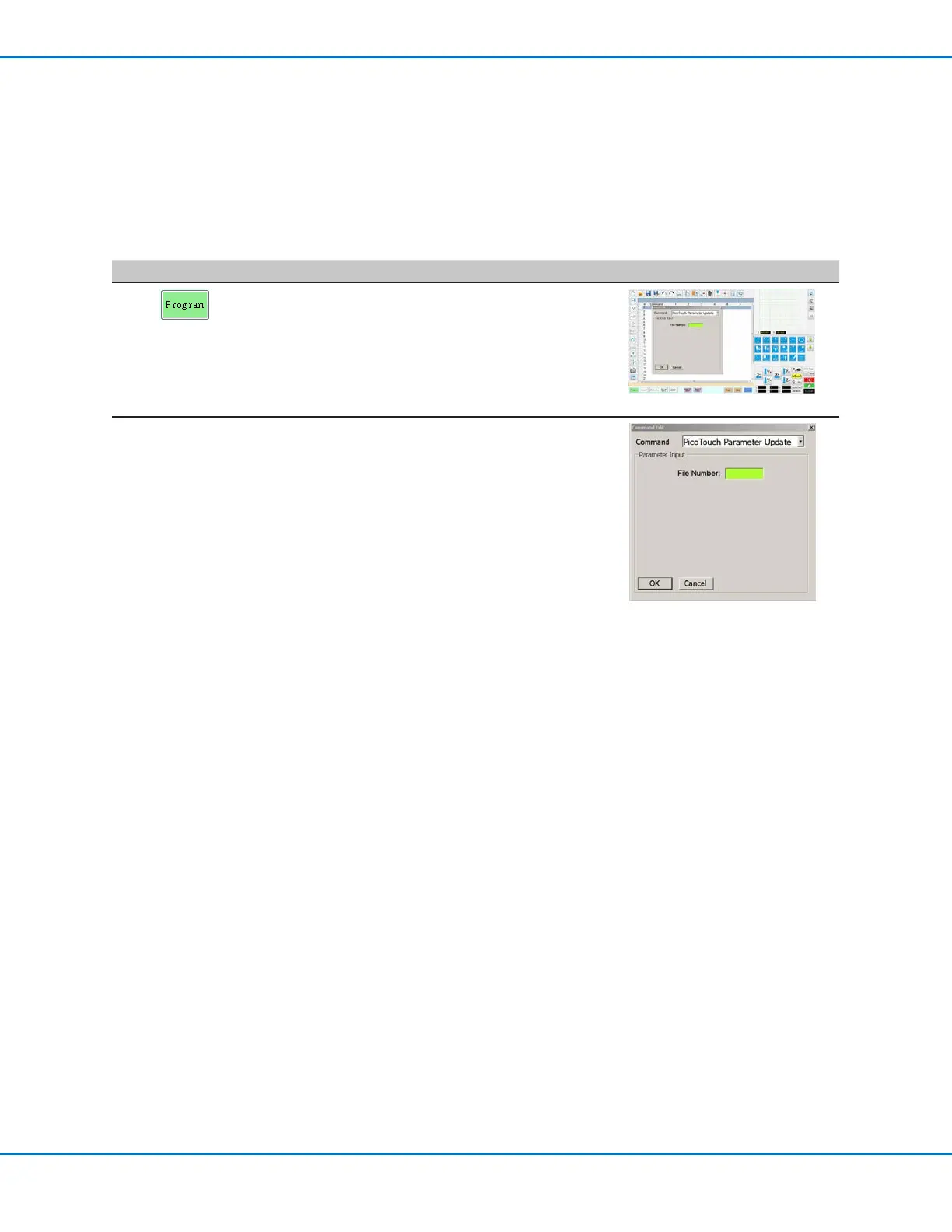
• Click the PROGRAM tab
• Double-click the address row where you want
to implement the saved PICO Toµch Controller
settings and select PICOTOUCH PARAMETER
UPDATE.
2 xxxxxxxx • In the FILE NUMBER field, enter the *.pico file
name that contains the PICO Toµch parameters
you want the system to use.
NOTE: The data entered for File Number must
exactly match the *.pico file name.
• Click OK to save.
NOTE: Multiple PicoTouch Parameter Update
commands can exist in the same program. When
the system switches to a new update command,
the Toµch Controller screen updates as well.
Note that delays can occur when switching
programs, for both the running program and the
update of the Toµch Controller screen.
How to Adjust PICO Parameters Using DispenseMotion (continued)



 To Next Page