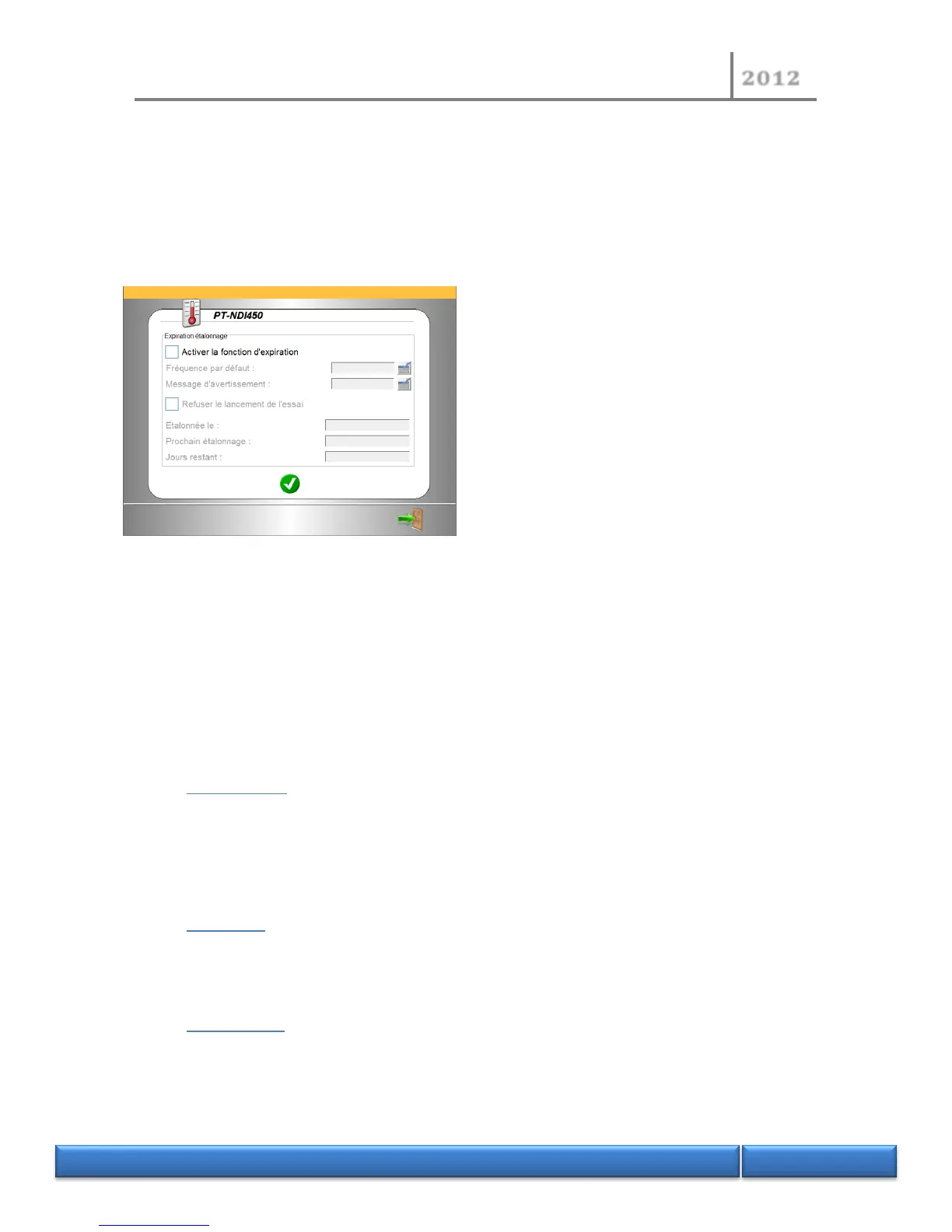
Its purpose is to monitor each magnitude to be calibrated in the instrument and expiry of the
calibration period.
It also allows, if the deadline is exceeded, prohibiting starting a test if the option is selected.
To choose this option, select the icon on each screen of a magnitude to be measured (after
completing the field “modified by” and the “modification” function).
If the expiry function is ticked, access is possible to
the frequency and warning message parameters:
Frequency: defines the frequency of validation of
calibration with as the starting point, the date of
calibration.
Warning message: an alarm message displayed X
days prior to expiry of calibration.
If the function “refuse to start test” is activated, it will not be possible to start a test with this
calibration.
5 Denomination and functions of the electronic boards
5.1 Process CPU
Manage acquisitions , regulations and processes
5.2 MMI CPU
Manage orders and peripherals : printer , displays , communication ports ( USB , Serial and Ethernet)
5.3 CL1 board :
- Manage the sensors :
o barometric pressure


 To Next Page