Chapter 4 - Using Charts
951/952 Operator’s Manual Rev. B Page 49
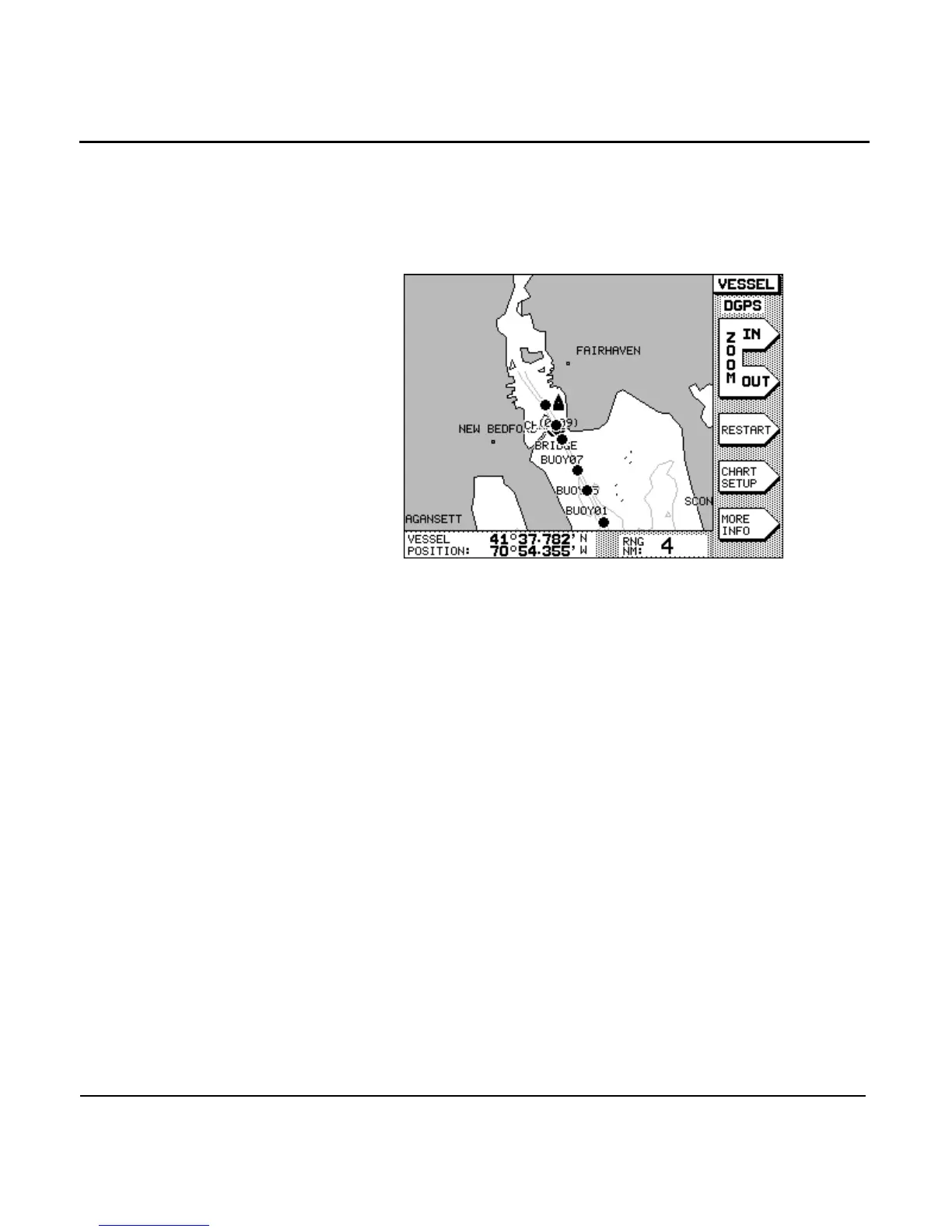
the chart. In VESSEL mode, you can immediately locate and
view your vessel’s present position (relative to your intended
course line) and any nearby waypoints, nav aids, land masses,
and so on. Your vessel remains centered on the chart, while
the chart moves under it.
While in VESSEL mode, you can access several menu-key navi-
gation functions, as described below.
Restarting
navigation
If you’re navigating to a waypoint and you see that you’re
presently off course, you can press the menu key to
restart your course line from your present position to your
intended waypoint, rather than maintain your original course
line.
Setting up the chart
detail
Press the menu key to change the kinds of
information shown on the chart (for details, see ”Setting up the
chart screen” starting on page 52).
Displaying more
info
Press the menu key to display additional informa-
tion in the INFO BAR at the bottom of the screen.
Zoom scale range in nautical miles is shown with:
•
SOG and COG
•
distance and bearing to the waypoint



 To Next Page