Page 60 951/952 Operator’s Manual Rev. B
Chapter 5 - Determining Position Coordinates
Displaying position, heading, and speed
Position coordinates can be determined from the GPS satellite
system, or if you’ve connected a loran receiver, you can dis-
play loran coordinates.
If you no longer have a loran receiver, but want to view your
position in loran TDs, the unit can convert GPS coordinates
into Phantom Loran coordinates.
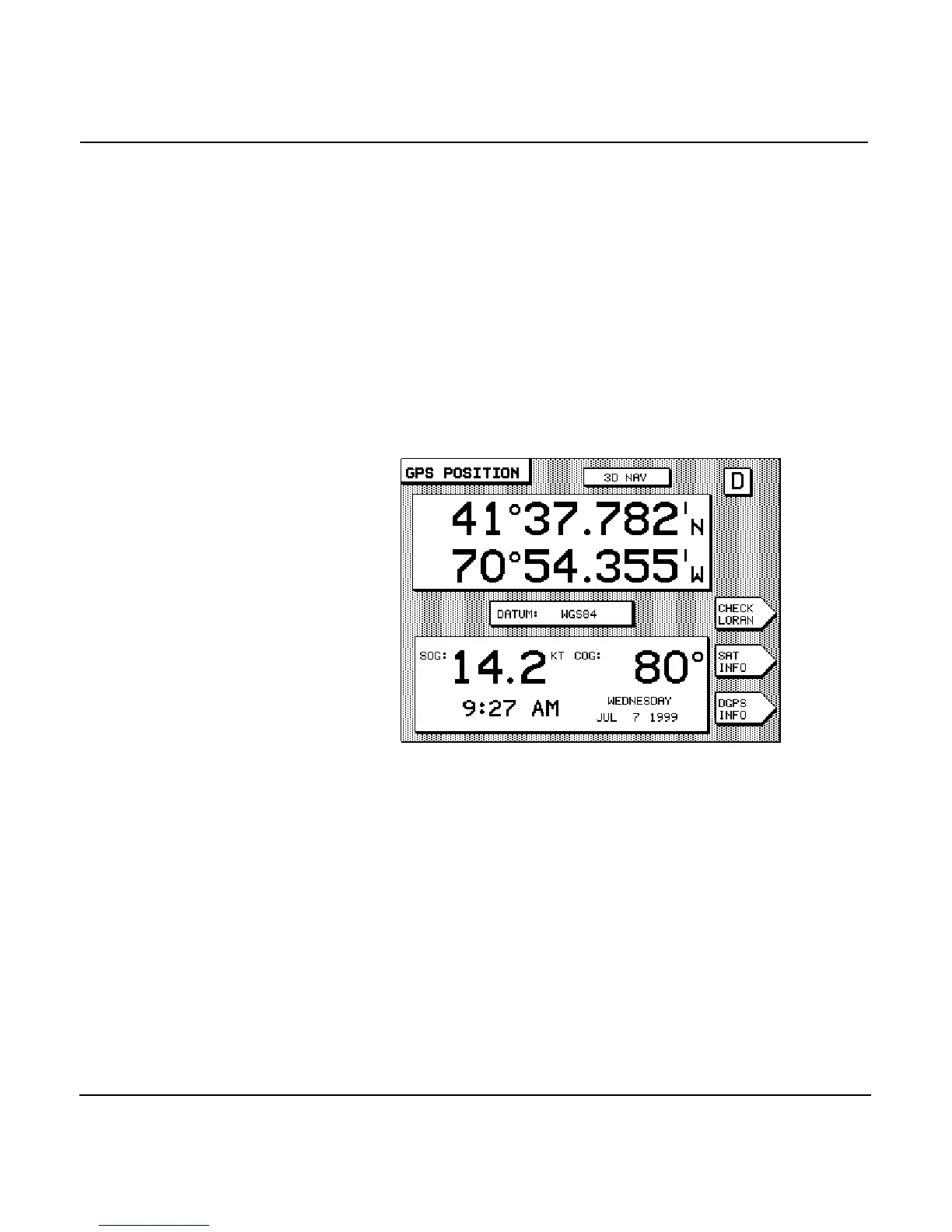
To display the numeric coordinates of your current position in
large, easy-to-read numbers, press the key (twice, if
necessary). The GPS POSITION screen is displayed showing
your position coordinates at the top, and your COG and SOG
at the bottom.
Position coordinates can also be displayed at the bottom of the
CHART screen as described in “Displaying your present posi-
tion on a chart” on page 42.
GPS position coordinates are displayed as latitude and longi-
tude, or you can choose to display loran coordinates instead.
(Loran coordinates may be obtained from a loran receiver con-
nected to the unit, or may be calculated by the unit from the
GPS position coordinates. For more information on using loran
coordinates, see ”Using loran” starting on page 67.)
Specific details for using GPS, loran, and Phantom Loran are
given in the remaining parts of this chapter.



 To Next Page