Chapter 4 - Using Charts
951/952 Operator’s Manual Rev. B Page 53
Changing chart
details
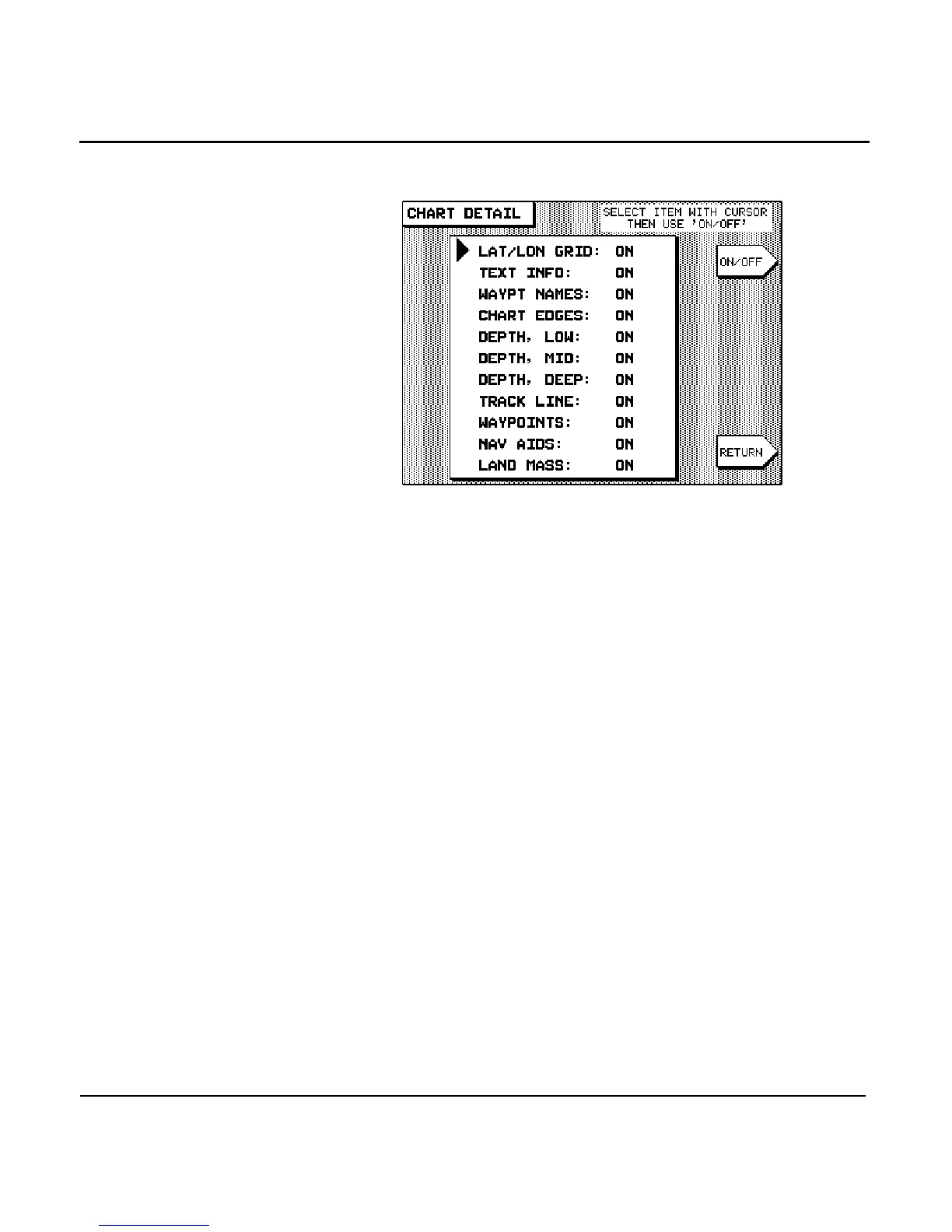
Press the menu key to modify any of the fol-
lowing CHART screen parameters:
To change any of the following CHART screen details, first
press the to move the cursor to the desired
item. Press the menu key to turn the item ON or OFF
(OFF is represented on the screen by two dashes “–”).
Lat/lon grid
The ON setting displays lat/lon lines on the CHART screen.
Turn lat/lon lines to OFF when these lines make your screen
appear cluttered, or when you don’t need them.
Text info
The ON setting displays the names of local cities, towns, har-
bors, channels, bodies of water, and so on.
Waypt names
The ON setting displays the name of each waypoint below its
symbol. The OFF setting displays just the symbol itself.
Chart edges
The ON setting displays the outlines of the charts included in
the Nav-Chart cartridge currently installed. Charts are shown
as boxes with dotted lines. These boxed areas include greater



 To Next Page