NOVA chat User’s Guide Page 98
Using Block Scan Mode
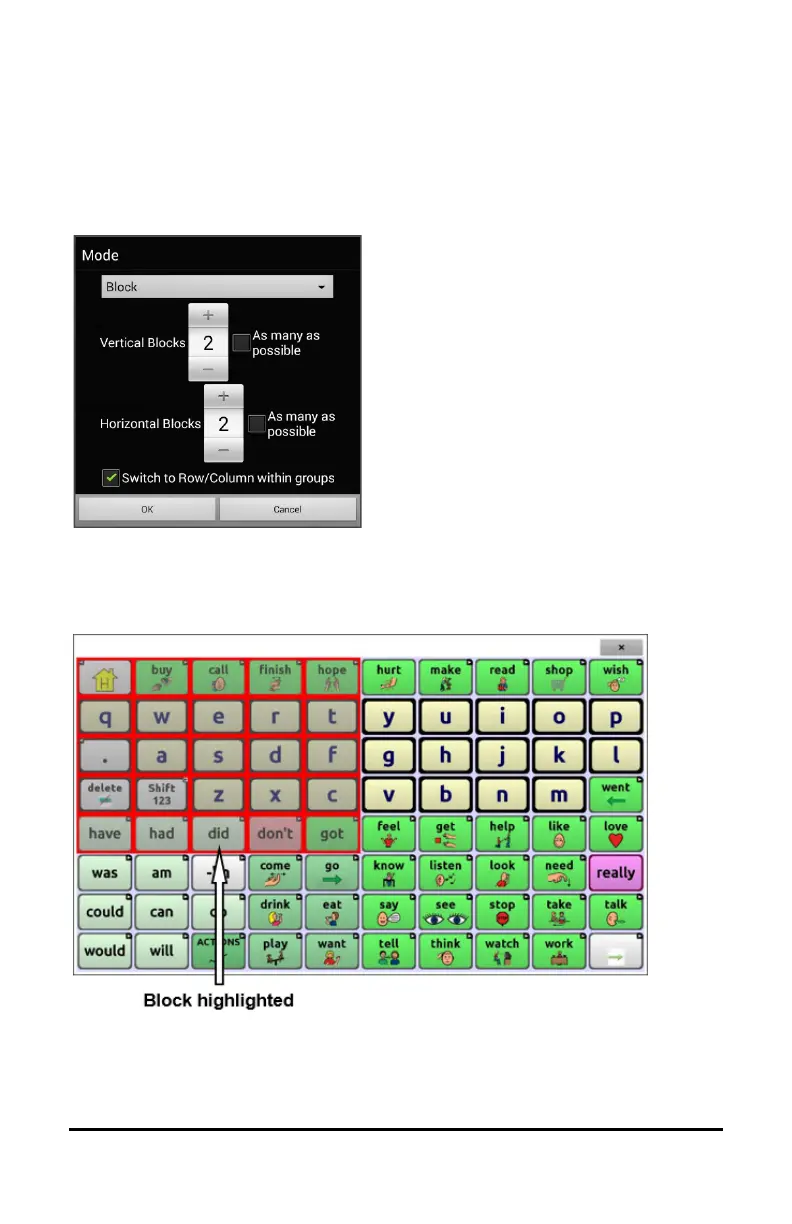
If you select Block, the Mode window will open.
To increase the number of columns or rows in a block, tap +; to decrease
the number, tap –; or select “As many as possible”.
If you want a scan to switch to
Row/Column mode after a block is
selected, choose “Switch to
Row/Column within groups”.
If you want to scan by blocks only,
leave “Switch to Row/Column
within groups” unselected.
When you finish setting block
options, choose OK.
A block scan highlights blocks of buttons. The blocks are defined by the
settings in the Mode window. When the block that contains the button
you want is highlighted, activate your switch.
The scan will then highlight smaller blocks, rows, or columns within the
block, depending on your settings. When the button you want is
highlighted, activate your switch.



 To Next Page