NOVA chat User’s Guide Page 24
Turning the Amplifier On and Off
Typically, the amplifier should be left on. When the amplifier is off, speech
is still available, but it comes from the device’s internal speaker.
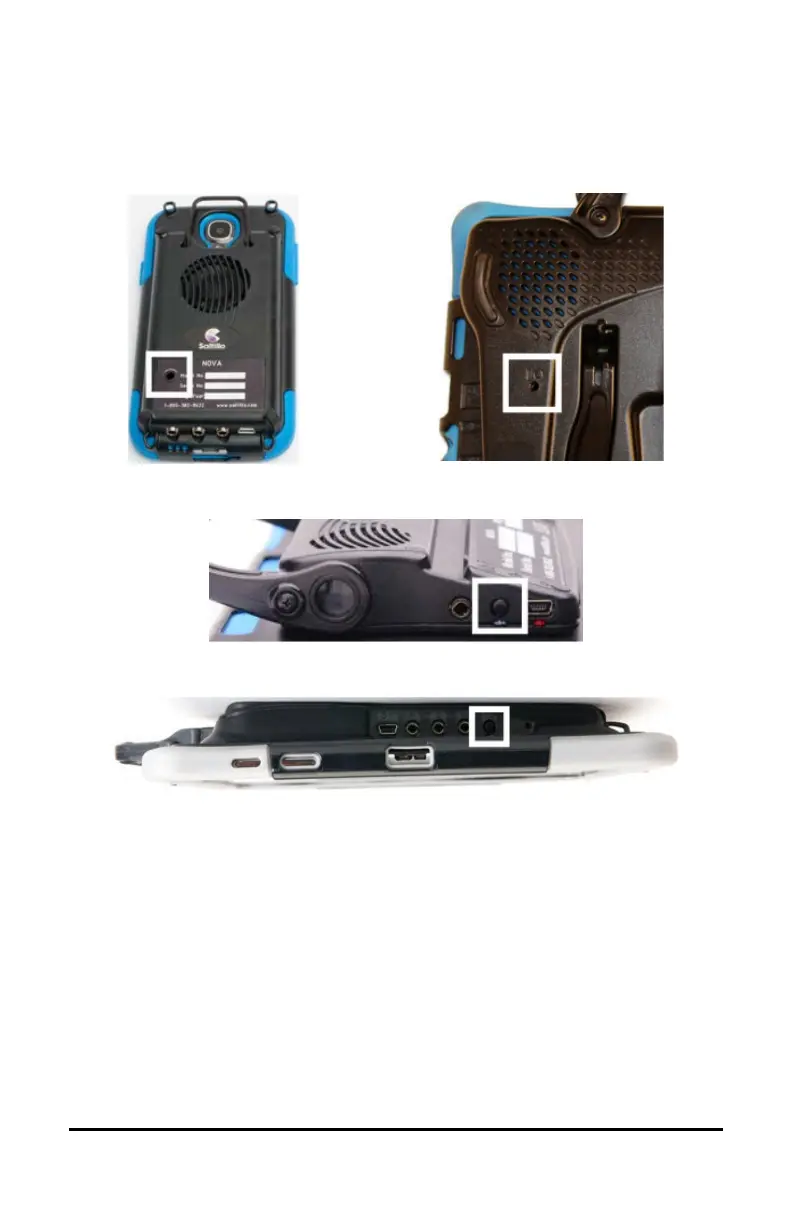
The NOVA chat 5 and NOVA chat 8 amplifier power buttons (labeled
“I/O” on the NOVA chat 8) are recessed. Use the tip of a pen when you
need to press the button. Do not use an object with a sharp point, such
as a pin; it could damage the button.
The NOVA chat 12 amplifier power button (labeled “I/O”) is recessed
slightly to avoid pressing it accidentally. If you have difficulty pressing it,
use the touchscreen stylus that came with your device.



 To Next Page