NOVA chat User’s Guide Page 117
Setting the Display Time for Word Finder Results in the SDB
To set the amount of time each Word Finder result is displayed in the
Speech Display Bar, Choose Menu > Settings > Word Finder > Flip
Interval. The current interval is displayed.
1. To increase the interval, tap + (the plus sign) or type a higher
number.
2. To decrease saturation, tap – (the minus sign) or type a lower
number.
3. Choose Done and then choose OK.
Finding Specific Words
When you want to find where a word is used:
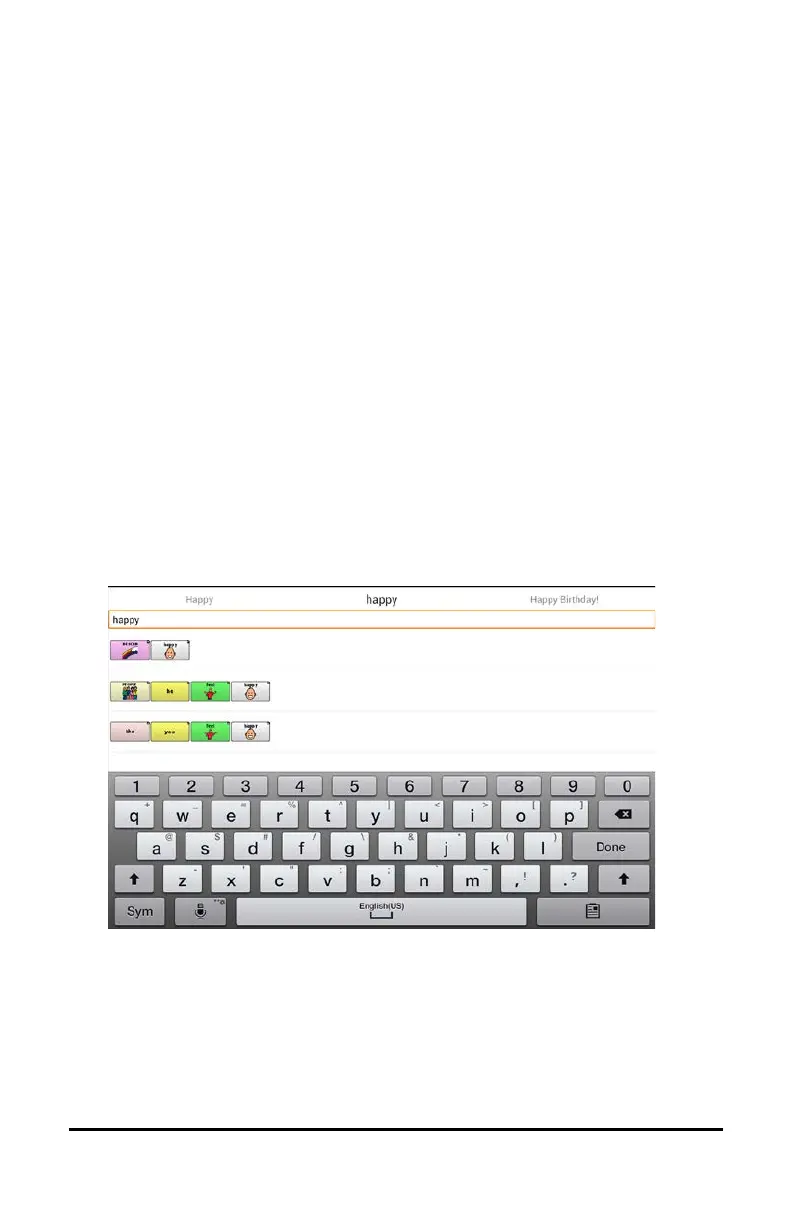
1. Either tap the Word Finder button you created or choose the Word
Finder menu item. A keyboard will open.
2. Type the word in the colored box. Uses of the word will appear above
the colored box and one or more paths to the word will appear below
the colored box.
3. Tap Done to close the keyboard and view the paths to the word.
Note: To view the paths to one of the other words that are displayed
above the colored box, tap the word. The path to that word will
appear below the colored box.



 To Next Page