NOVA chat User’s Guide Page 107
Working with Groups and Subgroups
The Scan Editor allows you to set up groups and subgroups of buttons
for scan patterns on a page. For example, a group could be a collection
of three rows of buttons eight columns wide. Within that group could
be a subgroup of two rows of buttons four columns wide. Within that
subgroup could be a subgroup of one row of buttons two columns wide.
Using the Scan Editor Menu Options
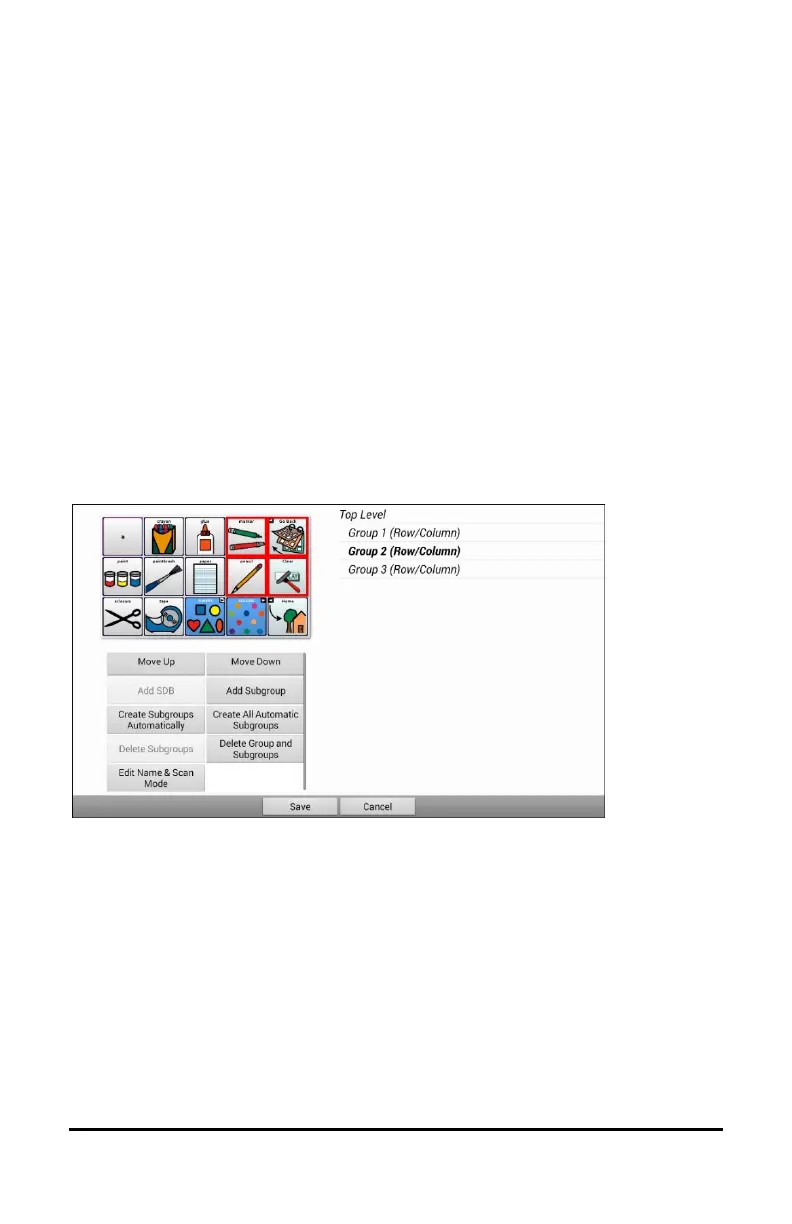
For an easy way to get started, select Create Subgroups Automatically
or Create All Automatic Subgroups. A list of groups will appear under
“Top Level”.
From the list of groups, select the group you want to include in the scan.
When you select a group, its name will appear in bold and the
corresponding group of buttons in the preview screen will be highlighted.
Note: The number of groups listed is controlled by the scan mode setting:
Menu > Settings > Input > Scanning > Patterns > Mode.



 To Next Page