NOVA chat User’s Guide Page 66
Creating Your Own Image
1. Choose Menu > Edit Mode.
2. Press and hold on the button. A menu will open.
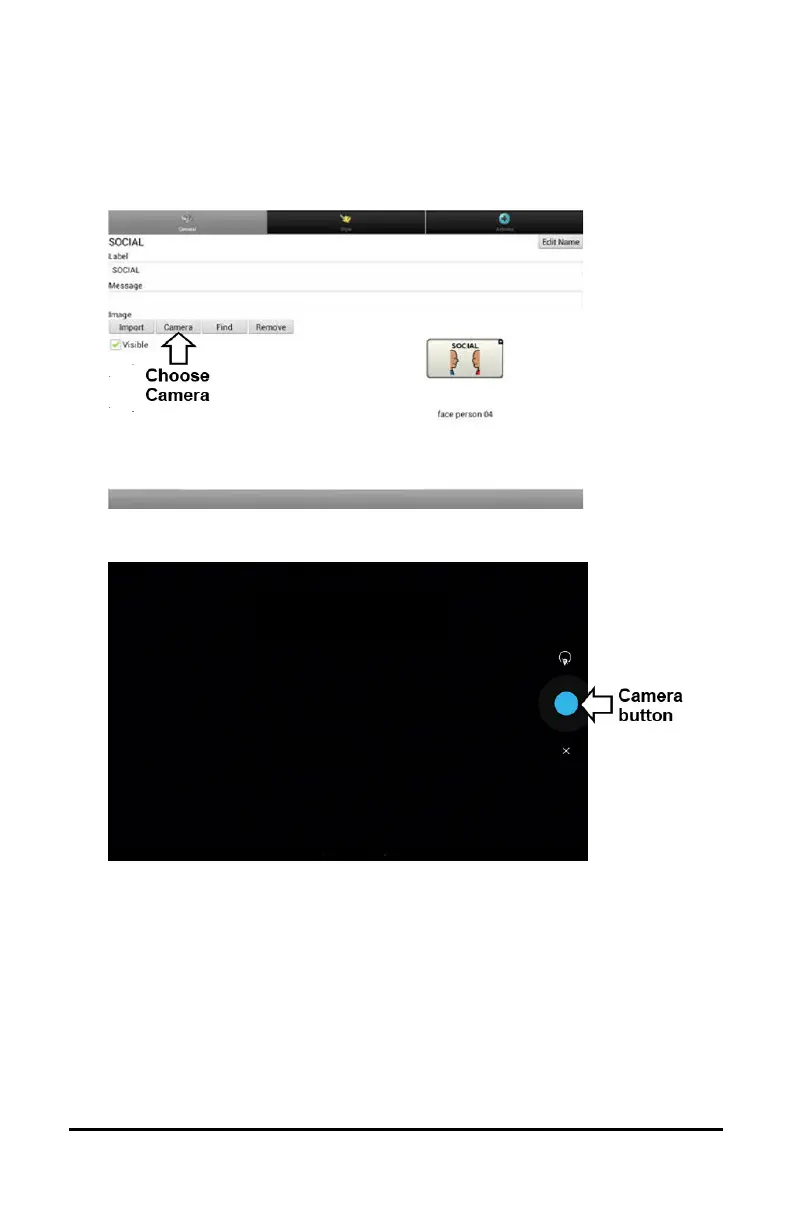
3. Choose Edit Button to display the Button Properties.
4. From the Button Properties, choose Camera.
Note: The Camera button may look different on your device.
5. Tap the Camera button.
On some devices, a checkmark will be displayed above the Camera
button. Tap the checkmark to open a keyboard. On other devices,
Save and Discard buttons will be displayed. Tap the Save button to
open a keyboard.
6. Enter a name for the image and choose Save.



 To Next Page