NOVA chat User’s Guide Page 128
For Customer Support:
If you have a problem with the Realize Language website, email
support@realizelanguage.com
If you have a problem with your device, call Saltillo technical support at
1-800-382-8622 or email service@saltillo.com.
Creating a Privacy Password
Data logging provides the option to create a privacy password to protect
the data you collect against unauthorized access.
1. Choose Menu > Settings > Data Logging. The first time you use Data
Logging, the following message will appear:
Data logging collects personal communication. You may now set up a privacy password to
protect your communications from being shared without your permission.
2. Choose Continue to close the message and open a keyboard for
creating a privacy password.
3. Enter a password and choose Next.
4. Enter the password again to confirm it and choose Save. The Data
Logging menu will open.
Turning Data Logging On or Off
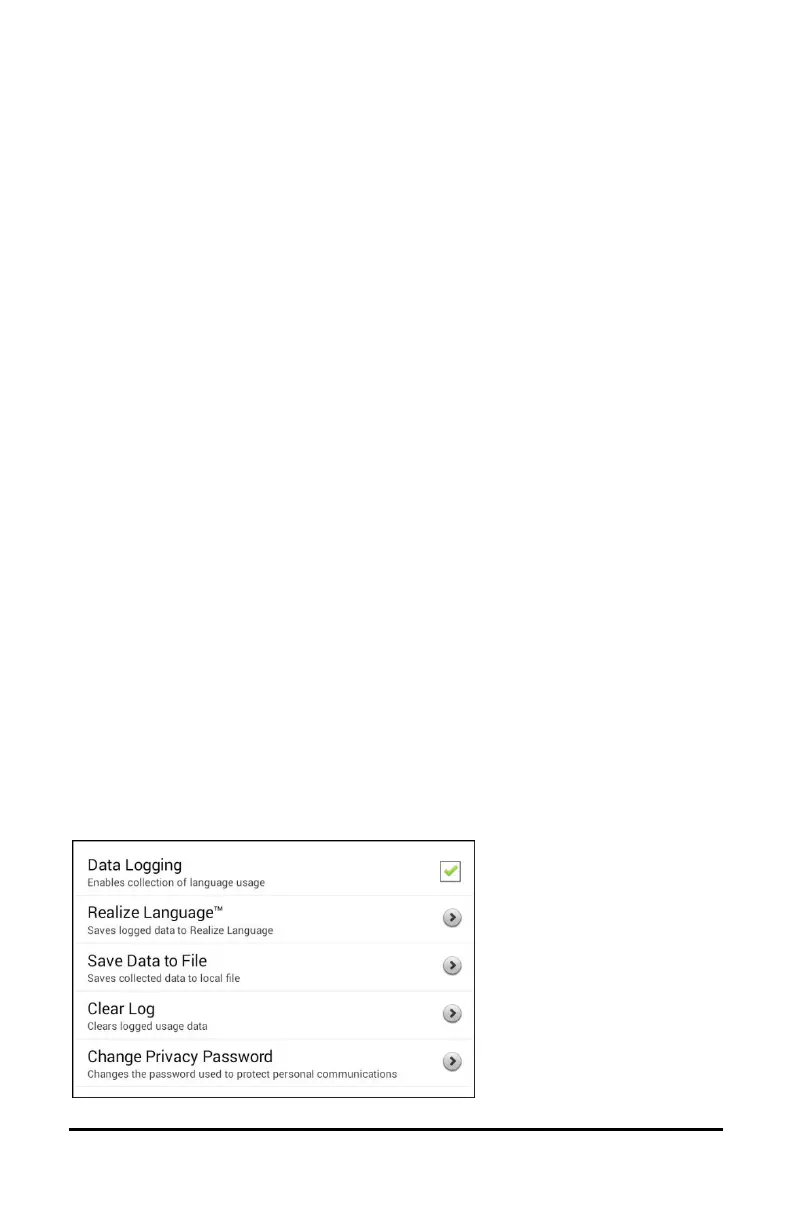
When data logging is turned on, your device collects language usage
data which you can upload to the Realize Language website for web-
based analysis or save to a file to analyze manually.
From the Data Logging menu, select Data Logging. A green checkmark
will appear to indicate that data logging is turned on.



 To Next Page